Aftershow: Setlist to Playlist
iPhone / Musique
You just walked out of the venue. The setlist is already up on setlist.fm. Aftershow turns it into an Apple Music playlist before the ringing in your ears fades.
Made by someone who actually goes to shows — built for the moment you want the whole night back, on the train home.
HOW IT WORKS
Two ways in, both fast:
- Paste a link. Copy any setlist.fm URL, open Aftershow, and it pulls the show — every song, in order, encores and all.
- Search an artist. Type a band, pick the show. Last night's gig, a legendary tour stop, or the one you've got tickets to in two weeks.
Or skip the app entirely: in Safari, tap Share on a setlist.fm page and send it straight to Aftershow. From show page to playlist without typing a thing.
Then tap once. Aftershow matches each song to Apple Music and saves the playlist to your library, named the way you'd name it yourself — artist, venue, date. Done.
HONEST ABOUT THE MISSES
Live shows don't map perfectly to a streaming catalog, and we won't pretend they do. When the playlist is ready, you'll see exactly what happened: "22 of 24 songs added," with the misses listed plainly. A surprise cover, a 12-minute jam, a tape intro, a song that just isn't on Apple Music — that's normal. You get the real show, and you can see what didn't make it instead of wondering.
BUILT FOR EVERY KIND OF FAN
- The archivist who wants last night saved before the adrenaline wears off.
- The fan with tickets in two weeks, learning the deep cuts before the lights go down.
- The collector keeping a record of every show they've stood in the crowd for.
- The newcomer figuring out what a band actually sounds like live.
THE ARCHIVE
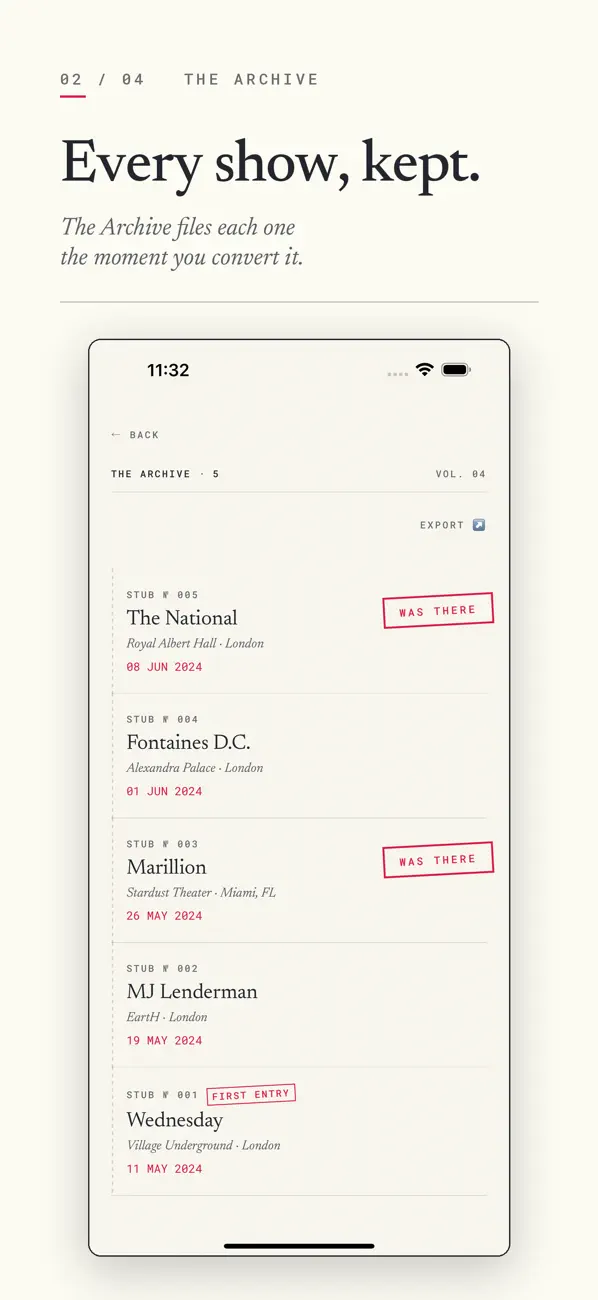
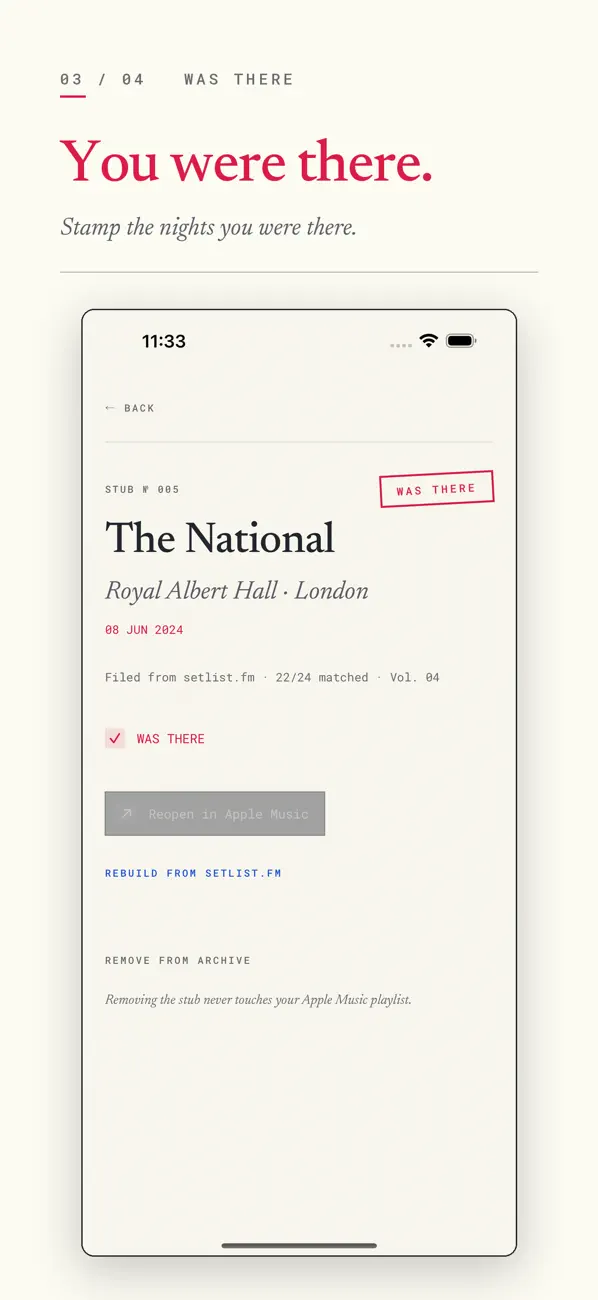
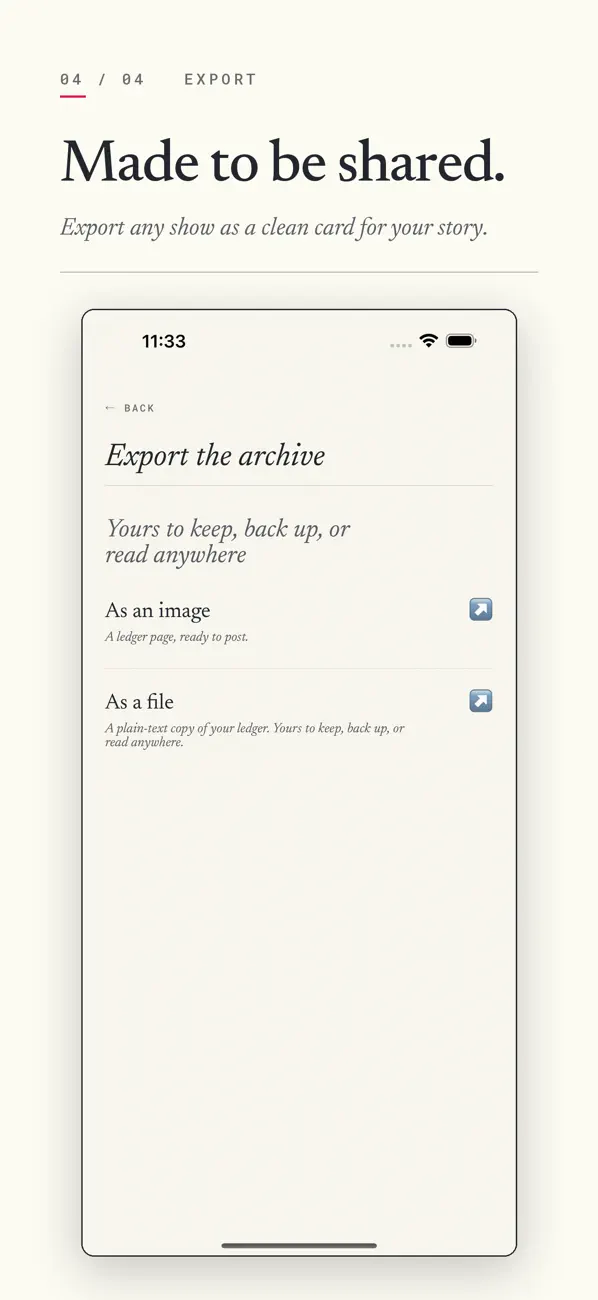
Every show you convert lands on a shelf of its own. Artist, venue, date — filed automatically, in order, the moment the playlist is made. Tap a show to rebuild its playlist if you ever lose it, or open it again. Mark the nights you were actually there with a "WAS THERE" stamp. And when a show deserves to be seen, export it as a clean image card for your story, or as plain text.
It's the record of every night you've kept — and it follows you across your devices through your own iCloud.
PRIVATE BY DESIGN
Aftershow has no account and no login. Nothing to sign up for. It doesn't collect your data, and it never reads your listening history — it has no reason to and no way to. Your Archive syncs through your own iCloud, where we can't see it: it's your iCloud, not our server. You paste a setlist, you get a playlist, and the night gets kept where only you can reach it. We ship a privacy manifest declaring no tracking and no data collected, because that's the truth.
WHAT YOU'LL NEED
An active Apple Music subscription. Aftershow creates playlists right in your own library using Apple Music, so a subscription is required to save them.
A DESIGN THAT FITS THE MOOD
A clean, editorial two-ink look that reads like a well-set ticket stub. It adapts to Light and a deep "Night Edition" Dark mode, and a simple sun/moon menu lets you set Automatic, Light, or Dark to match the night.
That's it. Find the show. Get the playlist. Play the night back as many times as you want.
Quoi de neuf dans la dernière version ?
Your recent artists, one tap away. Open the search screen and the last few artists you looked up are right there waiting — no retyping the band name you just filed a setlist for. Tap one and you're back in.
Stays on your phone, like everything else. Now go pull up that opener you can't stop thinking about.