Chordana Play for Piano
iOS Universel / Musique
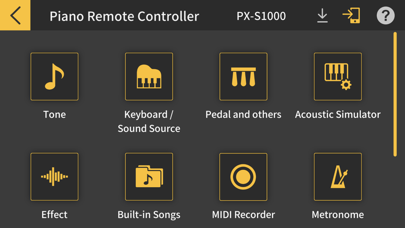
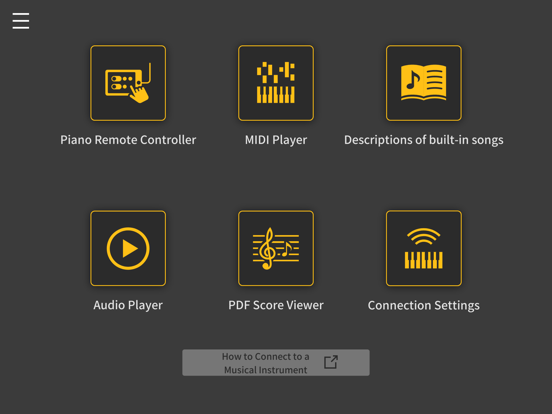
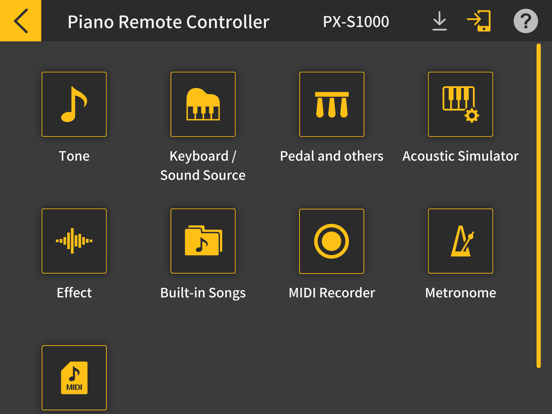
◆Piano Remote Controller
Connect your smartphone or tablet to a compatible Casio digital piano to control various settings.(*1, *2)
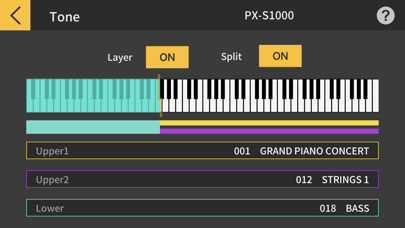
・Select tone, play internal songs and more from the screen on your device.
・Use the easy-to-understand icons for intuitive control.
・You can also check settings not directly visible on the instrument itself, such as the tuning frequency readout (Hz) and temperament type.
● Supported models
PX-770, PX-870, AP-270, AP-470
PX-S1000, PX-S3000, CDP-S100, CDP-S90, CDP-S150, CDP-S350
PX-S1100, PX-S3100, CDP-S110, CDP-S160, CDP-S360
● What is needed for connecting and the connection method used
See here for more details on connections.
https://web.casio.com/app/en/piano/support/connect.html
*1 Piano Remote Controller can be used when you are connected to a compatible digital piano.
*2 Some settings cannot be controlled using the Piano Remote Controller.
◆MIDI Player
Visually check the next key or keys to be played, and display them in the piano roll window. Practice at your own pace using the tempo adjustment and AB repeat features. Keep track of your improving skills and make practicing more fun with the in-built scoring system.
◆Descriptions of Built-in Songs
View descriptions of the app's internal songs and corresponding composers. Control playback of songs in the digital piano's internal Music Library when connected to compatible Casio digital pianos.
PTNA Piano Encyclopedia : http://www.piano.or.jp/english/
* PTNA: Piano Teacher's National Association
◆PDF Score Viewer
The viewer can display the PDF sheet music of 60 songs in the Music Library. It can also be used as a regular PDF file viewer.
Connecting the smart device via a USB cable or a wireless adaptor enables you to use the 3-pedal unit (SP-34) or the damper pedal (SP-3 single-pedal unit) as a page turner.
● Supported models
PX-S1000, PX-S3000, CDP-S100, CDP-S90, CDP-S150, CDP-S350
PX-S1100, PX-S3100, CDP-S110, CDP-S160, CDP-S360
Users of models that do not support page turning can still access page-turning capability by using a third-party Bluetooth page turner.
Models on which operation is confirmed
● iRig Blue Turn
● AirTurn PED pro
◆Audio Player
Play back audio on your device with musical tools such as key shift and tempo change, looping, and melody cancel.
*The effectiveness of Cancel Melody/Cancel Accompaniment varies depending on the song.
◆Connecting your smart device to a musical instrument via a wireless adapter
● Supported models
PX-S1100, PX-S3100, CDP-S360
● What is needed for connecting and the connection method used
See here for more details on connections.
https://web.casio.com/app/en/piano/support/connect.html
・Using a wireless adapter keeps the area around your keyboard neat and tidy and makes MIDI Player, Piano Remote Controller and Audio Player even more fun to use.
・Do not connect the Wireless MIDI & audio adaptor (WU-BT10), a USB cable and an audio cable to the smart device at the same time.
◆Connecting your smart device to a musical instrument via a cable
● Supported models
・USB-MIDI connection
PX-770, PX-870, AP-270, AP-470
PX-S1000, PX-S3000, CDP-S100, CDP-S90, CDP-S150, CDP-S350
PX-S1100, PX-S3100, CDP-S110, CDP-S160, CDP-S360
・Audio connection
PX-S1000, PX-S3000, CDP-S100, CDP-S90, CDP-S150, CDP-S350
PX-S1100, PX-S3100, CDP-S110, CDP-S160, CDP-S360
Connecting via a USB-MIDI connection enables you to link the musical instrument with devices such as the piano remote controller, a MIDI player or a pedal for page turning in the PDF score viewer. The audio connection also enables you to listen to Audio Player playback on the musical instrument speakers.
Quoi de neuf dans la dernière version ?
・Bug fixes and performance improvements