Fretboard IQ
iOS Universel / Musique
Master the guitar fretboard through timed challenges, pattern recognition, and interactive visual learning. No subscriptions.
Learn finger placement for over 100 popular chords, all pentatonic scales in any key, major arpeggio triads, professional picking patterns, and proven fretboard memory techniques — all on a fully interactive fretboard.
No ads. No subscription. Pay once, own it forever.
Perfect for beginners learning their first notes or intermediate players breaking out of box patterns. Excellent tool for guitar teachers and education professionals. Guitar tuner and metronome built in.
Timed challenges
Test your fretboard knowledge against the clock. Filter by specific strings, frets, or landmark notes. Choose sessions from 30 seconds to 3 minutes. Earn XP for correct answers with bonuses for accuracy and speed. Level up through ranks from Novice to Shred Wizard to Fretboard God.
Pentatonic scales
Visualise all five CAGED positions in any key. View all positions colour-coded across 17 frets with overlap zones, or focus on individual shapes. Play any position with a single tap.
Tuner and metronome
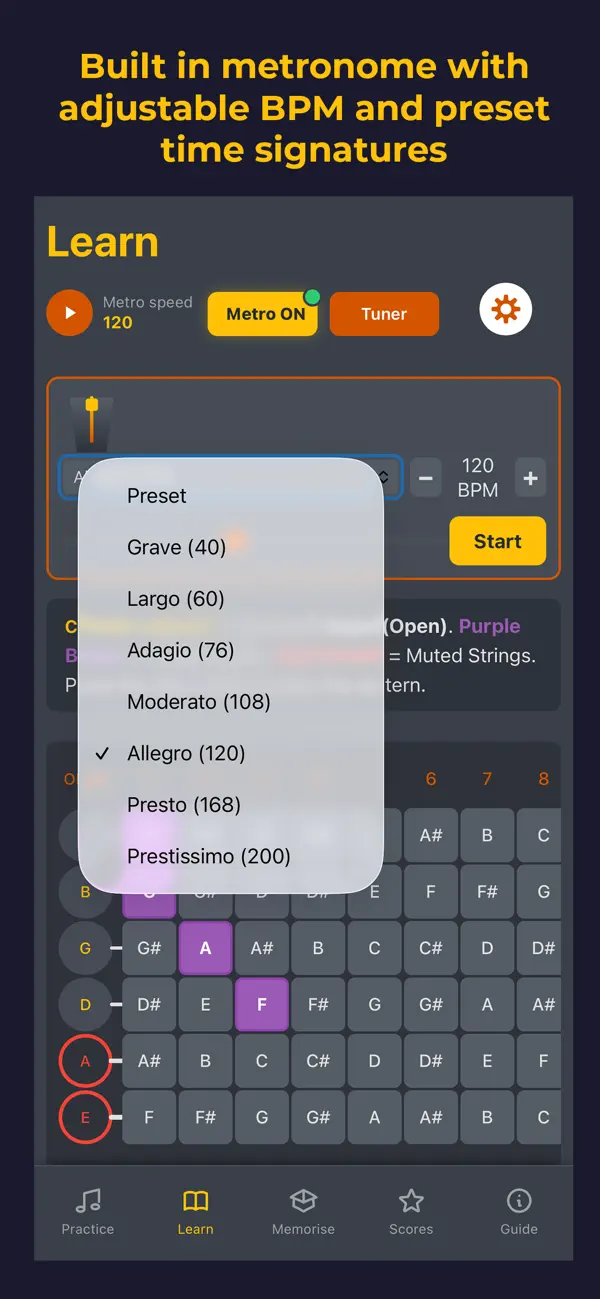
Built-in chromatic tuner with microphone input supporting Standard, Drop D, DADGAD, and more. Visual indicators turn green when perfectly in tune. Adjustable metronome from 40-220 BPM with tempo pre-sets, visual animation, and haptic feedback. Both the guitar tuner and metronome work offline.
Chord library
Explore over 100 chord shapes including open, barre, extended and colour chords. Visualise fingerings directly on the fretboard with clear indicators for fretted and muted strings.
Arpeggios
Understand the skeleton of chords (triads). Visualise Major 7, Minor 7, Dominant 7, and more with colour-coded root notes and chord tones.
Picking patterns
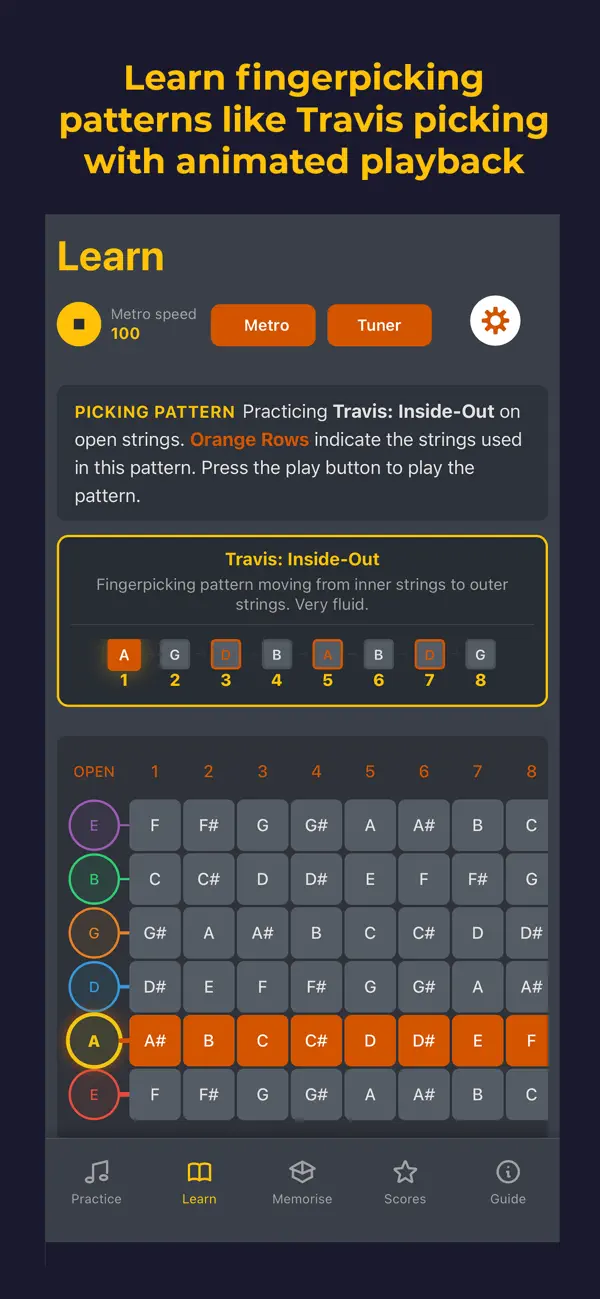
Master fingerstyle with over 30 professional patterns from essential drills to iconic song styles like Travis Pick, Dust in the Wind, and Blackbird. Visual string animation shows exact plucking order, synced to your metronome tempo.
Master play button
Context-aware playback that adapts to your selection. Strums chords, plays scales and arpeggios ascending, or loops picking patterns. All playback syncs to your metronome BPM.
Pattern recognition
Select any note to highlight every instance across all strings and frets. Toggle natural notes only, show octave positions, or use the popular fretboard memory method "the L-shaped trick" to navigate the neck. Landmark frets are highlighted for easy orientation.
Smart picking mode
Combine any chord with any picking pattern. The app plays the correct fretted notes automatically with visual feedback showing strings being plucked and notes sounding in real-time.
High scores & progress
Track your best performances filtered by string, fret, or mode. Watch your improvement over time.
1. Novice - Badge 1 (Levels 1-2)
2. Strummer - Badge 2 (Levels 3-4)
3. Busker - Badge 3 (Levels 5-9)
4. Rhythm Master - Badge 4 (Levels 10-19)
5. Soloist - Badge 5 (Levels 20-29)
6. Shred Wizard - Badge 6 (Levels 30-49)
7. Fretboard God - Badge 7 (Level 50+)
Customisable settings
Choose string colour themes, toggle haptic feedback, switch between sharps and flats, and enable quick tips on start-up.
Questions or feedback? We'd love to hear from you at contact@fretboardiq.app
Quoi de neuf dans la dernière version ?
- Animations and sound effects added for correct test answers and level achievements
- New sound effects toggle
- Tuner is now preloaded to ensure no delay when first used (immediately responsive)
- Metronome enhancements including beats per measure, accents, live beat-dot indicator, subdivisions (quarter/eighth/triplet), three click timbres (Click/Wood Block/Beep), and a Tap Tempo button.
- Misc. bug fixes including sync settings issue, mobile checkbox problem, and rare haptic feedback toggle fails