LyricsFlow Pro
iOS Universel / Musique
Transform your phone or tablet into the ultimate rehearsal and stage companion.
LyricsFlow Pro is the professional digital songbook and teleprompter/scroller designed specifically for singers, guitarists, bass players, keyboard players, bands, and worship leaders. Say goodbye to heavy 3-ring binders, and the anxiety of forgetting lyrics. Whether you are rehearsing in the garage or performing at a sold-out venue, LyricsFlow Pro puts your entire repertoire at your fingertips.
Designed by musicians for musicians, this app combines powerful ChordPro rendering with a sleek, distraction-free interface that ensures you never miss a beat or a lyric.
THE ULTIMATE PERFORMANCE TOOL: LyricsFlow Pro’s Auto-Scroll engine acts as your personal teleprompter.
Variable Speed Control: Set the perfect scroll speed for each individual song. The app remembers your settings for every track.
Touch-to-Pause: Tap pause, manually scroll up and down or use the nudge buttons.
Stage Countdown: A visual countdown timer displays at the beginning and end of each song to give you time.
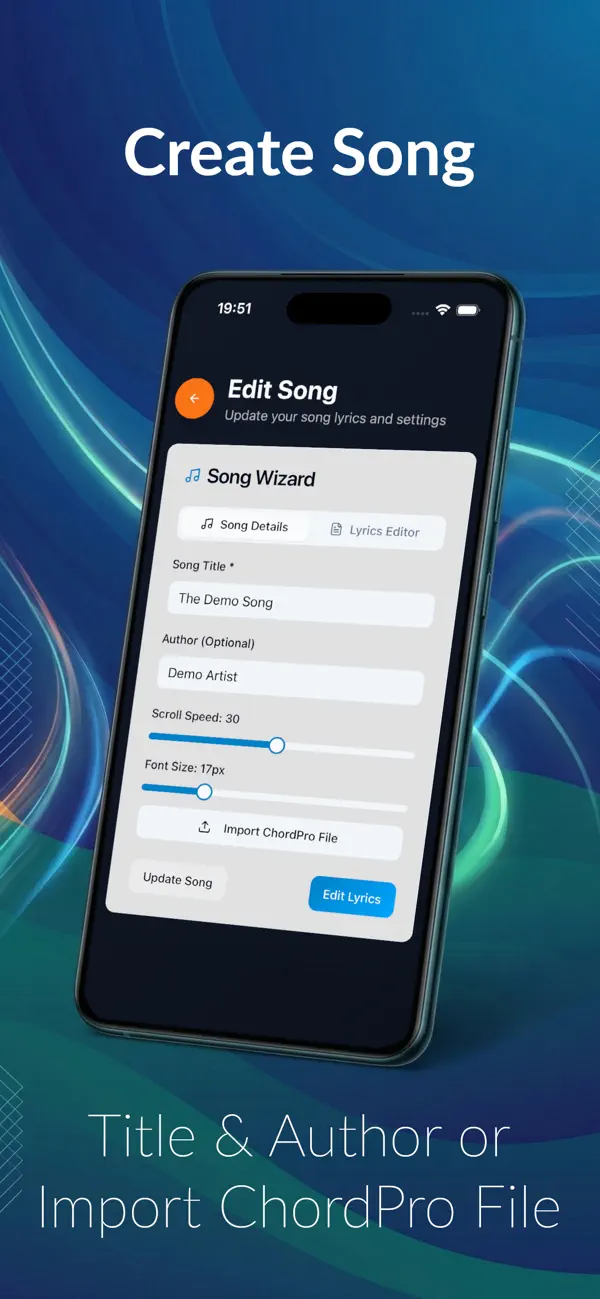
PROFESSIONAL SONG MANAGEMENT Importing your library is seamless. LyricsFlow Pro supports the industry-standard ChordPro format, making it compatible with thousands of songs available online.
Smart Import: Automatically extracts Title, Artist, Lyrics and Chords from directives in .cho, .crd, .chopro, .chordpro, and .txt files.
ChordPro Support: Full support for standard directives like {title:}, {artist:}, and {subtitle:}.
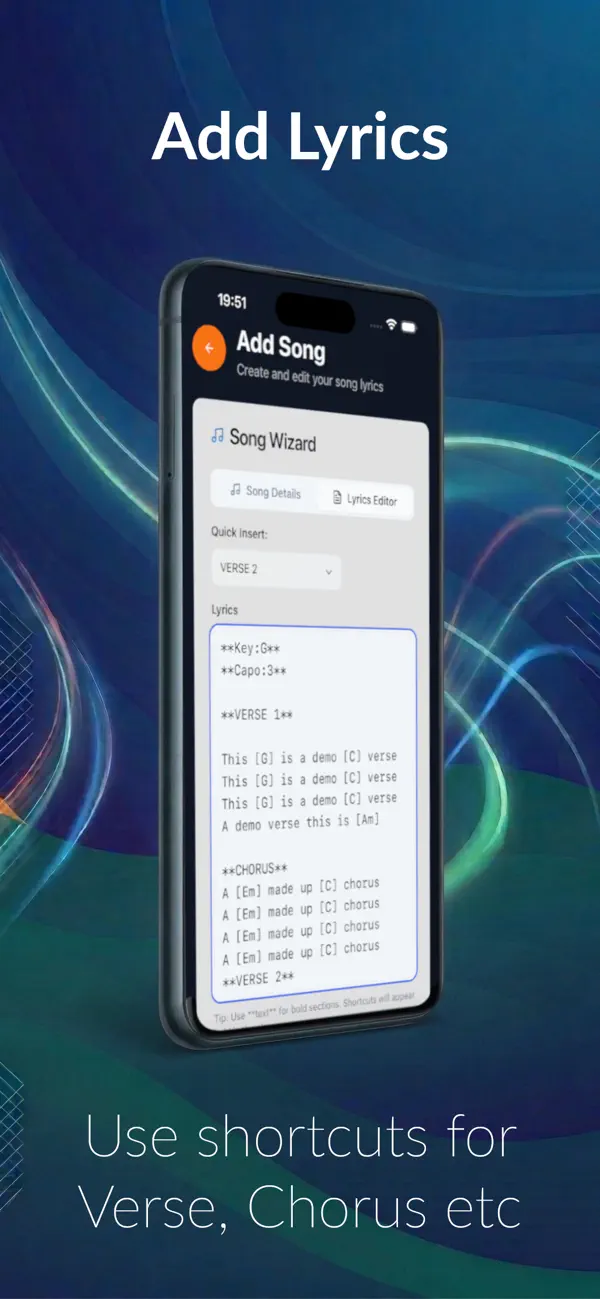
Visual Chords: The app identifies chords e.g. [Am7] and displays them in a custom colour of your choice, distinct from the lyrics. Perfect for guitarists, bassists and keyboard players who need harmonic cues at a glance.
SONG SECTIONS: Use Quick Insert to add the sections such as Verse 1, Chorus, Bridge etc in bold and in the colour set in settings.
GIG-READY SET LISTS: Set up set lists for all your gigs. The player will scroll and advance the songs automatically in the order you set.
DRAG AND DROP: Easily re-order songs in seconds to adapt to the crowd's energy.
COLOUR SCHEMES FOR ANY VENUE: Poor lighting can ruin a performance. LyricsFlow Pro ensures readability in any environment.
15 Pro Themes: Choose from 11 diverse colour schemes and background themes.
DARK MODE: Switch the apps user interface to dark mode to save eye strain.
Lighting Optimisation: Select high-contrast "Dark Mode" themes for dark clubs to prevent screen glare, or high-visibility light themes for outdoor daytime festivals.
Total Font Control: Adjust font sizes for each song. Make your lyrics massive for easy reading from a distance, or smaller to fit more lines on the screen.
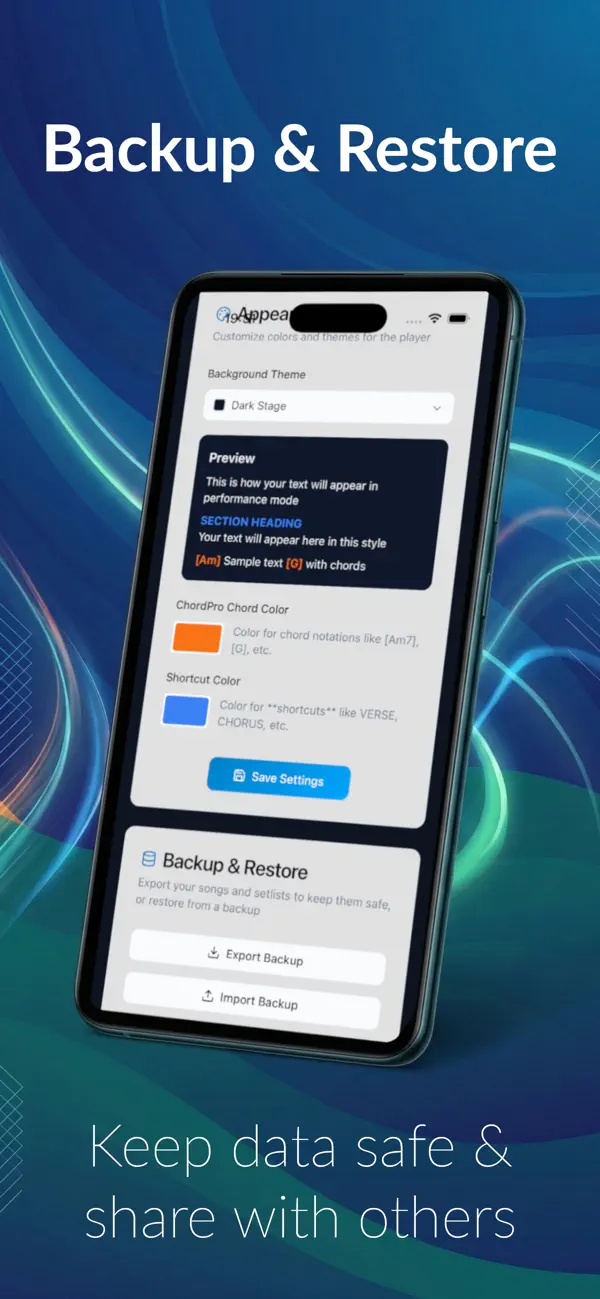
BACKUP & RESTORE (NEW!) Your repertoire is your life's work. Keep it safe.
Secure Export: The comprehensive Backup & Restore feature allows you to export your entire database—including songs, setlists, and custom settings—to a single file.
Data Portability: Save your backup to your device or upload it to cloud storage.
Easy Restoration: Seamlessly restore your library if you switch devices or need to sync setups with a bandmate.
WHY LYRICSFLOW PRO?
For Singers: The teleprompter-style scroll ensures you never forget a line.
For Musicians: Clear chord rendering and key transposition.
For Bands: Use the countdown and setlists to keep everyone on the same page.
Stop fumbling with paper. Upgrade to the digital songbook that works as hard as you do.
Download LyricsFlow Pro today and take command of your stage!
Visit: https://lyricsflowpro.co.uk for more information and to use our free ChordPro Wizard to create your songs.
DISCLAIMER: This app contains no demo data or copyrighted material. It is the user's responsibility to ensure that they have relevant permissions to use any songs or lyrics.
Quoi de neuf dans la dernière version ?
A major release with some great new features including:
Bluetooth Foot Pedal Support for: Pause, Play, Next Song, Previous Song, Nudge up, Nudge down
New setting for how many lines to nudge
New Option for ChordPro Shortcuts
New Option to Transpose the chords in the Edit Lyrics Screen when in ChordPro Format (must set key and have chords in [brackets] e.g. [Am]
Extra song fields which display in the header
Reset player button now displays header
New Getting Started Guide
Dark Mode