Shared: Music and Podcasts
iOS Universel / Musique
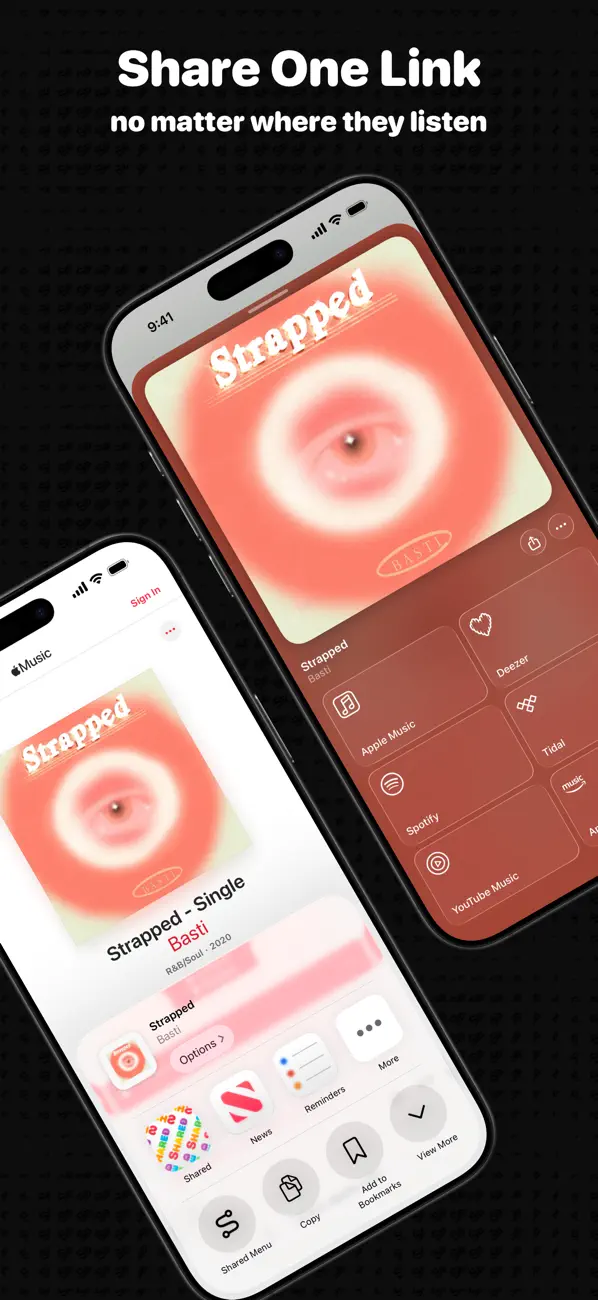
Shared makes it easier to share music and podcast links across services.
Send one link that opens in Shared, where anyone can get to their preferred music or podcast service. If they don’t have Shared, they can still get there with the App Clip.
Shared can also identify songs playing around you or on your iPhone or iPad. If you leave the app, you can keep up with Song ID in a Live Activity. Once a match is found, it’s added to your history.
Once something’s in Shared, you can open it in your preferred service, set a reminder to check it out later, explore lyrics with annotations on Genius, or read ratings and reviews on Musicboard. With Shared+, you can also search across music and podcast services and open the results where you want.
When browsing in Safari, the Open in Shared extension can open supported links in Shared, streamlining your experience.
Shared’s deep integration with iOS and iPadOS means you can:
• use the Shortcuts app to open links across services, generate Shared links, and more,
• use Spotlight to search your history and start actions from Shortcuts,
• use Siri, Control Centre, or Home and Lock Screen widgets to start actions with Shared, and
• see Shared links to music and podcasts sent to you in Messages right inside Shared.
Shared also syncs your history with iCloud, so it’s available across your devices.
If you enjoy using Shared and want even more, subscribe to Shared+.
Shared+ gives you:
• a growing collection of custom app icons,
• exclusive Grey, Red, Green, Blue, Orange, and Purple tints for the app, Song ID, and widgets,
• no limits when searching music and podcasts across services,
• Live Activities for opening music, podcasts, and service search results in Shared,
• shortcuts to get matching links for other services and change Shared’s tints,
• the option to always open in your preferred service when opening something in Shared,
• the option to automatically open in Shared from the Share Sheet,
• an action in reminder notifications to open music or podcasts in your preferred service, and
• the ability to tap artwork in the Recent History widget to quickly open music or podcasts in your preferred service.
Shared+ is available as a monthly or yearly subscription.
Supported Music Services:
• Apple Music
• Deezer
• Spotify
• Tidal
• YouTube Music
• Amazon Music
• Napster
• Pandora
• SoundCloud
• Yandex
• YouTube
Supported Podcast Services:
• Apple Podcasts
• Castro
• Pocket Casts
• Overcast
• Spotify
Try Shared today and start sharing your favourite music and podcasts with less hassle!
Terms of Service: https://sharedapp.net/terms-of-service
Quoi de neuf dans la dernière version ?
This release includes a few bug fixes and improvements to Shared, including:
• Fixed a brief delay that could occur when opening media with a scheduled reminder.
• Fixed a brief delay that could occur while checking your internet connection.
• Fixed a brief delay that could occur when returning to the app after media was added to your History by a shortcut, Song ID, or Shared in the share sheet.
• Fixed the “Feed” option not displaying a symbol in the preferred podcast service menu in How to use Shared and Settings.
• Improved the app’s launch performance.
• Improved the animations in the Media View when artwork and services finish loading, and when adding to or deleting from History.
• Improved the animation when setting a reminder.