yaMPC
iOS Universel / Musique
If you use Music Player Daemon (MPD), try FREE features of yaMPC now! Initial setup of yaMPC for your MPD is very easy. Go through the tutorial first - tap "App Support" on this page, then tap "Link to yaMPC Tutorial"
FREE Features:
- Able to register multiple MPD Servers and switch them to control.
- Scan button auto-detects MPD 0.20 or later versions (need to enable Zeroconf), Volumio or MoOde
- Easy Cover-Arts settings for MPD 0.21 or later versions, Volumio or MoOde.
- Queue scene: lists songs in the Queue (or the Current Playlist), plays a song by tapping. Allows you to edit and clear queue.
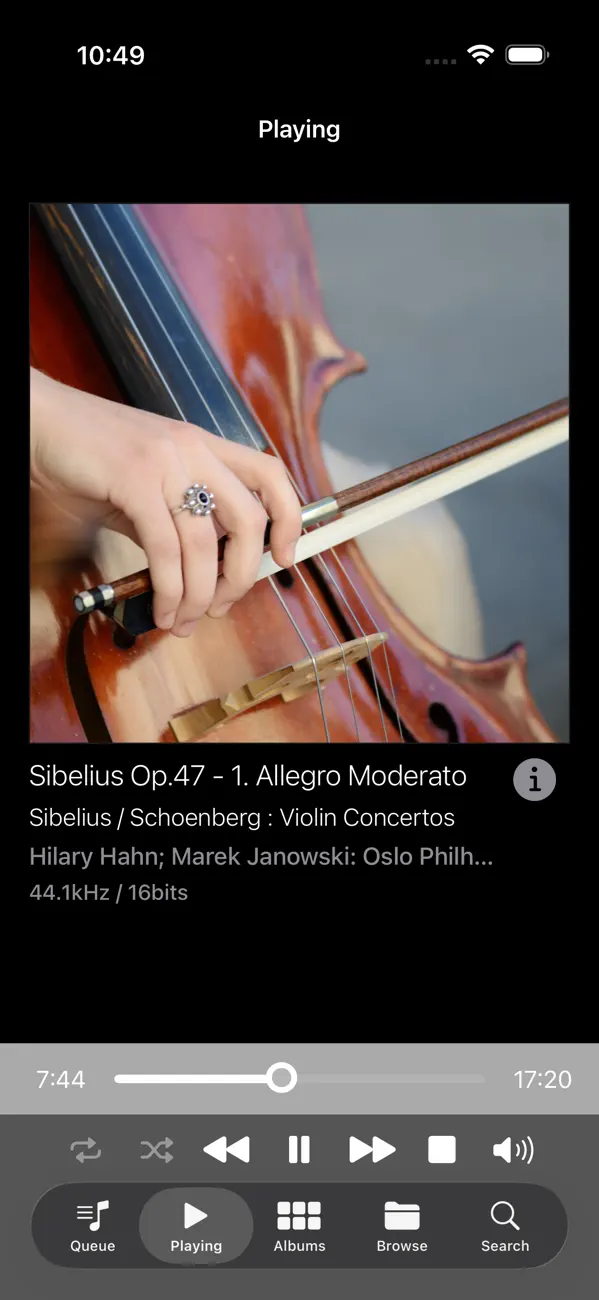
- Queue and Play scenes: You can play songs and pause, play next song, previous song, play randomly or repeatedly. Fast forward and rewind with buttons or slide bar. Controlling volume.
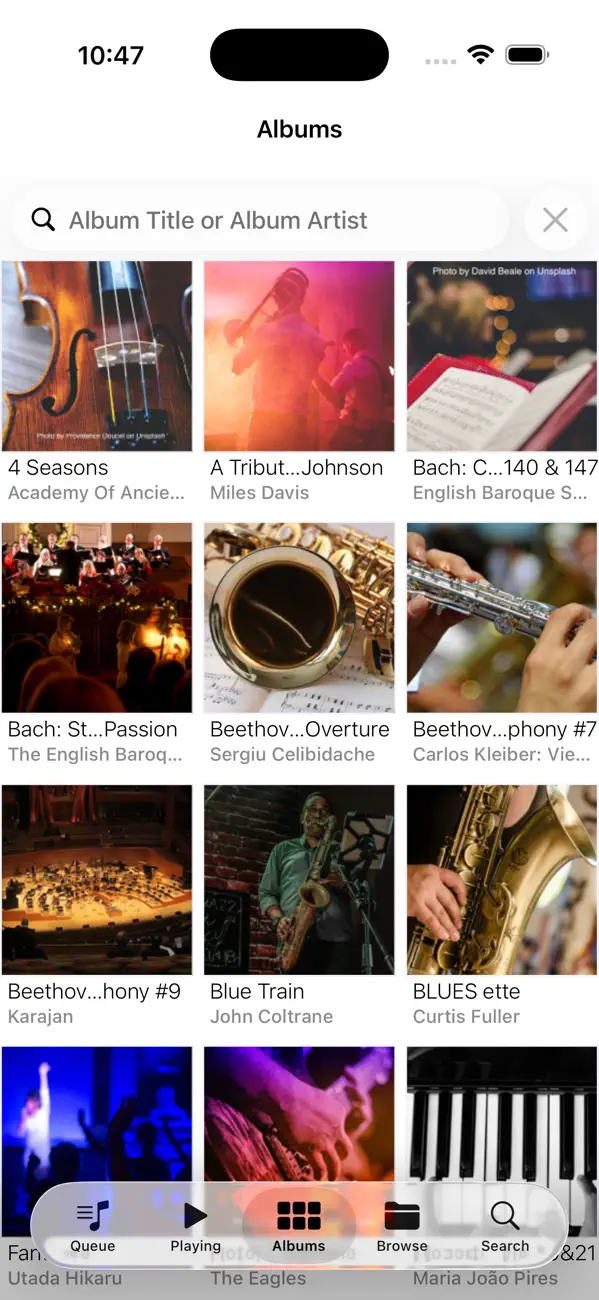
- Albums scene: lists albums with cover-arts, album titles and album artists. Filter albums by album title and/or album artists.
- Albums songs sub-scene: lists songs in the tapped album. Add a song to Queue and/or play the song.
Features require In-App Purchase:
- Browse scene: lists Genres, Artists, Composers, Playlist or Folder contents. Filter them by any text. You can display albums and songs by tapping an item in the list.
- Search scene: You can search songs by title, artist or any tag. Play a song by tapping it.
Quoi de neuf dans la dernière version ?
Fixed minor bugs on the iPad.