DroneScout
iOS Universel / Navigation
Description
DroneScout is an aerial data collection and reporting app for DJI Phantom Series drones. Currently Vision 2 Plus is supported.
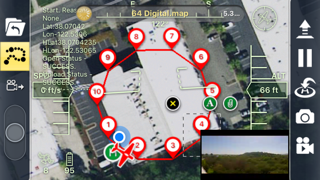
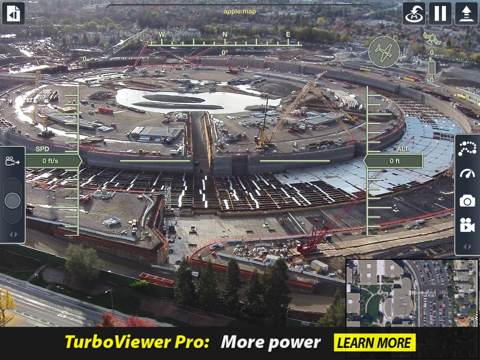
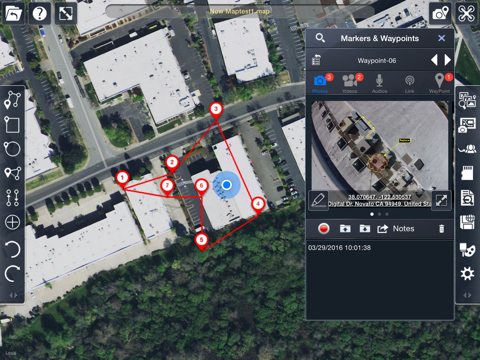
DroneScout allows you to define flight paths with waypoints and automatically pilots your aircraft, allowing you to concentrate on capturing photos and videos. Photos and videos are then added to the waypoints in close proximity to where they were captured.
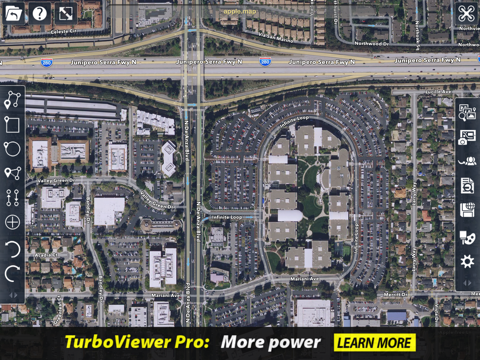
Markup and measurement tools make it easy to mark up your flight path as well as annotate captured photos potential hazards as well as points of interest.
You can also add notes and additional ground photos along with audio and videos recordings.
The captured media stored in the waypoints can then be combined with satellite map, flight data and mark-ups in order to create a report deliverable and viewable to others who have the DroneScout app.
Subscribers of DroneScout Pro can also share data electronically via PDF or HTML.
Benefits of DroneScout over DJI apps:
• Save, re use and share flight paths and maps.
• Add markups and measurements to photos and maps.
• Send .MAP file to share location data
There are two flavors of DroneScout:
• DroneScout (FREE)
• DroneScout Pro ($9.99/month or $99.99/year subscriptions via IAP)
Highlights Include [differences designated below]:
Automatic Report Generation:
• TAP format; [PRO] PDF, HTML and TAP
• [PRO]Generate filtered views & reports based on search criteria
• [PRO] Customize PDF report with Word
Documenting Features:
• [PRO] GeoMark®: Unlimited number of intelligent content markers that are geo-located and oriented. Content types supported in GeoMarks include: Photos, video, audio, text, and CAD drawing data
Mark-Up:
• Mark-up design files, photos, and satellite/map data
• Redmark tools: Markup 2D and 3D objects using a variety of standard tools
• Inquiry tools: Dist/dimension, angle, perimeter, area
• [PRO] Mark-up HD photos
[PRO] Punch Lists – Assign tasks to other DroneScout users
Sharing and Synching:
• Contact Management (integrated with native Contacts)
• QuickSend photos and videos for instant sharing • Sync media into waypoint containers. (HD photos and video)
Cloud & Local Storage:
• Box.com and Dropbox synch support
• [PRO] Custom WebDAV and FTP synch support
• File management (create subfolders; cut/copy/paste/etc.)
DroneScout Pro Expanded Use cases:
• Include ground and aerial photos in a single report using GeoMarks and Waypoints. (Media Sync, PDF Report)
• Share photos by location using custom maps. (GeoMarks, HTML Report) (http://downloads.imsidesign.com/htmlTSREPORTS/Drones_Around_Marin.map_Flight/index.html)
• Manage a project. Assign tasks, set deadlines notify other users. Check if work is complete, using your drone. (Punch lists, share TAP, Flight paths)
Quoi de neuf dans la dernière version ?
This app has been updated by Apple to display the Apple Watch app icon.