NavigatorX
iOS Universel / Navigation
Please leave the operation to the fellow passenger. Use of NavigatorX is at the user’s own risk.
Navigate your drive. The advertisement is displayed.
You can start/stop the route guidance by “Hey Siri” and “Navigation” and search a new route by “Hey Siri” and “Search a new route” on iOS12.
Under the navigation the start point of a new route is the current location.
You can use the shortcuts after you add the shortcuts at the settings of iOS ->Siri & Search.
You turn on the switch(Search, Suggestions & Shortcuts) at the NavigatorX of the list below the "SIRI SUGGESTIONS”, if you can not find the shortcuts of NavigatorX.
The navigation on landscape orientation is available.
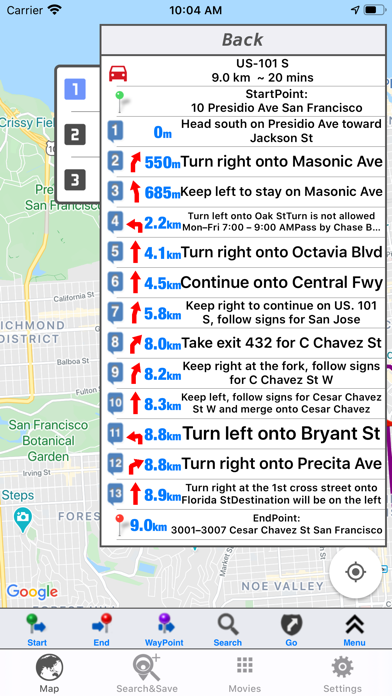
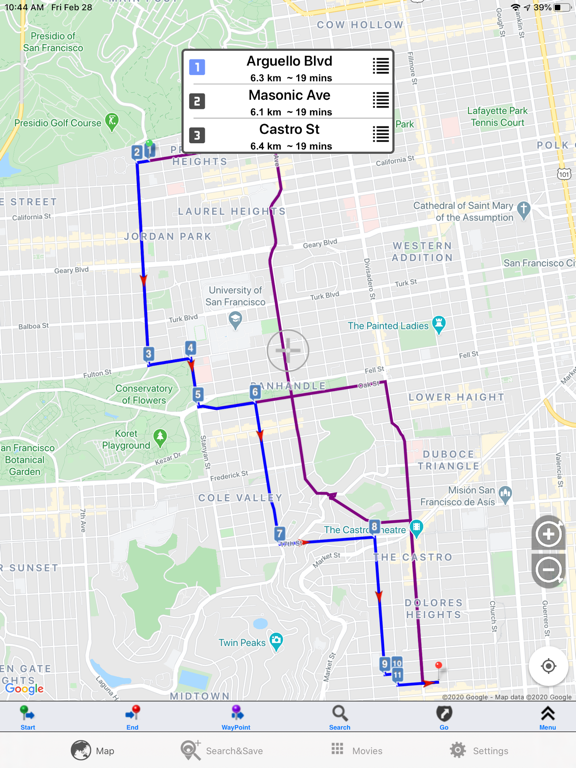
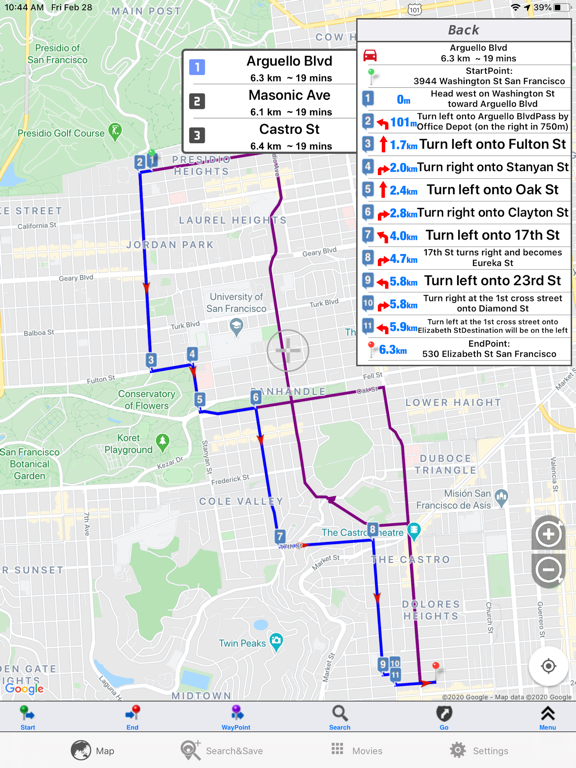
NavigatorX can search and display the route and instructions ,and provide the simple navigation. Searched route is available for driving, walk, biking(only support for US.) . Moved track can be displayed. Also the waypoints can be defined up to 8 points.
Try to long-press on the start navigation button, you can drive without the route guidances and simulate to drive on the searched route.
Street View available.You can show the streetview nearby Start-Point, End-Point and waypoint tapping on the icon which is on the left of the cell.
The NavigatorX automatically re-route off-route.
You can save and backup the points of interest.
The wayPoint can be saved as POI.
The alarm sounds at about 400m from the landmark.
The Long press of a double-tap can display the pop-up menu instead of long press of a single-tap.
You can select the information of the remained distance/time to the destination or nearest waypoint.
Please tap on the information window at the bottom right on the navigation mode and switch between the destination and the waypoint.
Please long-press on the information window at the bottom right and you can select the ETA/remained time and auto-toggle.
Improving Place searching. You can search the places that are near a displayed location. Search keys (bank, subway station, store etc.) are available.
Tracking of estimated current location is turned off for 10 seconds if you want to view the other location of the map during under the navigation.
Night mode of the map:
You can select the night mode of the map.
Auto select mode is available on the navigation mode. Please turn on the switch at settings menu.
Background Mode:
You can save the track under the background mode turning on the switch at Settings at the Section of Background mode.
The add-on:No advertisements
This new add-on disables the advertisements.
The add-on:Plus
The navigation functions are improved without advertisement. Cross road view, alarm sound and saving data are added. You can save the searched route and tracked data.
The approaching reminder can set up at 100m and 500m.
Approaching Notification: In Settings You can define the approaching points from saved POIs and the file named “alarm.dat.
You should add the group of approching notification points at first. The On/Off of the notification is indivisualy managed by the group. You can enable the notification of group tapping the row of the group.
Notes:Please pay attention to the remaining amount of the battery. Continued use of GPS running in the background can dramatically decrease battery life in similar to foreground.
BecomingSystems specifically disclaims any and all liability, including without limitation, consequential and incidental damages, that may arise in any way from the use of or reliance on the NavigatorX application.
Quoi de neuf dans la dernière version ?
You can insert the information of latitude, longitude, speed and etc on recorded video.
Fix a minor bug.