RouteMate
iOS Universel / Navigation
RouteMate is the delivery route planner built for drivers, couriers, and field teams. Add your stops, optimise your route, and navigate — all from one app.
PLAN YOUR ROUTE
- Add stops manually, from your address book, or import via CSV
- Set stop priority (Normal, High, Urgent) and delivery time windows
- Track parcel counts and delivery status for every stop
- Save frequently visited addresses to your address book for quick access
OPTIMISE & NAVIGATE
- One-tap route optimisation finds the fastest order for your stops
- View your optimised route on the map with turn-by-turn polyline
- Navigate to any stop using Apple Maps, Google Maps, or Waze
- Supports driving, walking, bicycling, and transit modes
- Avoid tolls with a single toggle
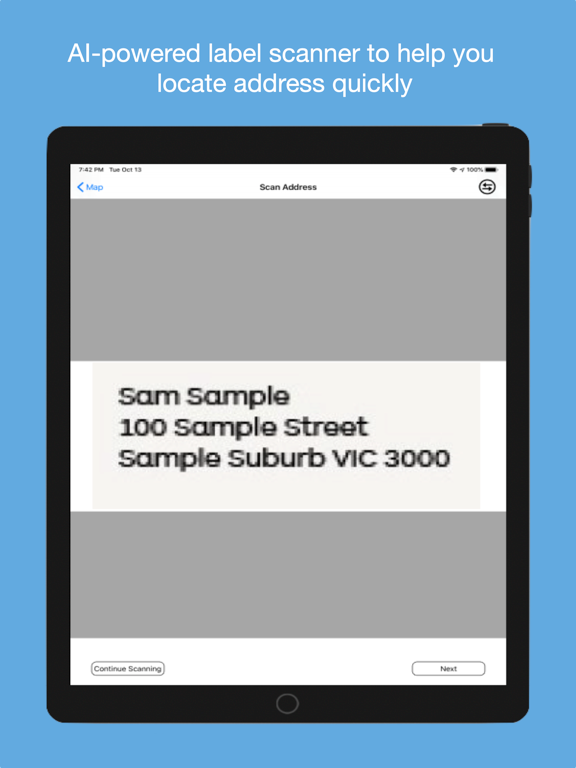
AI LABEL SCANNER
- Point your camera at any shipping label
- AI extracts the delivery address instantly
- No manual typing — just scan and go
TRACK YOUR PROGRESS
- Mark stops as Pending or Done as you deliver
- Proximity check-in alerts when you're near a stop
- View delivery history and monthly reports
- Track total destinations, distance, and parcels delivered
STAY ORGANISED
- Create multiple routes for different days or areas
- Search and filter your routes and addresses
- Syncs across iPhone and web at app.routemate.app
FLEXIBLE PLANS
- Free plan with core features to get started
- Solo and Pro plans for power users with AI scanning, CSV import, and more stops
- Team plan for businesses with multiple drivers
Built for Australian couriers and delivery drivers. Works anywhere in the world.
Quoi de neuf dans la dernière version ?
New route optimiser: routes now solve on the server, with support for delivery time windows, vehicle capacity, and routes over 25 stops. Falls back to the previous optimiser if the solver is unreachable.
Run sheet: a day-by-day schedule of your stops under Reports, filterable by date range and driver.