• KultureGeek
  • Comparateur de prix
       
iPhoneAddict
 iAddictv5Notre Application iPhone/iPad
  • Accueil Apps
  • Actualité Apple
  • Keynote Apple
  • Firmwares & iTunes
  • Contactez-nous
Accueil » Liste des Apps » Apps iPhone » Photo et vidéo » 3D Gadget for Maya, Blender, 3DS Max & Cinema 4D
L'application n'est plus disponible sur l'App Store français
1.0 iOS €Gratuit Magno Urbano 2.5 2 3D Rotation Track for iOS for Maya, 3DS Max, Blender, Lightwave, Cinema4D, After Effects and other 3D Applications. ================================ SPECIAL LAUNCH PRICE FOR THE PRO VERSION 50% OFF THE REGULAR PRICE ================================ ...
3D Gadget for Maya, Blender, 3DS Max & Cinema 4D

3D Gadget for Maya, Blender, 3DS Max & Cinema 4D

iPhone / Photo et vidéo

Gratuit
Obtenir sur l'App Store

3D Rotation Track for iOS for Maya, 3DS Max, Blender, Lightwave, Cinema4D, After Effects and other 3D Applications.

================================
SPECIAL LAUNCH PRICE FOR THE PRO VERSION
50% OFF THE REGULAR PRICE
================================

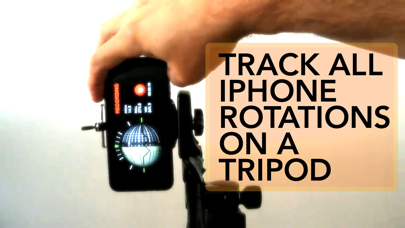
3D Rotation Track for iOS is an app that lets you record 3D ROTATION information (NO TRANSLATION) of stationary objects: for example, a camera rotating in all directions on a tripod.

3D Gadget IS NOT A MOTION TRACK APPLICATION. It is a ROTATION TRACK APPLICATION.

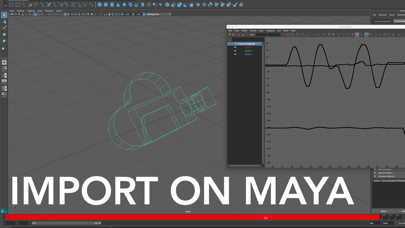
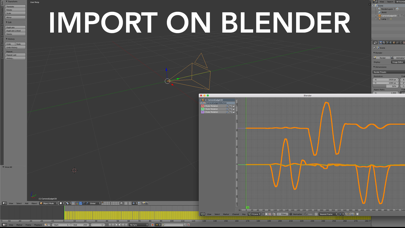
You must use this application on a stationary iPhone, preferably on a tripod, that can rotate freely in all 3 axes. As you rotate the iPhone, 3D Gadget will record all rotations and export this data to a Collada or Maya file, allowing you to have a camera inside your 3D Application like Maya, 3DS Max, Blender, Lightwave, Cinema4D, After Effects or any other 3D application, that rotates exactly like your iPhone did.

Several situations where this app will be useful for you:

1) You need to create a complex camera animation. Simple, use your iPhone with 3D Gadget and rotate the iPhone as you like. Simple, you have just animated your 3D camera.

2) You need to shoot a video and track the rotations of your camera for post-production effects. Simple: strap your iPhone to the camera, start 3D Gadget and every camera rotation will be recorded. Now, you simply import the rotation information and your software camera will rotate like the real one did!

The only limitation is your imagination.

Download it for free now.

En voir plus...

Quoi de neuf dans la dernière version ?

This app has been updated by Apple to display the Apple Watch app icon.
  • Screenshot #1 pour 3D Gadget for Maya, Blender, 3DS Max & Cinema 4D
  • Screenshot #2 pour 3D Gadget for Maya, Blender, 3DS Max & Cinema 4D
  • Screenshot #3 pour 3D Gadget for Maya, Blender, 3DS Max & Cinema 4D

Note

(2 notes)

Détails sur l'application

Version
1.0
Taille
10.5 Mo
Version minimum d'iOS
9.0
Dernière mise à jour
01/07/2016
Publié par
Magno Urbano

Newsletter App Store

Recevez chaque jour les meilleures promos

Actualité Apple

Image L’iPhone 18 ne supportera pas des fonctions d’Apple Intelligence avec ses 9 Go de RAM
L’iPhone 18 ne supportera pas des fonctions d’Apple Intelligence avec ses 9 Go de RAM
Image L’Inde enquête après le piratage des données d’Apple et de l’iPhone 18 Pro chez Tata
L’Inde enquête après le piratage des données d’Apple et de l’iPhone 18 Pro chez Tata
Image Apple teste déjà iOS 27.4 pour iPhone
Apple teste déjà iOS 27.4 pour iPhone
Image iFixit dévoile comment une batterie d’iPhone est assemblée
iFixit dévoile comment une batterie d’iPhone est assemblée
Partenaires : Actualité iPhone - Culture Geek
©2009-2026 i2CMedia | A propos |