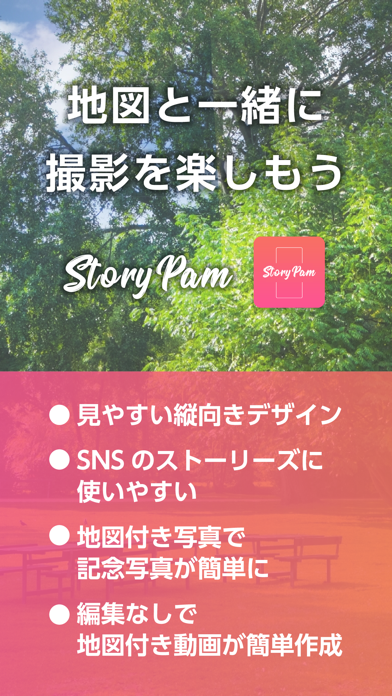
StoryPam-地図とカメラを縦向きで撮れる-
iPhone / Photo et vidéo
Let's add a map to your social media video and photograph in StoryPam!
>>>It can easily combine the current location map and camera image.
>>>It add Map to a video and a photograph.
>>>The design which was specialized in a lengthwise video
>>>For a town walk and a trip
>>>It is usable without editing immediately
>>>With StoryPam?
*It is brief MAP placement camera!
*It add present location MAP to your trip photograph.
*You can be lost and can share a wait place with the camera picture which there is on a map now.
*It is usable immediately just to install it, and to start!
*The troublesome setting and editing are unnecessary
*Two modes of the simple mode only for a map and a camera, the normal mode that the information of speed, altitude, a map, the camera comes out
*Plain screen design
*The origin of the name of StoryPam is the coined word that added Storys+Map.
---
main function
>>>The map design which a town walk is easy to know ideally
*As a vertical direction, a camera and a map are available.
*A cute pink basic color.
*To the wait place that a photograph is hard to know only on a map. You can easily photograph it.
*A photograph and the video which you recorded are saved for "photograph" application.
*Let's appeal with much-talked-about shop and facilities introduced on TV, with map including the event information!
>>>Any movement such as a walking, a train, a car, the airplane is available
*The speed indication is displayable to five columns. I measure even foot, a train, a car, an airplane in all situation.
*The speed indication is two kinds of km/h and MPH. It is easy to add a unit in the different foreign countries
>>>About a video record
*One biggest preservation record is ten minutes. It is photographed at an end automatically afterwards for ten minutes.
*You can change a camera of the front back during video shooting.
*When there is a phone call, I stop a record automatically and am saved.
>>>Simple, plain screen placement
*A map and the simple mode simpler mode only for cameras can change the placement of the map.
*The normal mode that the information of speed, altitude, a map, the camera comes out
---
instructions on using it
※As It use various sensors of the smartphone, please would like the consent of each item.
※Bluetooth earphone microphone and a speaker, an in-vehicle caliber cannot do audio video shooting during connection.
You perform "Collect a screen and a microphone" after canceling connection, or you tap "Collecting only with a screen", and please enjoy the video shooting only for pictures.
※When a battery residual quantity is under 5%, it cannot start.
>>>About the present location information
AppleMap and we acquire the positional information of the customer in this application and use it according to Terms of Use and the privacy policy of the companies.
*Apple map Terms of Use (a link: https://www.apple.com/legal/internet-services/maps/terms-jp.html)
*Privacy policy (https://moegi.jp/privacy_policy.html) of moegi.inc
(Japanese)
---
movement environment
More than iOS 13.0
※It may not work with some models normally.
※When was connected to the sound device of Bluetooth, included a sound; may not photograph it.
Please use this application after checking Terms of Use (https://moegi.jp/storypam/terms_of_service.html) of StoryPam.
---
careful
It may use battery than usual to use GPS.
StoryPam Terms of Service
https://moegi.jp/storypam/terms_of_service.html
Privacy policy
https://moegi.jp/privacy_policy.html
Quoi de neuf dans la dernière version ?
Adjusted the setting screen. Added a guide link to landscape shooting.