ARMemo
iOS Universel / Photo et vidéo
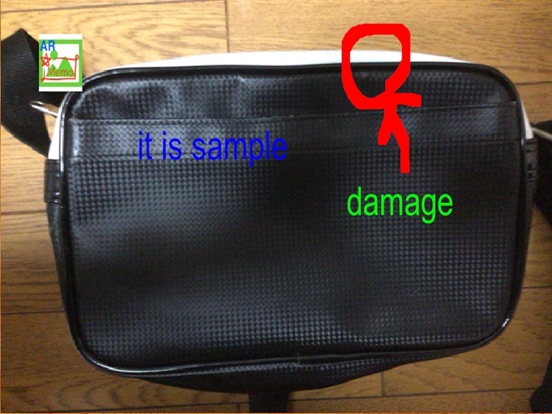
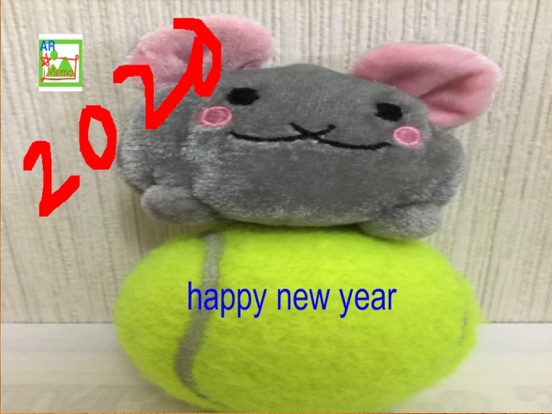
ARMemo can add note on the picture quickly.
5 type of note function.
-Paint
-Text
-Marker
-Zoom
-Stamp
2 type of mode
-Basic Mode
-Moment Mode (select picture from a short video)
Let's try ARMemo!!
First, Open "ARMemo" and take picture by stop button.
It is red double circle mark.
If you click on this, screen stops and some different button appear.
Next, we challenges Paint.
Paint mode start by touch "Pencil Mark" been right side.
While paint mode, you can draw in screen by touch.
Paint mode finish when touch "Pencil Mark" one more time.
Paint mode is checked by looking at "Pencil Mark".
If you click color button been right-side top , you can select paint color and/or size.
If you click delete button been bottom right side,
All of thing you write is cleared.
Also, you can return one before by click undo button above delete button.
Mode has not only Paint, but also Text and Marker mode.
Click inverted triangle mark under Paint button.
Then, you can select mode you want to use.
Select text mode by click T mark.
In text mode, you can add text you want.
Click text button positioned same as paint button.
Then, text button becomes arrow mark
and screen show "--Input here--".
Please input here you want and click arrow mark when finish writing.
After writing, you can move text position by touch.
Also, you can change text color and/or size by color button, too.
Complete by on click arrow mark.
If you click delete button been bottom right side,
All of text you make is cleared.
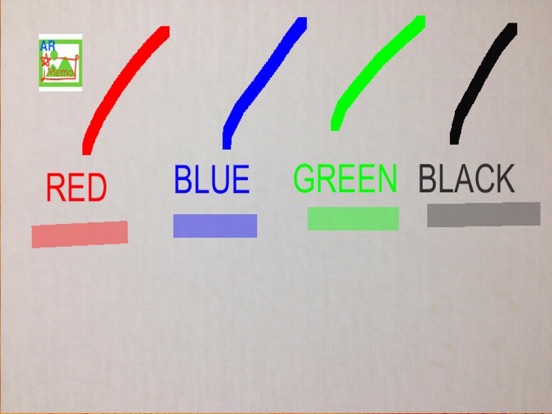
Marker mode is for making translucent straight line.
Select marker mode and become switch on.
Next, screen touch down and slide, not take off.
Then, line is made.
Marker color and/or size can change color button, too.
Finally, let's save to the photo App in your device.
Click save button been left side, picture is saved.
If you want to decide "Album name" and/or "File Name",
Click save as button and input these.
If you want to re take picture, click camera button been top left side.
Then, camera restart and state is back first.
Button been left side of pause button is change camera button.
For example, select it if you want Selfie photo.
If you want to edit picture taken before, click album button been right side.
You can select picture inside your photo App.
Caution
Sometimes, screen becomes upside down.
At that time, please change "setting" by setting button.
Quoi de neuf dans la dernière version ?
Add Stamp function.