Blur Photo Background
iOS Universel / Photo et vidéo
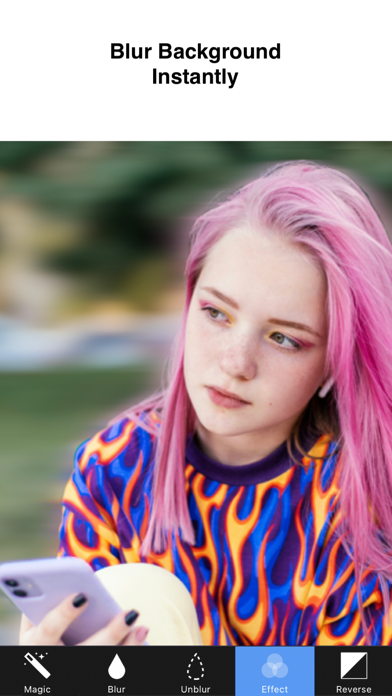
Blur Background instantly with the easiest blur photo editor for iPhone.
Blur faces, portraits, and unwanted objects in seconds.
Create beautiful DSLR-style background blur photos with simple touch editing.
Main Features
Blur Tool
Quickly blur or unblur any part of your photo with simple touch controls.
• Blur / UnBlur brush
• Precise manual blur editing
• Easy touch blur control
Unique Blur Effects
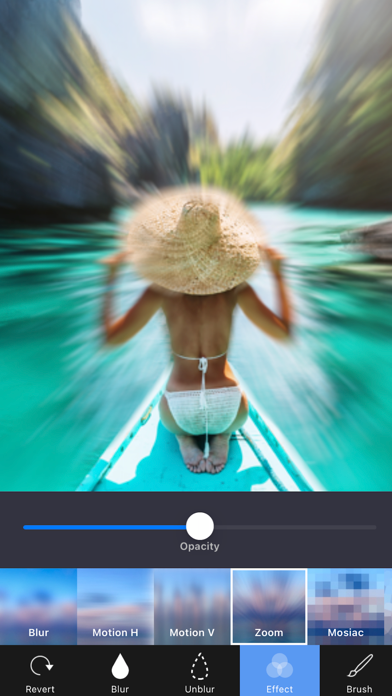
Create beautiful photo blur effects with professional filters.
• Gaussian Blur
• Zoom Blur
• Motion Blur
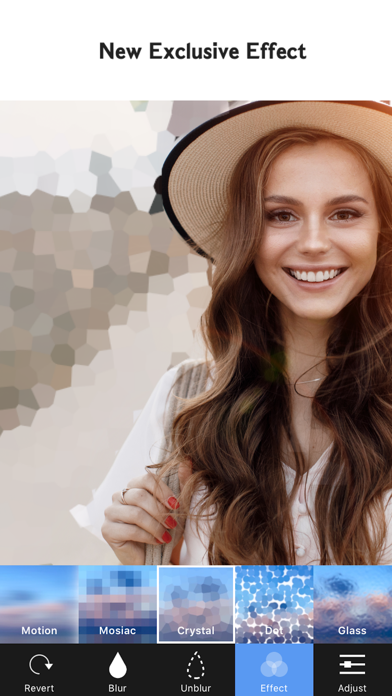
Mosaic Effects
Hide faces, objects, or sensitive information easily.
• Pixel Effect
• Crystalize Effect
• Dots Effect
• Glass Effect
Precision Editing
Zoom and rotate your photo for detailed blur editing.
• Zoom in for accurate editing
• Rotate photos easily
Full Resolution Export
Save and export your edited photos in full quality.
Easy Sharing
Share your blurred photos instantly.
• Save to Camera Roll
• Instagram
• Facebook
• Twitter
• Other Apps
• Email
BlurBackground Pro
BlurBackground is free to download and use.
Upgrade to BlurBackground Pro for an even better experience.
BlurBackground Pro includes:
• Remove watermark
• Ad-free editing experience
Subscription options:
• Monthly Pro – $2.99 / month
• Yearly Pro – $11.99 / year
Subscriptions automatically renew unless auto-renew is turned off at least 24 hours before the end of the current billing period.
Payment will be charged to your iTunes Account at confirmation of purchase.
You can manage or cancel subscriptions anytime in your Account Settings.
Any unused portion of a free trial period will be forfeited when a subscription is purchased.
Privacy Policy
https://sites.google.com/view/noonus-ltd/privacy-policy
Terms of Service
https://sites.google.com/view/noonus-ltd/terms-condition
If you have any questions or suggestions, please contact us from the app.
Tap Settings → Mail to Developer inside the BlurBackground app.
Quoi de neuf dans la dernière version ?
A completely redesigned blur editing experience!
◆ New Design
- Rebuilt entirely with SwiftUI for a faster, smoother experience
Clean dark mode interface
◆ AI-Powered Features
- Background Blur: AI detects people and blurs only the background
- Face Blur : Auto-detects faces and applies blur
- Face Sticker : Places emoji stickers on detected faces
- Text Detect : Recognizes text in photos and applies blur/mosaic
◆ 23+ Blur & Effects
- Basic, Motion, Zoom, Mosaic, Bokeh, Glitch, Duotone, Color Pop, Vintage Film, Halftone, Tilt Shift, and more
- Custom bokeh light shapes (Circle, Heart, Star, Diamond, etc.)
◆ 15 Pro Filters
- Portra, Cinematic, Golden Hour, Neon City, B&W Noir, Retro, and more
◆ Photo Adjustments
- 15 fine-tuning tools: Brightness, Contrast, Saturation, Exposure, and more
◆ Shape Blur & Text Insert
- Radial, Linear, Heart, Star shaped blur
- Add text with various fonts and colors
◆ Crop & Rotate
- Free crop, ratio crop, and rotation
◆ My Projects
- Save and resume your edits anytime
◆ Other Improvements
- Recently used shortcuts, onboarding guide, 16 languages, haptic feedback, screenshot protection