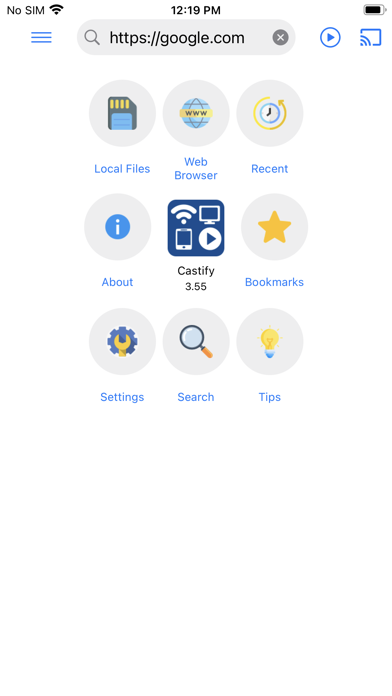
Castify: Cast Web Videos to TV
iOS Universel / Photo et vidéo
# Castify – Cast to Roku, Chromecast & TV
Cast videos, movies, music, and photos from your phone directly to your Roku TV, Roku Streaming Stick, Roku Express, Chromecast, Google Cast, Fire TV, Apple TV, and other compatible Smart TVs.
Castify makes it easy to browse the web, find online videos, and stream them to your TV in just a few taps.
# Works Great With Roku and Chromecast TV devices
Supported Devices:
* Roku TV
* Roku Streaming Stick
* Roku Express
* Roku Ultra
* Chromecast
* Google Cast devices
* Fire TV & Fire TV Stick
* Apple TV (AirPlay)
* DLNA Smart TVs
* Xbox One & Xbox 360
Many Smart TVs include Roku, Chromecast, Google Cast, or DLNA built in.
# Cast From
* Websites with the built-in browser
* Videos stored on your phone or tablet
# Features
* Cast videos to Roku TV
* Cast movies to Roku
* Stream videos from your phone to Roku
* Cast online videos from websites
* Cast music and photos
* Search for videos across websites
* Built-in pop-up blocker
* Supports HD and 4K playback when available
# Supported Formats
* MP4 video
* MP3 audio
* JPG & PNG images
* HTML5 video
* HLS live streams
* HD and 4K content (when available)
# How It Works
1. Open the built-in browser.
2. Visit your favorite website.
3. Castify detects supported videos automatically.
4. Play on your phone or cast directly to your Roku, Chromecast, Apple TV, Fire TV, or other compatible receiver.
# Important
Castify delivers the original video stream directly to your streaming device. It does not host, modify, convert, or transcode videos.
This app is *not* a screen mirroring app. Instead, supported media is streamed directly to your TV for smoother playback and better performance.
Castify works best with Roku, Chromecast, and Google Cast devices. Other DLNA-compatible receivers may support a limited feature set depending on the manufacturer.
Only websites that provide publicly supported media formats can be cast. Videos that use proprietary playback technologies or unsupported formats cannot be streamed.
# Troubleshooting
If playback or connection issues occur, they are typically caused by:
* Weak Wi-Fi signal
* Phone and TV not connected to the same Wi-Fi network
* Source website issues
* Unsupported media format
* Internet connection problems
For the best experience, connect your phone and streaming device to the same Wi-Fi network and restart the devices if needed.
Quoi de neuf dans la dernière version ?
-New revamped UI/UX
-Many fixes and improvements