• KultureGeek
  • Comparateur de prix
       
iPhoneAddict
 iAddictv5Notre Application iPhone/iPad
  • Accueil Apps
  • Actualité Apple
  • Keynote Apple
  • Firmwares & iTunes
  • Contactez-nous
Accueil » Liste des Apps » Apps Universelles » Photo et vidéo » Dot Style - Convert to Pixel!
L'application n'est plus disponible sur l'App Store français
6.2 iOS €Gratuit F-NET Apps 0 0 This app will convert your favorite photos to pixel arts style! It is very fun, and if you want retro photos, you should get this one! *** Features **** - Quickly convert to pixel arts! - Smooth/visual adjustments for the pixel level! - Access to...
Dot Style - Convert to Pixel!

Dot Style - Convert to Pixel!

iOS Universel / Photo et vidéo

Gratuit
Obtenir sur l'App Store

This app will convert your favorite photos to pixel arts style! It is very fun, and if you want retro photos, you should get this one!

*** Features ****
- Quickly convert to pixel arts!
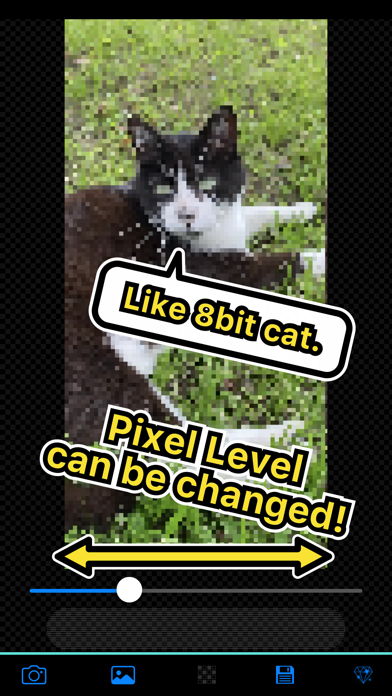
- Smooth/visual adjustments for the pixel level!
- Access to camera/photo album!
- Super Easy to Use!

*** How to use it ***
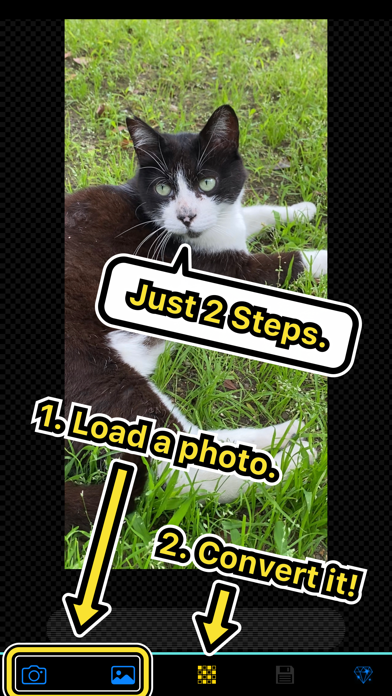
1. You can choose photo album or using camera.
2. When you choose/take a photo, it will be read, and the converting button will be enabled.
3. If you tap the convert button, pixel arts will be made in a few seconds, then you can check the pixel level using a slider.
4. Of course, you can save the photo on the screen if you want.

En voir plus...

Quoi de neuf dans la dernière version ?

- Fixes image loading process
- Changes app icon
- Adjust toolbar color
- Fixes other few things

  • Screenshot #1 pour Dot Style - Convert to Pixel!
  • Screenshot #2 pour Dot Style - Convert to Pixel!
  • Screenshot #3 pour Dot Style - Convert to Pixel!
  • Screenshot #4 pour Dot Style - Convert to Pixel!
  • Screenshot #5 pour Dot Style - Convert to Pixel!
  • Screenshot #6 pour Dot Style - Convert to Pixel!

Note

(0 note)

Détails sur l'application

Version
6.2
Taille
5.9 Mo
Version minimum d'iOS
14.0
Dernière mise à jour
16/07/2022
Publié par
F-NET Apps

Newsletter App Store

Recevez chaque jour les meilleures promos

Actualité Apple

Image iPadOS 27 et macOS 27 : une révision de la bêta 3 est disponible
iPadOS 27 et macOS 27 : une révision de la bêta 3 est disponible
Image iOS 27 et macOS 27 : la bêta publique est disponible
iOS 27 et macOS 27 : la bêta publique est disponible
Image Waze ajoute des fonctions de Gemini et se veut moins bavard
Waze ajoute des fonctions de Gemini et se veut moins bavard
Image Bêta 5 pour iOS 26.6, macOS 26.6, watchOS 26.6, tvOS 26.6 et visionOS 26.6
Bêta 5 pour iOS 26.6, macOS 26.6, watchOS 26.6, tvOS 26.6 et visionOS 26.6
Partenaires : Actualité iPhone - Culture Geek
©2009-2026 i2CMedia | A propos |