• KultureGeek
  • Comparateur de prix
       
iPhoneAddict
 iAddictv5Notre Application iPhone/iPad
  • Accueil Apps
  • Actualité Apple
  • Keynote Apple
  • Firmwares & iTunes
  • Contactez-nous
Accueil » Liste des Apps » Apps Universelles » Photo et vidéo » FabFocus - Portrait Mode Blur
2.0.1 iOS €3,99€ Ghostwheel 4.5 120 FabFocus is everything you need to capture and create stunning portrait photos. And the best part is, you don’t need multiple cameras to do it! FabFocus works on all devices running iOS 12 and forward and uses advanced image recognition to detect...
FabFocus - Portrait Mode Blur

FabFocus - Portrait Mode Blur

iOS Universel / Photo et vidéo

3,99€ au lieu de 4,99€
Acheter sur l'App Store

FabFocus is everything you need to capture and create stunning portrait photos. And the best part is, you don’t need multiple cameras to do it!

FabFocus works on all devices running iOS 12 and forward and uses advanced image recognition to detect people, and intelligently blurring the background, applying beautiful bokeh effects.

————

The Big 2.0 Update

FabFocus 2.0 is a complete rewrite and redesign, with the goal of making it as fast and simple as possible to make stunning portraits. Every last detail has been considered and refined to streamline the experience.

We hope you love it as much as we do.

————

Features

FabFocus has a lot of different features. Here’s a quick overview.

————

Face Detection

FabFocus will automatically detect faces in your photos, use a little computer magic to work out what’s in the foreground and then intelligently blur the background.

If a photo contains depth information, that is used that for even faster performance.

————

Camera

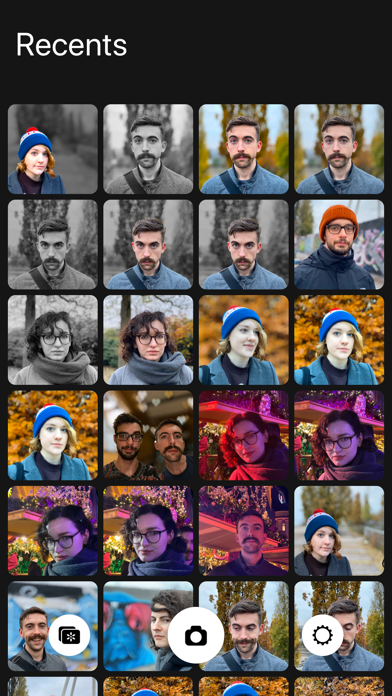
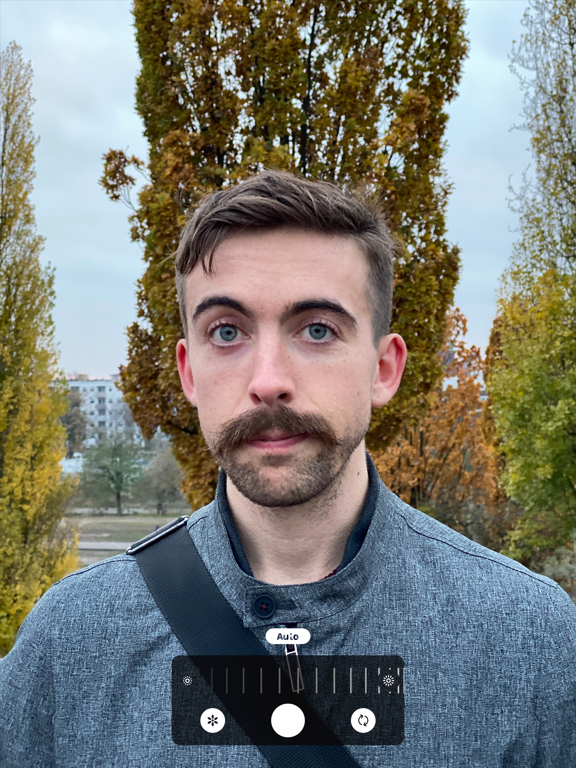
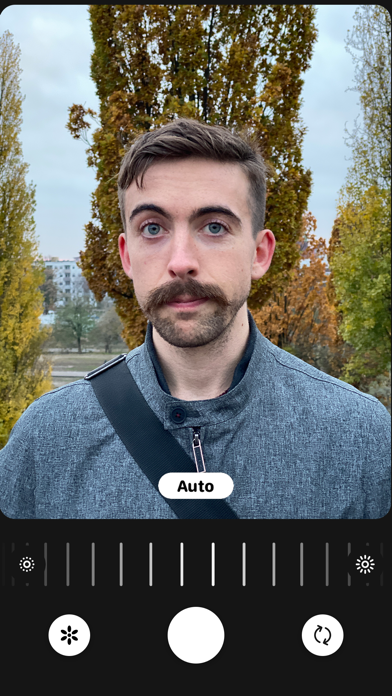
FabFocus has its own camera interface, that automatically configures itself for portrait capture on supported devices.

————

Editing Tools

FabFocus has a whole bunch of tools to help you refine your portraits.

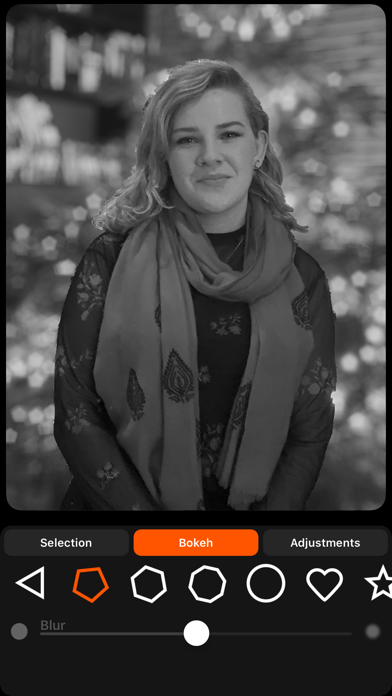
• Adjust the amount of blur applied to the background

• Chose the shape of bokeh (even set it to love hearts or stars!)

• Change the brightness and saturation of the foreground and background independently.

• You can also draw to refine the selection of what’s in the foreground, great for tricky situations, or creating portraits of a wide variety of subjects, like pets, plants and more!

While editing, you can quickly undo and redo your adjustments, and there are buttons to share and save your photos right away.

————

Take your portraits to the next level with FabFocus

————

For support, please contact hello@ghostwheel.org

En voir plus...

Quoi de neuf dans la dernière version ?

Added localization for French, German, Spanish, Italian, Chinese (Simplified), Japanese, and Thai.

Fixed some minor bugs and typos
  • Screenshot #1 pour FabFocus - Portrait Mode Blur
  • Screenshot #2 pour FabFocus - Portrait Mode Blur
  • Screenshot #3 pour FabFocus - Portrait Mode Blur
  • Screenshot #4 pour FabFocus - Portrait Mode Blur
  • Screenshot #5 pour FabFocus - Portrait Mode Blur
  • Screenshot #6 pour FabFocus - Portrait Mode Blur

D'autres applications du développeur

Fotomoji
Fotomoji
/ iOS Universel
After Ice
After Ice
/ iPhone
Previs Pro - Storyboard Fast
/ iOS Universel

Note

(120 notes)

Détails sur l'application

Version
2.0.1
Taille
20.2 Mo
Version minimum d'iOS
11.0
Dernière mise à jour
03/03/2020
Publié par
Ghostwheel

Newsletter App Store

Recevez chaque jour les meilleures promos

Actualité Apple

Image L’iPhone Air avec carte SIM physique existe grâce à une bidouille
L’iPhone Air avec carte SIM physique existe grâce à une bidouille
Image Apple reste l’entreprise la plus admirée au monde en 2026 selon Fortune
Apple reste l’entreprise la plus admirée au monde en 2026 selon Fortune
Image Apple Cash, pour transférer de l’argent, va bientôt coûter plus cher
Apple Cash, pour transférer de l’argent, va bientôt coûter plus cher
Image Apple accusé d’avoir eu un impact négatif sur les frais bancaires au Royaume-Uni
Apple accusé d’avoir eu un impact négatif sur les frais bancaires au Royaume-Uni
Partenaires : Actualité iPhone - Culture Geek
©2009-2026 i2CMedia | A propos |