Goopasha
iPhone / Photo et vidéo
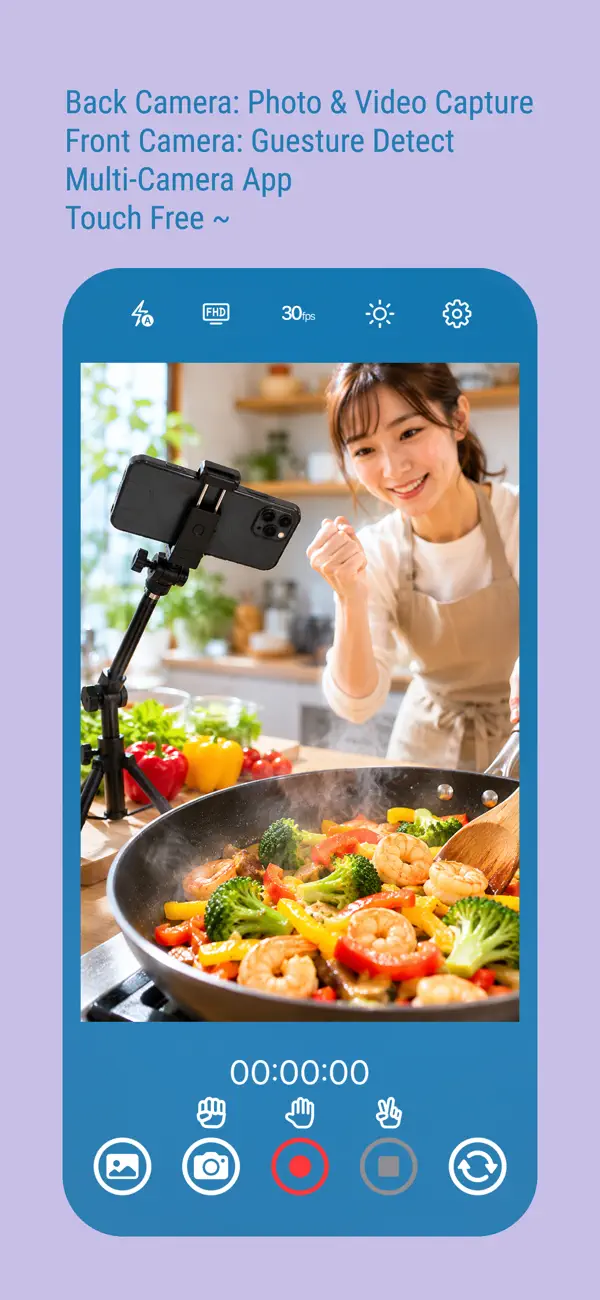
・ A touchless camera app for cooking and solo filming.
・ Start and pause recording without touching your phone.
・ Keep your workflow uninterrupted.
Have you ever needed to take a photo or record a video, but couldn’t touch your phone?
・ While cooking or baking with messy hands
・ During crafting, pottery, or DIY work
・ When recording long videos and skipping unwanted scenes
Goopasha solves this with touchless control.
Enable touchless mode and simply wave your hand in front of the front camera (10–300 cm range) to control the rear camera.
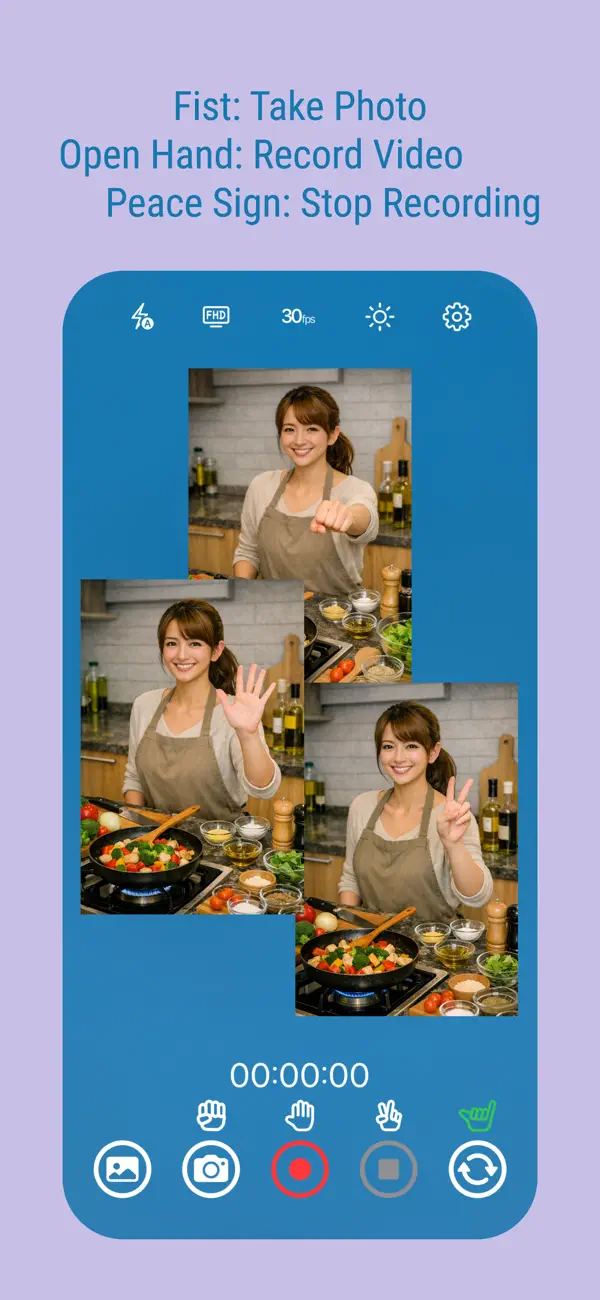
・ Fist(stone) → Take a photo
・ Open hand(paper) → Start / Pause / Resume video
・ Peace sign(scissors) → Stop recording
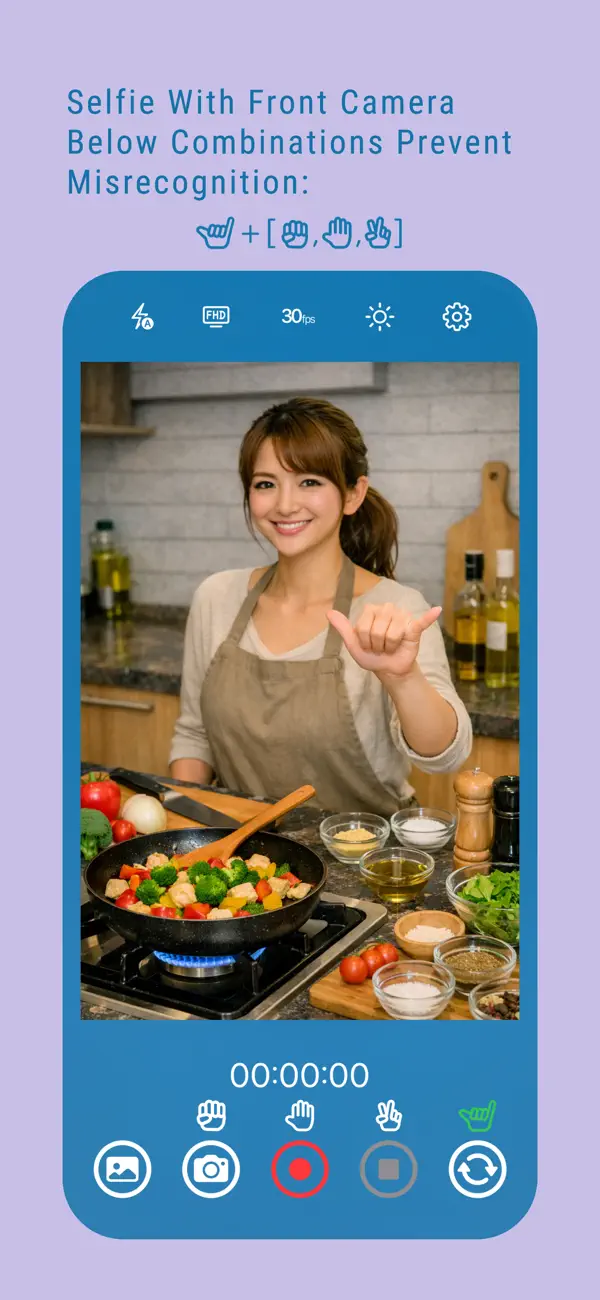
・ Aloha sign → Selfie mode gesture: You can take selfies by combining this with the three gestures mentioned above. For example, (Aloha →Fist) = Take a photo
No need to touch your device.
[Key Features]
1. Photo Capture
・ Standard tap shooting
・ Touchless shooting with hand gestures(long tap the camera button to enable/disable touchless mode)
・ Photos saved to "Goopasha" album
2. Video Recording
・ Start, pause, and resume recording
・ A clock icon will be shown while pausing
・ Gesture-based control for hands-free operation(long tap the record/pause button to enable/disable touchless mode)
・ Efficient recording by skipping unnecessary scenes
3. Capture Photos While Recording
・ Take photos during video recording
・ Silent capture while recording (no shutter sound in video),A camera icon briefly appears in the center of the screen
4. Ending Video Recording
• Tap the End button (red square in the bottom right)
• Recording will end and the video will be saved
• The file will be saved in the "Goopasha" album
* Also supports touchless operation (scissors gesture).
5. Selfie
• Tapping the camera switch button (first from the bottom right) will display an Aloha icon above the button
• Making the Aloha Sign in this state will display a large green Aloha icon in the center of the screen
• While the large green Aloha icon is displayed, playing rock-paper-scissors will start a countdown, and once it's finished, the corresponding function will activate
* If the camera not in touchless mode, the corresponding icon will flash yellow as a hint (You can disable this hint in the settings.)
6. Additional Features
・ Thumbnail: Tap the thumbnail in the bottom left to open the Photos app
・ Flash modes: Auto / On / Off
・ Resolution: HD / FHD / 4K (4K is not available if 60fps is selected)
・ Frame rate: 24 / 30 / 60 fps (60fps is not available if 4K is selected)
・ Pinch to zoom
・ Brightness control for power saving
* You can return to the previous state by tapping anywhere on the screen other than the buttons
[Notes]
・ Hand recognition is only possible using the front camera (on the screen side); it cannot be recognized using the rear camera (on the back of the screen side)
・ Recording stops if the app goes to background
・ Shutter sound behavior may vary by region
・ For best results:
・ Show clear hand gestures
・ Keep your hand facing the camera
・ Avoid similar shapes in the background
・ When taking a selfie, you must do the Aloha pose first; this is to avoid misrecognition
・ Regarding device orientation, upside-down shooting is not supported. Even if it works on some models, we cannot guarantee it.
・ If you force quit the app while recording, the video will not be saved. Please intentionally press the STOP button to save the video safely before closing the app.
Quoi de neuf dans la dernière version ?
1. Added Selfie Function
Tap the toggle button in the bottom right corner of the screen to switch to selfie mode. Make an Aloha sign and then a "rock" or "paper" gesture, and once the countdown is complete, start taking the photo.
2. Added Settings Page
Tap the gear icon in the top right corner of the screen to change or reset settings. You can also view various important information.