iPhoneAddict Apps
  • Accueil Apps
  • iPhone
  • iPad
  • Universelles
  • Mac
  • Apple TV
KG KultureGeek
App
iPhone / iPad Télécharger iAddict v5 Mac Télécharger iAddict Mac
  • Accueil Apps
  • iPhone
  • iPad
  • Universelles
  • Mac
  • Apple TV
  • Actualité Apple
  • Archives keynotes
  • Firmwares & iTunes
  • Contactez-nous
  • Comparateur de prix
  • KultureGeek
Accueil » Liste des Apps » Apps Universelles » Photo et vidéo » Leonardo - Photo Layer Editor
2.7.2 iOS €5,99€ Pankaj Goswami 4.6 5 Universal Photo Editor with support for Layers, Selection, Masks and of course filters, effects and other tools. An editor so powerful that you could do almost anything that you thought was possible only on a desktop. √ True layer support, just...
Leonardo - Photo Layer Editor

Leonardo - Photo Layer Editor

iOS Universel / Photo et vidéo

5,99€
Acheter sur l'App Store

Universal Photo Editor with support for Layers, Selection, Masks and of course filters, effects and other tools.

An editor so powerful that you could do almost anything that you thought was possible only on a desktop.

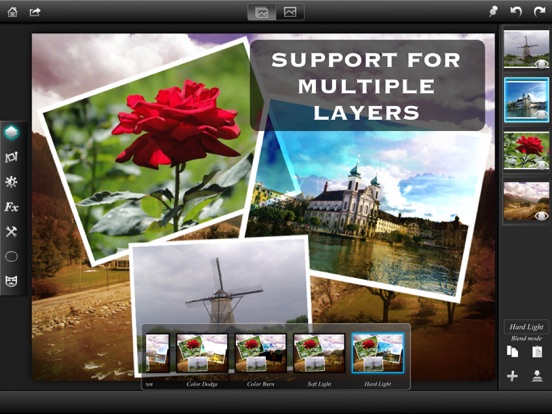
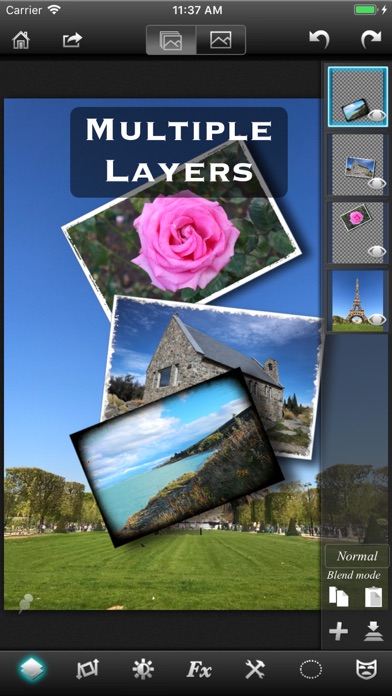
√ True layer support, just like photo editing on desktop.
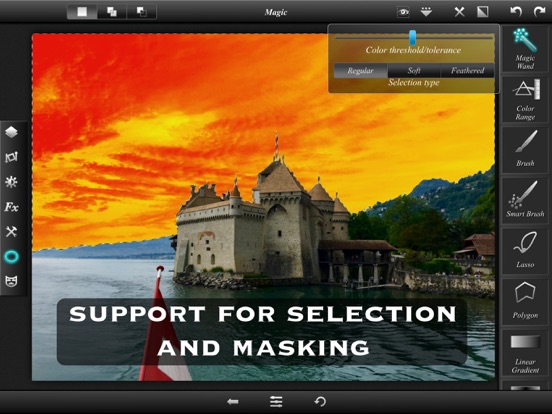
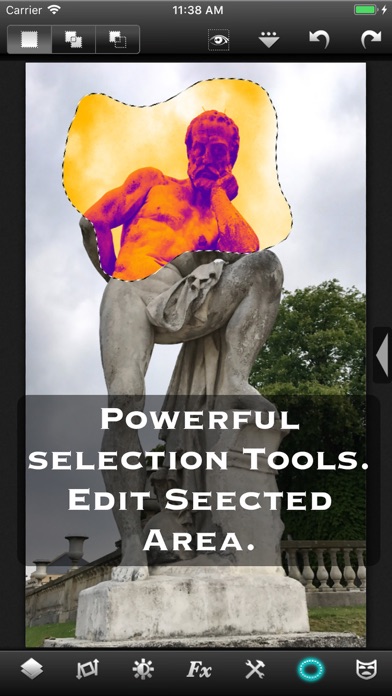
√ Selection. You can select an area and work with filters and effects only on that area.
√ Layers can be masked. And not just with brush, you get a whole set of mask editing tool.
√ Layers support all that a true layer app should. Blending, Opacity, Transform, Duplicate, Merge and flatten.
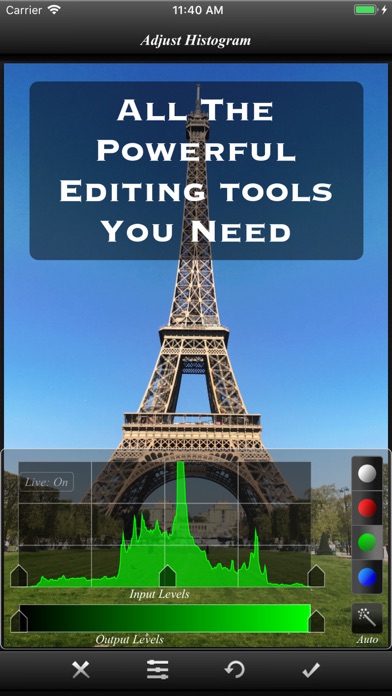
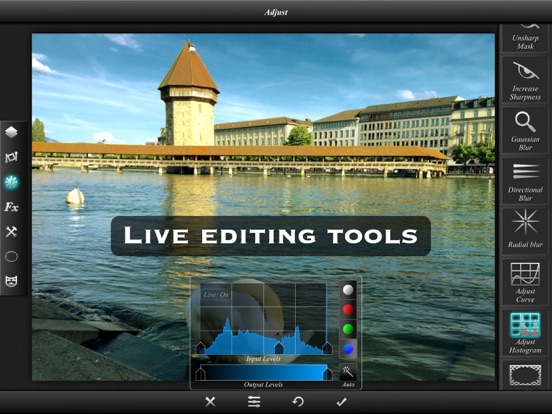
√ The app is so fast that most of the operations are real time. You don't have to wait while adjusting the sliders.
√ Handles Exif, IPTC, Geotag etc. You can even edit Geotag and IPTC.
√ Exports PSD with layers. And of course exports JPEG and PNG too.
√ Copy/Paste with selections and masks.
√ Undo/Redo.
√ Powerful filters you will hardly find on many other apps.
√ 25 preset photo effects.
√ Tools like Crop, Straighten, Clone stamp, color gradient, paint brush, red eye brush and add text etc.
√ You can save your projects with all layers and selections preserved and work on them back and forth.
√ 18 video tutorials.
√ Resolution up to 4096x4096 on iPad3 and above and on iPhone max resolution is equal to the resolution of the built-in camera.

And yes, it runs on both iPhone and iPad.

Note that reduce noise filter is available only on iPhone 5 and iPad3 and above.

To get maximum resolution you will need to...
1. Go to home screen.
2. Press on the "?" button.
3. Under resolution, select the max.

En voir plus...

Quoi de neuf dans la dernière version ?

● Access to millions of royalty free stock photos.
● Improved font picker.
● Bug fixes.

Try out our moder photo editing app "Superimpose X", a powerful yet easy to use multilayer photo editing app.
D'autres applications du développeur

PhotoWizard-Photo Editor
/ iPhone
Superimpose
Superimpose
/ iOS Universel
Superimpose X
Superimpose X
/ iOS Universel
Superimpose AI  Changer Fond
Superimpose AI Changer Fond
/ iOS Universel

Note

(5 notes)

Détails sur l'application

Version
2.7.2
Taille
66 Mo
Version minimum d'iOS
11.0
Dernière mise à jour
19/05/2022
Publié par
Pankaj Goswami

Newsletter App Store

Recevez chaque jour les meilleures promos

Actualité Apple

Image Ventes d’iPhone : Apple réalise son deuxième trimestre historique
Ventes d’iPhone : Apple réalise son deuxième trimestre historique
Image Spotify lance Running Mode sur iPhone avec des playlists adaptées à la course
Spotify lance Running Mode sur iPhone avec des playlists adaptées à la course
Image OpenAI réagit encore à la plainte d’Apple pour vol de secrets commerciaux
OpenAI réagit encore à la plainte d’Apple pour vol de secrets commerciaux
Image AAPL : Goldman Sachs relève son objectif de cours à 370 dollars juste avant les résultats
AAPL : Goldman Sachs relève son objectif de cours à 370 dollars juste avant les résultats
iPhoneAddict Apps

Le catalogue iPhoneAddict pour suivre les nouveautés, mises à jour et baisses de prix de l’App Store.

Apps

Toutes les apps iOS iPhone iPad Universelles Mac Apple TV

iPhoneAddict

Actualité Apple Archives keynotes Contact À propos KultureGeek

Suivez-nous

©2009-2026 i2CMedia. Tous droits réservés.