Log to LUT
iOS Universel / Photo et vidéo
iPhone과 iPad에서 Log/HDR 및 일반 영상을 직접 컬러그레이딩하세요.
Color-grade compatible Log/HDR and standard video directly on iPhone and iPad.
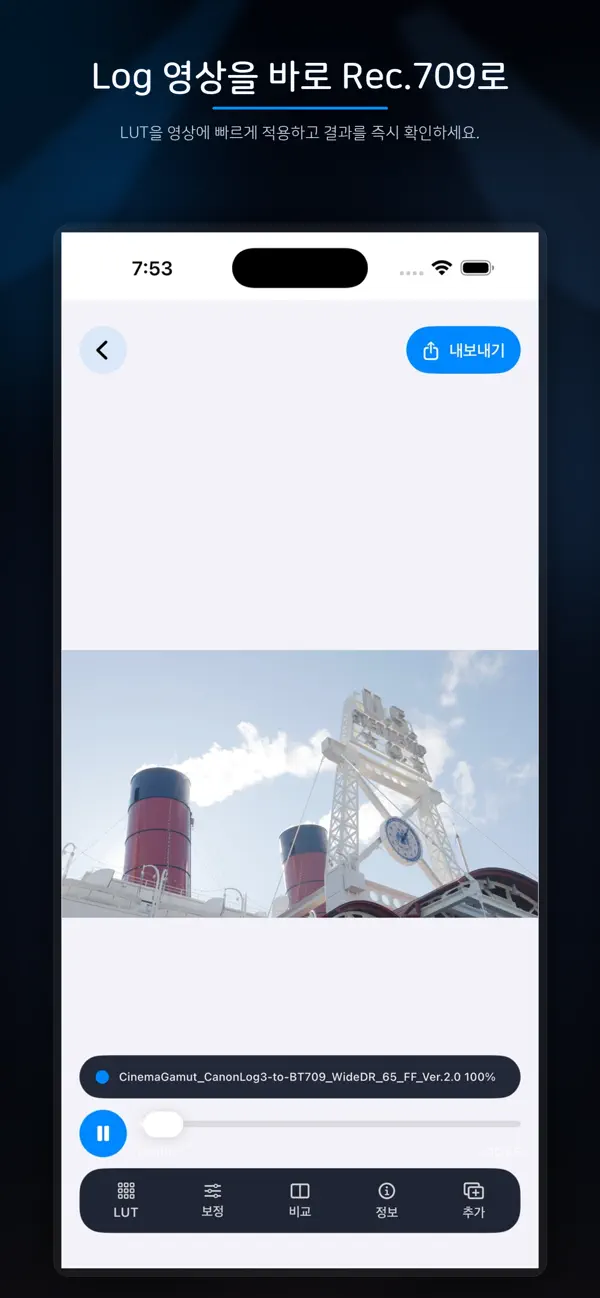
Log to LUT는 사진 앱 또는 파일 앱에서 영상을 불러와 .cube LUT와 정밀한 색보정을 적용하고, 결과를 미리 본 뒤 완성된 영상을 내보낼 수 있는 영상 도구입니다. 영상 한 개를 세밀하게 작업하거나 한 번에 최대 10개 영상을 불러와 같은 룩을 일괄 적용할 수 있습니다.
Log to LUT lets you import videos from Photos or Files, apply .cube LUTs and detailed grading adjustments, preview the result, and export finished videos. Work precisely on one clip or import up to 10 videos at a time to apply a consistent look across a batch.
영상 LUT 작업
VIDEO LUT WORKFLOW
• 내장 LUT 사용 또는 사용자 .cube LUT 파일 가져오기 및 관리
• Use bundled LUTs or import and manage your own .cube LUT files
• 최대 4개 LUT를 순서대로 적용하고, LUT별 적용 비율(1–100%), 활성화 및 순서 조절
• Build an ordered stack of up to four LUTs, with per-LUT application percentage, enable controls, and reordering
• 노출, 대비, 하이라이트, 섀도우, 화이트, 블랙, 채도, 생동감, 화이트 밸런스, 글로벌 색조 및 미드톤 조절
• Adjust exposure, contrast, highlights, shadows, whites, blacks, saturation, vibrance, white balance, global hue, and midtones
• 톤 커브, HSL, Lift/Gamma/Gain, 스플릿 토닝, 노이즈 감소, 선명도, 클래리티, 비네트, 그레인, 블룸·할레이션, 하이라이트 롤오프 및 색역 압축
• Refine tone curves, HSL, Lift/Gamma/Gain, split toning, noise reduction, sharpen, clarity, vignette, grain, bloom and halation, highlight roll-off, and gamut compression
• Before/After 비교로 LUT와 조절값 적용 전후 확인
• Compare the processed and bypassed image with Before/After
• Rec.709 루마 또는 RGB 오버레이 파형으로 밝기와 채널 분포 확인
• Check luminance and channel distribution with a Rec.709 waveform in Luma or RGB Overlay mode
• 컬러그레이딩 설정을 프리셋으로 저장하고 파일로 가져오기·공유
• Save grading adjustments as presets, then import, share, and reuse them
• 동일한 LUT 스택과 저장된 프리셋을 여러 영상에 일괄 적용
• Apply the same LUT stack and saved grading preset across multiple videos
• 코덱, 컨테이너, 해상도, 프레임레이트, 비트심도, 색상 메타데이터, HDR/SDR 여부, 길이 및 파일 크기 확인
• Review codec, container, resolution, frame rate, bit depth, color metadata, HDR/SDR status, duration, and file size
• 원본 해상도 또는 1080p로 내보내기
• Export at the original resolution or 1080p
영상 LUT 작업의 내보내기 결과는 Rec.709로 변환되어 사진 앱에 저장됩니다.
Video LUT workflow exports are converted to Rec.709 and saved to Photos.
Log/HDR 인코딩 변환
LOG/HDR ENCODING CONVERSION
소스의 Log·색역 프로파일을 분석하거나 직접 지정한 뒤, 색관리 파이프라인을 통해 REDWideGamutRGB / Log3G10, DaVinci Wide Gamut / Intermediate, ACEScct 또는 ARRI LogC4로 변환할 수 있습니다. 변환된 HEVC Main10 영상은 시스템 공유 시트로 내보내며, 대상 인코딩 정보를 위한 sidecar JSON이 함께 제공됩니다.
Analyze or manually select the source Log and gamut profile, then convert through a color-managed pipeline to REDWideGamutRGB / Log3G10, DaVinci Wide Gamut / Intermediate, ACEScct, or ARRI LogC4. Converted HEVC Main10 videos are delivered through the system share sheet with a sidecar JSON describing the target encoding.
계정 없이 사용할 수 있으며, 영상 미리보기와 렌더링은 기기에서 처리됩니다.
No account is required. Video preview and rendering run on the device.
Quoi de neuf dans la dernière version ?
- 자동 조절 개선
- 슬라이더 터치 영역 개선
- 루마 그래프 UI 개선
- Improved auto-adjustment
- Improved slider touch area
- Improved luma graph UI