Metadata Remover: SafeShare
iOS Universel / Photo et vidéo
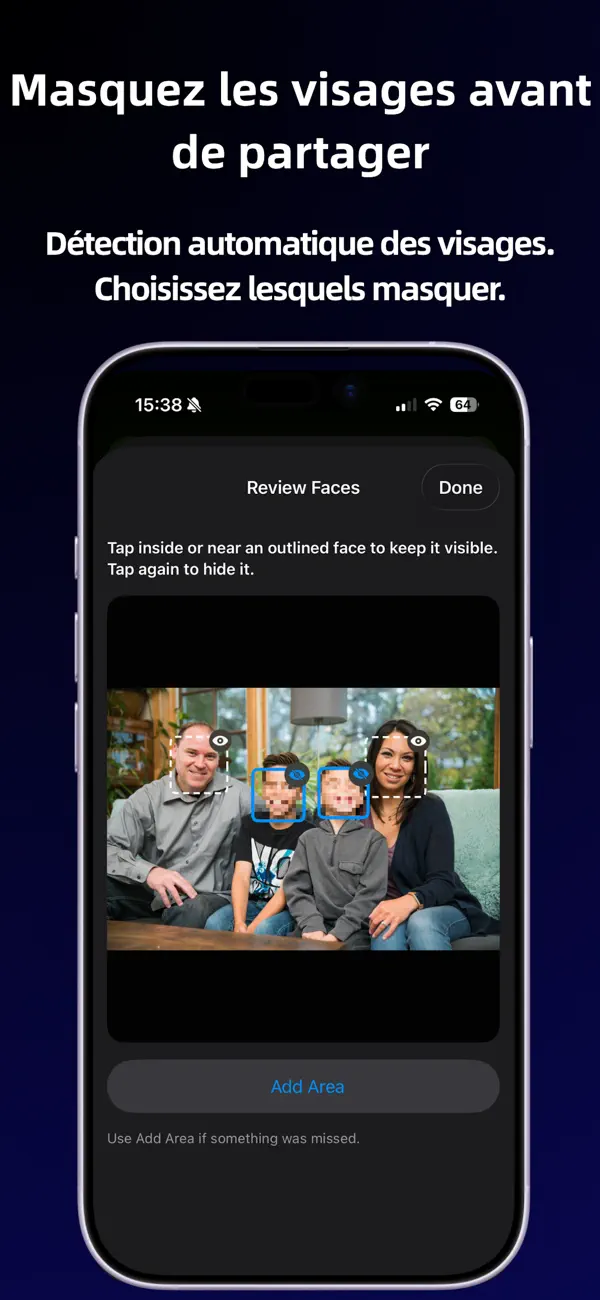
SafeShare helps you create clean copies of photos and supported videos before sharing.
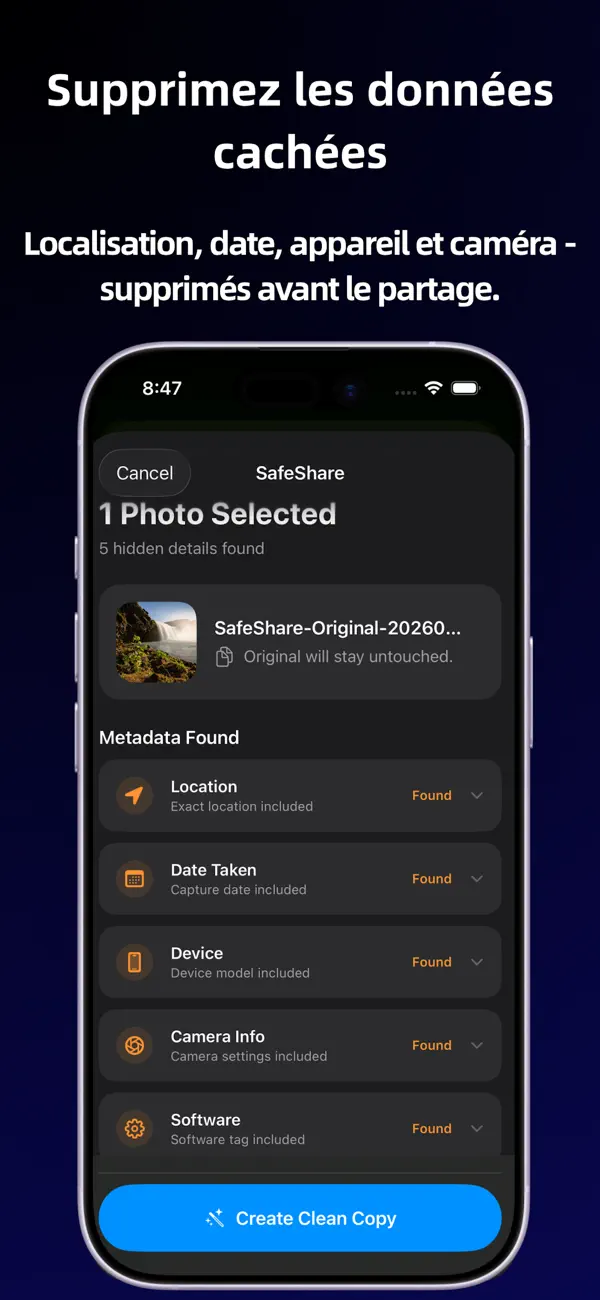
Photos and videos can include file details you may not mean to send, such as location, date, device, camera, and software information. SafeShare gives you a simple way to remove these details before your media leaves your iPhone.
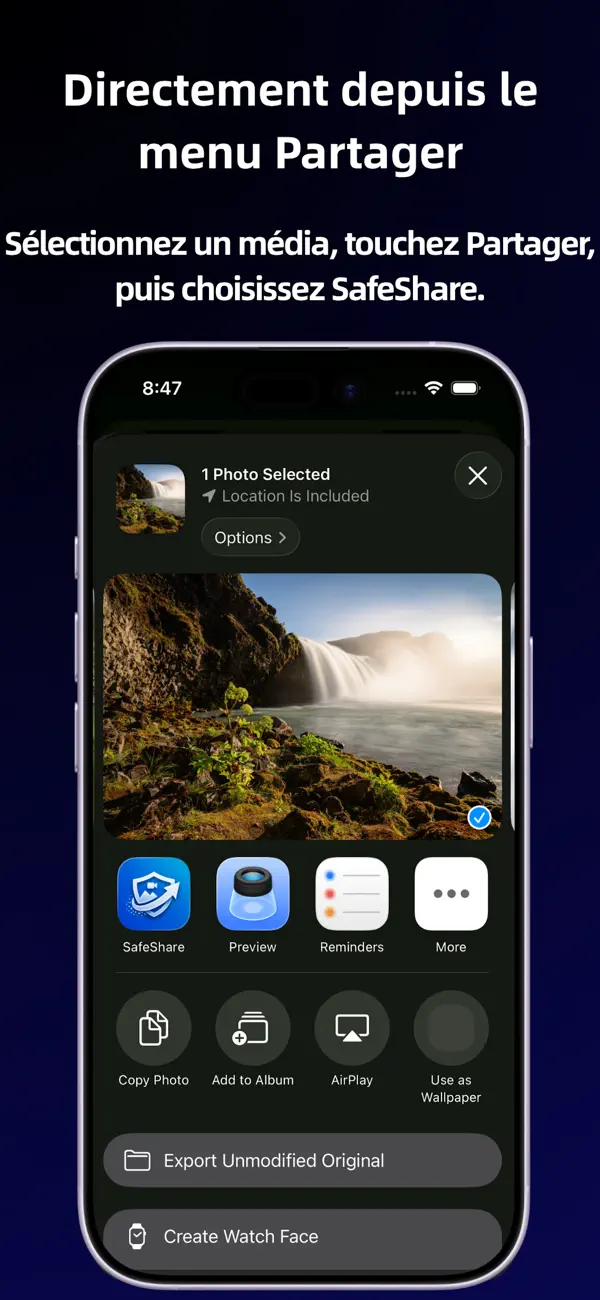
Use SafeShare directly from the iOS Share Sheet:
• Select photos or one supported video
• Tap Share
• Choose SafeShare
• Create a clean copy
• Share the clean copy onward
Everything happens on your device. SafeShare does not upload your media, does not require an account, and does not track you.
What SafeShare can help remove:
• Location data
• Date taken
• Device information
• Camera details
• Software tags
• Other common file metadata where possible
Supported sharing:
• Up to 10 photos at once
• One supported video at a time
• Photos and videos should be cleaned separately
Supported formats:
• HEIC / HEIF
• JPEG / JPG
• PNG
• MOV
• MP4
SafeShare is free, offline, and designed for quick privacy checks before sharing.
Important:
SafeShare removes common hidden metadata where possible, but some file details may still remain depending on the file format, source app, iOS behavior, or sharing destination. SafeShare does not guarantee 100% anonymity.