iPhoneAddict Apps
  • Actualités
  • Accueil Apps
  • iPhone
  • iPad
  • Universelles
  • Mac
  • Apple TV
KG KultureGeek
App
iPhone / iPad Télécharger iAddict v5 Mac Télécharger iAddict Mac
  • Actualités
  • Accueil Apps
  • iPhone
  • iPad
  • Universelles
  • Mac
  • Apple TV
  • Archives keynotes
  • Firmwares & iTunes
  • Contactez-nous
  • Comparateur de prix
  • KultureGeek
Accueil » Liste des Apps » Apps Universelles » Photo et vidéo » MyGIF - GIF from Video!
L'application n'est plus disponible sur l'App Store français
6.0.0 iOS €Gratuit MekeFactory 0 0 My GIF is an application that creates animated GIFs from videos. Let's take a look at the “Tutorial Video” that can be played from the top screen of the app to know the basic usage. ----basic operation-------------------------- ◆ Watch the...
MyGIF - GIF from Video!

MyGIF - GIF from Video!

iOS Universel / Photo et vidéo

Gratuit
Obtenir sur l'App Store
Facebook X E-mail

My GIF is an application that creates animated GIFs from videos.

Let's take a look at the “Tutorial Video” that can be played from the top screen of the app to know the basic usage.

----basic operation--------------------------
◆ Watch the tutorial video.
1. Press the camera button at the bottom left of the screen and select “Tutorial”.
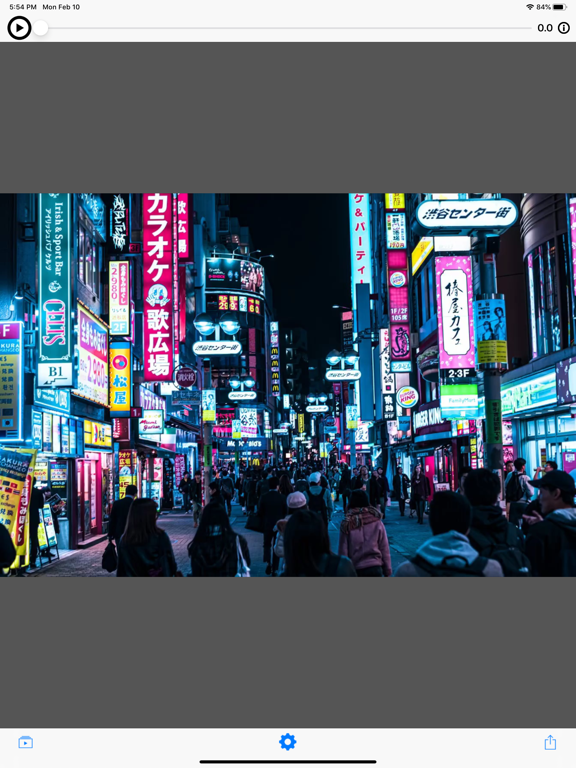
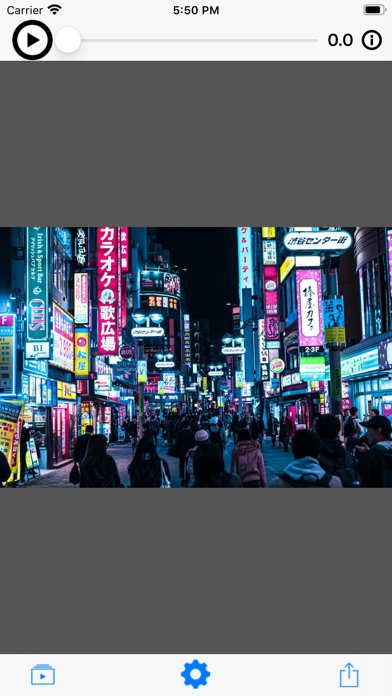
2. Press the play button at the top left of the screen to play the tutorial video.

◆ Make GIF from videos.
1. Press the camera button at the bottom left of the screen and select “Album” or “Camera”.
2. Select or shoot the video you want to convert to GIF.
3. Press the play button at the top left of the screen to check the selected video.
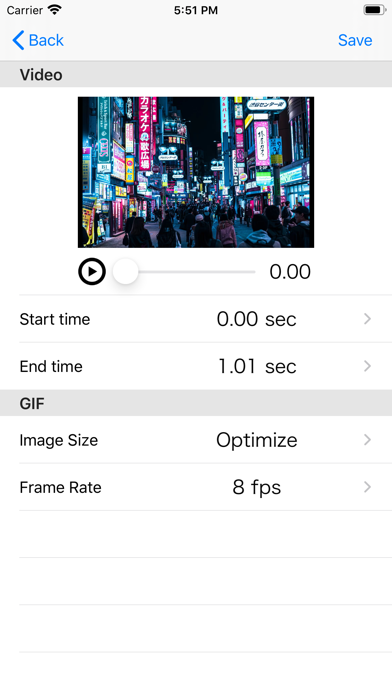
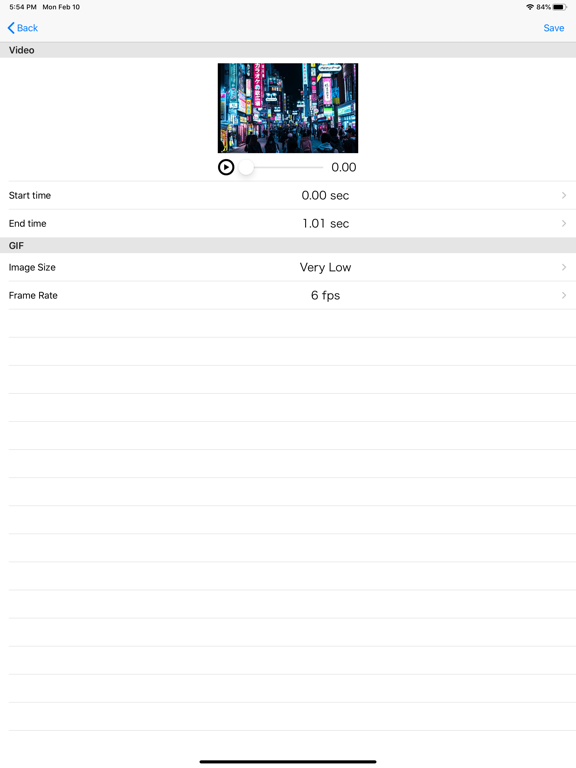
4. Press the gear button at the bottom of the screen to open the setting screen.
・ Video-Start position, End position
Select the video range to be converted to GIF.
・ Image size
Extremely low to high: any size
Original: Same size as video size
Optimal: Optimal size according to memory usage
·frame rate
The number of drawing times per second.
¡The larger the number, the smoother the operation, but the larger the GIF file size.
5. After changing the settings, confirm with the Save button in the upper right.
6. Press the share button at the bottom right and select the share destination. If “Save Image” is selected, the GIF file is saved in the camera roll.

En voir plus...

Quoi de neuf dans la dernière version ?

- iOS14 is now supported.
  • Screenshot #1 pour MyGIF - GIF from Video!
  • Screenshot #2 pour MyGIF - GIF from Video!
  • Screenshot #4 pour MyGIF - GIF from Video!
  • Screenshot #5 pour MyGIF - GIF from Video!

Note

(0 note)

Détails sur l'application

Version
6.0.0
Taille
53.9 Mo
Version minimum d'iOS
14.5
Dernière mise à jour
10/07/2021
Publié par
MekeFactory

Newsletter App Store

Recevez chaque jour les meilleures promos

Actualité Apple

Image Apple rachète PlasmaSolve, spécialiste de la simulation plasma
Apple rachète PlasmaSolve, spécialiste de la simulation plasma
Image Apple Photos : une plainte à 32,5 milliards de dollars pour la reconnaissance faciale
Apple Photos : une plainte à 32,5 milliards de dollars pour la reconnaissance faciale
Image Apple TV publie toutes ses interventions lors du Comic-Con (Silo, Dark Matter, Widow’s Bay, etc…)
Apple TV publie toutes ses interventions lors du Comic-Con (Silo, Dark Matter, Widow’s Bay, etc…)
Image AAPL : JP Morgan abaisse son objectif de cours face à la crise des composants
AAPL : JP Morgan abaisse son objectif de cours face à la crise des composants
iPhoneAddict Apps

Le catalogue iPhoneAddict pour suivre les nouveautés, mises à jour et baisses de prix de l’App Store.

Apps

Toutes les apps iOS iPhone iPad Universelles Mac Apple TV

iPhoneAddict

Actualité Apple Archives keynotes Contact À propos KultureGeek

Suivez-nous

©2009-2026 i2CMedia. Tous droits réservés.