iPhoneAddict Apps
  • Actualités
  • Accueil Apps
  • iPhone
  • iPad
  • Universelles
  • Mac
  • Apple TV
KG KultureGeek
App
iPhone / iPad Télécharger iAddict v5 Mac Télécharger iAddict Mac
  • Actualités
  • Accueil Apps
  • iPhone
  • iPad
  • Universelles
  • Mac
  • Apple TV
  • Archives keynotes
  • Firmwares & iTunes
  • Contactez-nous
  • Comparateur de prix
  • KultureGeek
Accueil » Liste des Apps » Apps Universelles » Photo et vidéo » PhotoServer- WiFi photo share
L'application n'est plus disponible sur l'App Store français
1.1.0 iOS €Gratuit Haw-Yuan Yang 0 0 If you are looking for the easiest and fastest way to transfer your photos and videos to your PC/Mac or to other mobile devices, then PhotoServer is the solution for you. No other thirty party accounts or applications are required. Simply browse...
PhotoServer- WiFi photo share

PhotoServer- WiFi photo share

iOS Universel / Photo et vidéo

Gratuit
Obtenir sur l'App Store
Facebook X E-mail

If you are looking for the easiest and fastest way to transfer your photos and videos to your PC/Mac or to other mobile devices, then PhotoServer is the solution for you.

No other thirty party accounts or applications are required. Simply browse and download the selected photos/videos on your iPhone/iPad using your favourite browser on any WiFi/network connected device - your media doesn’t need to be stored on a cloud drive first for later downloading. Using PhotoServer is convenient, streamlined, and most importantly, safe and secure.

Features:

* Only shares the selected photos and videos to reduce memory usage and minimize security risk.
* Web interface with optional user authentication.
* Embedded web server to accept connections from any web browser on any device.
* Direct transfer of photos/videos from iPhone/iPad.

Usage Instructions:

On iPhone/iPad:
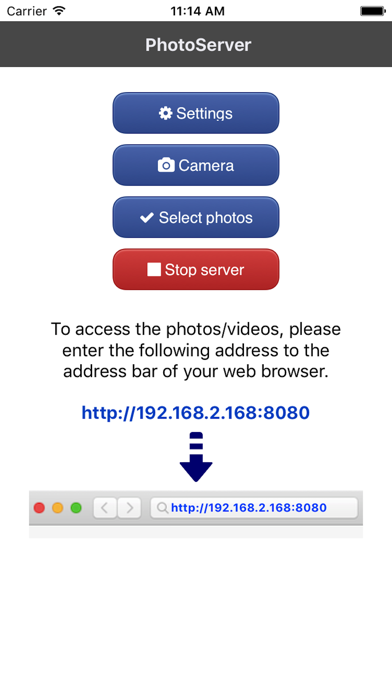
1. Start PhotoServer.
2. Click on “Start server” button to start web server.
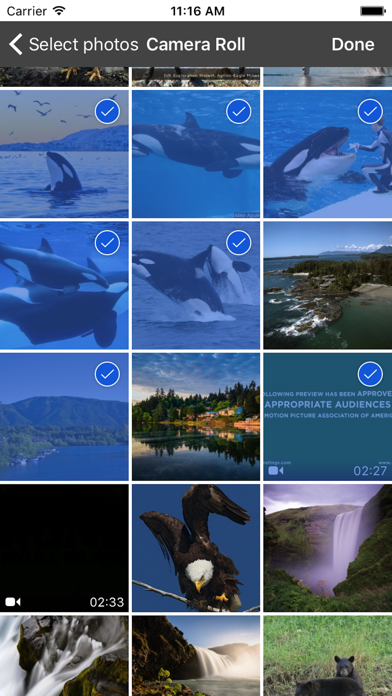
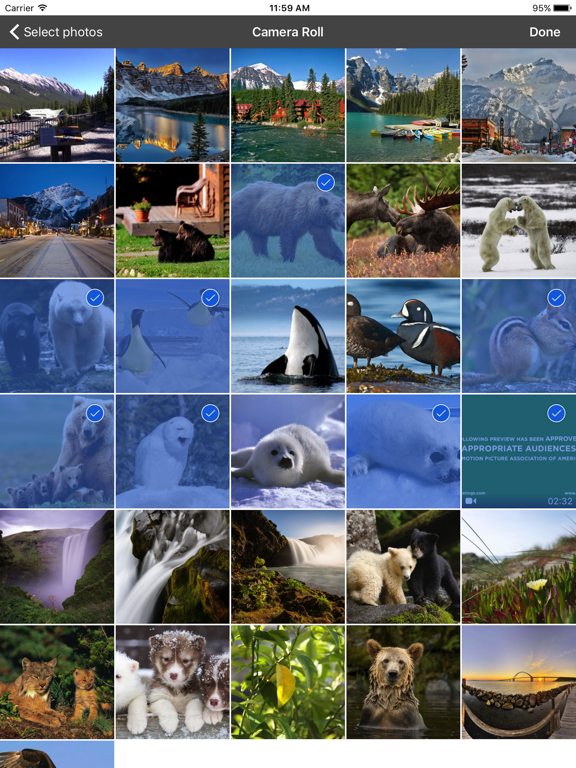
3. Click on “Select photos” button to select the photos/videos you would like to transfer.

On PC, Mac or any mobile device.
1. Start up web browser.
2. Enter the address listed on PhotoServer screen to the address bar of your web browser.
3. Click on the photo/video to start download.

En voir plus...

Quoi de neuf dans la dernière version ?

Bug fixes.
  • Screenshot #1 pour PhotoServer- WiFi photo share
  • Screenshot #2 pour PhotoServer- WiFi photo share
  • Screenshot #3 pour PhotoServer- WiFi photo share
  • Screenshot #4 pour PhotoServer- WiFi photo share
  • Screenshot #5 pour PhotoServer- WiFi photo share
  • Screenshot #6 pour PhotoServer- WiFi photo share

Note

(0 note)

Détails sur l'application

Version
1.1.0
Taille
10 Mo
Version minimum d'iOS
9.0
Dernière mise à jour
04/10/2018
Publié par
Haw-Yuan Yang

Newsletter App Store

Recevez chaque jour les meilleures promos

Actualité Apple

Image iPhone : Apple a capté 49 % des revenus de smartphones au 2e trimestre, un record
iPhone : Apple a capté 49 % des revenus de smartphones au 2e trimestre, un record
Image L’iPhone Air 2 aurait une Dynamic Island plus petite et d’autres nouveautés
L’iPhone Air 2 aurait une Dynamic Island plus petite et d’autres nouveautés
Image iPhone 18e : les 9 Go de RAM se confirment un peu plus
iPhone 18e : les 9 Go de RAM se confirment un peu plus
Image Apple met à jour Shazam avec des autocollants iMessage pour l’album petal d’Ariana Grande
Apple met à jour Shazam avec des autocollants iMessage pour l’album petal d’Ariana Grande
iPhoneAddict Apps

Le catalogue iPhoneAddict pour suivre les nouveautés, mises à jour et baisses de prix de l’App Store.

Apps

Toutes les apps iOS iPhone iPad Universelles Mac Apple TV

iPhoneAddict

Actualité Apple Archives keynotes Contact À propos KultureGeek

Suivez-nous

©2009-2026 i2CMedia. Tous droits réservés.