Pixel Art Effect
iOS Universel / Photo et vidéo
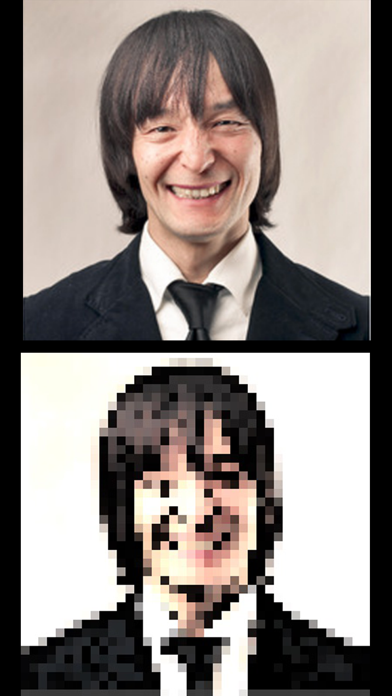
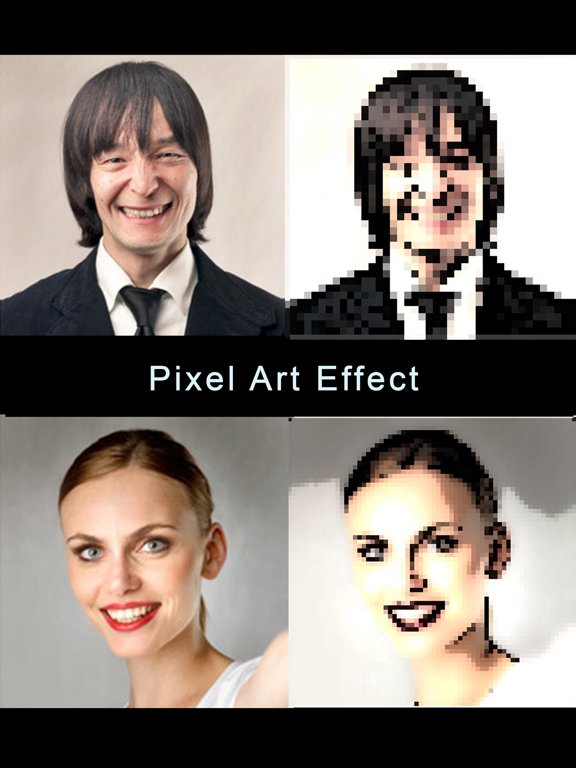
The Pixel Art Effect app lets you turn your photo into video game pixel art. The effect ranges from modern pixel art which has a more subtle pixelated effect (many small pixels) to retro pixel art which is made up of fewer larger pixels.
You can control the amount of pixels you want.
There 6 designs to choose from which differ in color etc.
You can control the edge thickness. This is the outline of the artwork.
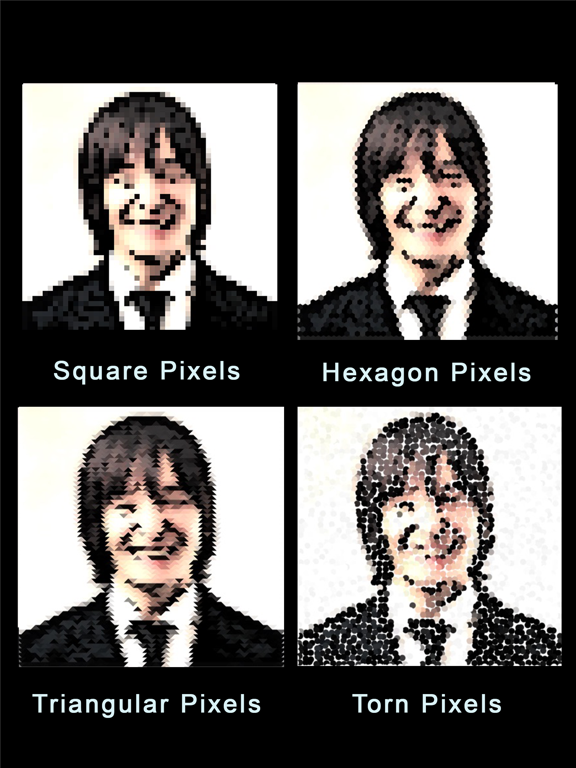
There are also 4 pixel designs to choose from. These pixel designs are standard square, hexagon pixels, triangular pixels and torn pixels. See the screenshot for a visual example.
No internet connection is required!
Step 1:
To convert your image to pixel art! Simply tap the "Add a Photo". You will be presented with the option of choosing a photo from your photo library or taking a picture with your camera!
Step 2:
Tap the "Apply Pixel Effect" button.
Step 3:
Save your pixel art to your photo library or share it to Facebook, Twitter, Instagram, Pinterest, Google+, VK or any other social network, forum or site and set the picture as a profile picture, cover photo etc.
As of version 2.2, Pixel Art Effect allows you to do a lot more with your photos! The effects are endless because you can mix and combine the features and effects.
You can also add text to your photos before or after applying the pixel effect! Add the text before applying the pixel effect if you want the text to become pixelated as well!
You can also crop your photos into various shapes. Choose from a circle, flag, heart, star, square or rectangle.
Quoi de neuf dans la dernière version ?
This app has been updated by Apple to display the Apple Watch app icon.
Added darker color effects in the converter due to a review which we've received about the colors being too washed out. We have, however, kept the other color effects for those who like those.
Minor navigational changes were also made.