iPhoneAddict Apps
  • Actualités
  • Accueil Apps
  • iPhone
  • iPad
  • Universelles
  • Mac
  • Apple TV
KG KultureGeek
App
iPhone / iPad Télécharger iAddict v5 Mac Télécharger iAddict Mac
  • Actualités
  • Accueil Apps
  • iPhone
  • iPad
  • Universelles
  • Mac
  • Apple TV
  • Archives keynotes
  • Firmwares & iTunes
  • Contactez-nous
  • Comparateur de prix
  • KultureGeek
Accueil » Liste des Apps » Apps Universelles » Photo et vidéo » Pixel Effect : Pixel Editor
L'application n'est plus disponible sur l'App Store français
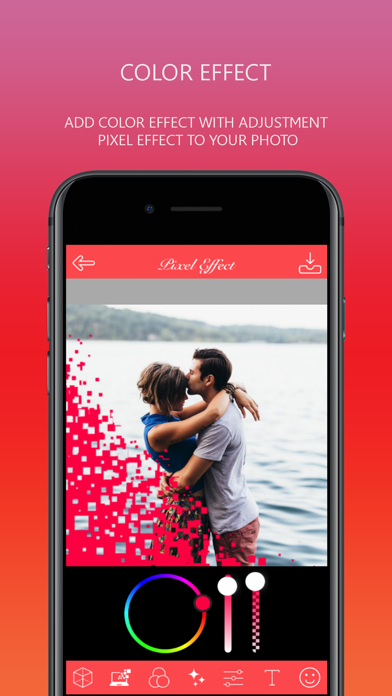
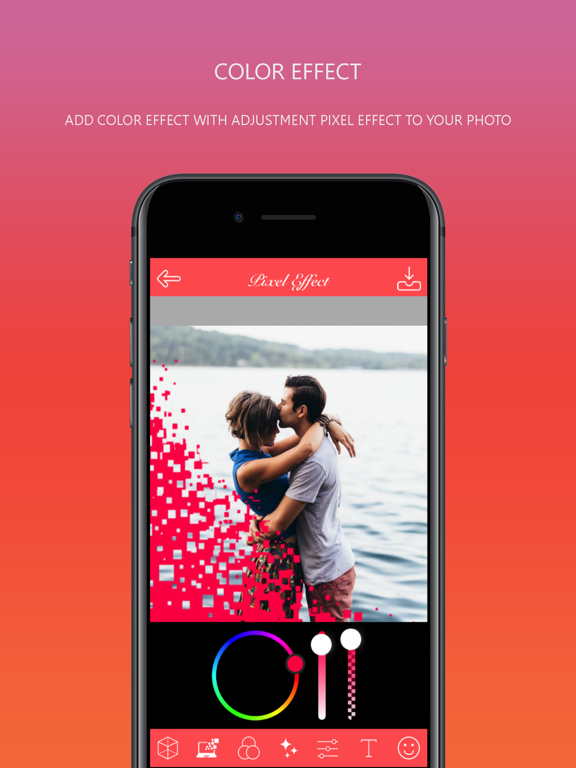
1.0 iOS €Gratuit Vishalkumar V Sojitra 0 0 - Pixel effect : Pixel Editor has variations of particle dispersion effect of your original photo. - Pixel effect : Pixel Editor app is converting your photo into bleeding effects. Its looks like magic effects on your photo. - Just one step, tap your...
Pixel Effect : Pixel Editor

Pixel Effect : Pixel Editor

iOS Universel / Photo et vidéo

Gratuit
Obtenir sur l'App Store
Facebook X E-mail

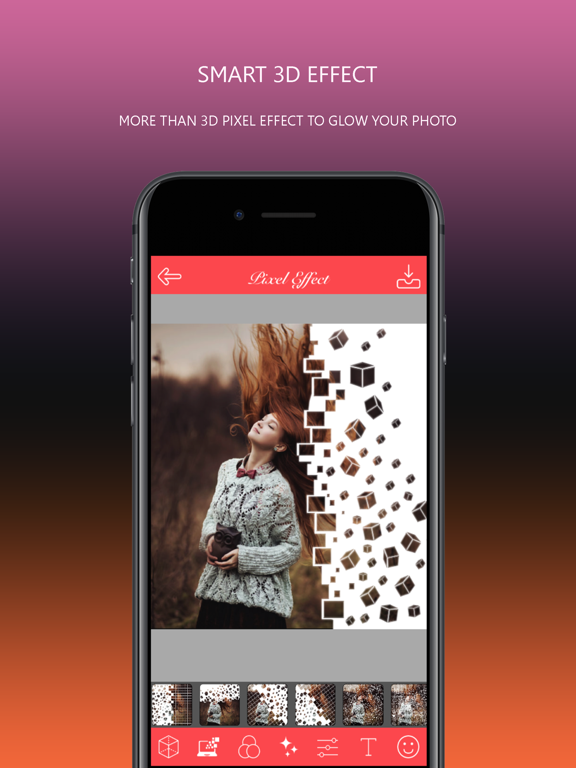
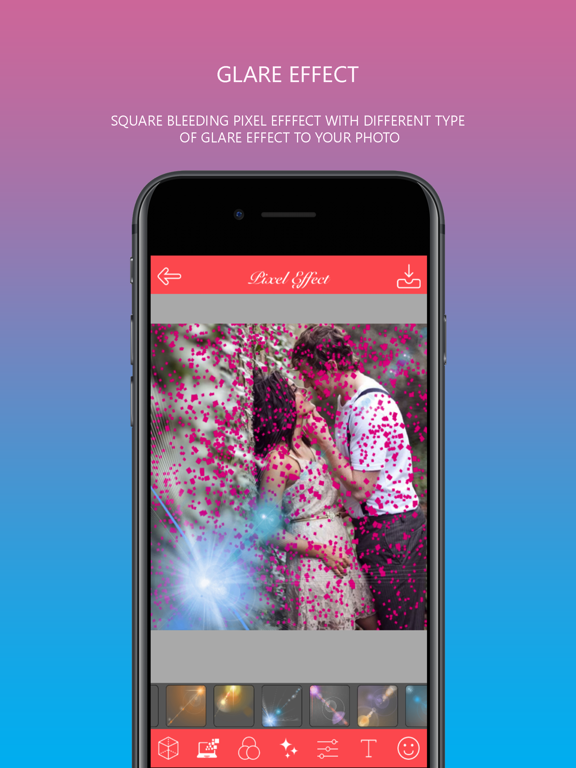
- Pixel effect : Pixel Editor has variations of particle dispersion effect of your original photo.
- Pixel effect : Pixel Editor app is converting your photo into bleeding effects. Its looks like magic effects on your photo.
- Just one step, tap your fingers and transform your photo into amazing look.

The most amazing app to create particle dispersion in 3 easy steps. Select Photo from gallery or camera. Paint module to cut picture and apply different different style of pixel effects. Transform photos with the tap of a finger. Use simple, yet powerful, photo editing tools to apply particle dispersion/pixel effect.
Feature :-
1. Huge number of pixel particle dispersion effect.
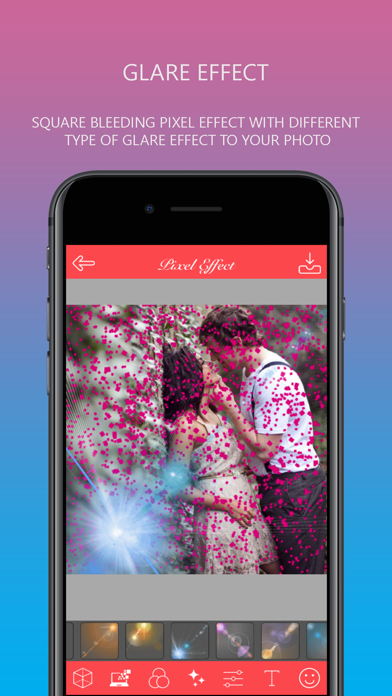
2. Light glare effect.
3. HD effects on photo.
4. Different stickers and text.
5. Lots of effects.
6. Save your photo in the gallery.
7. Easy to use UI.
8. Import photos from gallery or take from camera.
9. Make your photos extra fun with creative pixel effect style.
10. Auto particle dispersion tool for any photo.
11. save your art in your phone gallery.
12. Post your pics easily on Facebook, Twitter, and even Instagram.

Use of Pixel photo effect editor app:
- Pixel effect : Pixel Editor app is to choose photo from camera or gallery.
- Crop the original image or take whole original photo.
- Apply bleeding effects from the huge number of pixel effects.
- Change different effects on your photo.
- Set text and emoji also.
- Beautiful pixel edited photo share with your friends and family.

Pixel effect : Pixel Editor app is completely free to download.

En voir plus...

Quoi de neuf dans la dernière version ?

This app has been updated by Apple to display the Apple Watch app icon.

  • Screenshot #1 pour Pixel Effect : Pixel Editor
  • Screenshot #2 pour Pixel Effect : Pixel Editor
  • Screenshot #3 pour Pixel Effect : Pixel Editor
  • Screenshot #4 pour Pixel Effect : Pixel Editor
  • Screenshot #5 pour Pixel Effect : Pixel Editor
  • Screenshot #6 pour Pixel Effect : Pixel Editor

Note

(0 note)

Détails sur l'application

Version
1.0
Taille
37 Mo
Version minimum d'iOS
8.0
Dernière mise à jour
20/07/2017
Publié par
Vishalkumar V Sojitra

Newsletter App Store

Recevez chaque jour les meilleures promos

Actualité Apple

Image iPhone : Apple a capté 49 % des revenus de smartphones au 2e trimestre, un record
iPhone : Apple a capté 49 % des revenus de smartphones au 2e trimestre, un record
Image L’iPhone Air 2 aurait une Dynamic Island plus petite et d’autres nouveautés
L’iPhone Air 2 aurait une Dynamic Island plus petite et d’autres nouveautés
Image iPhone 18e : les 9 Go de RAM se confirment un peu plus
iPhone 18e : les 9 Go de RAM se confirment un peu plus
Image Apple met à jour Shazam avec des autocollants iMessage pour l’album petal d’Ariana Grande
Apple met à jour Shazam avec des autocollants iMessage pour l’album petal d’Ariana Grande
iPhoneAddict Apps

Le catalogue iPhoneAddict pour suivre les nouveautés, mises à jour et baisses de prix de l’App Store.

Apps

Toutes les apps iOS iPhone iPad Universelles Mac Apple TV

iPhoneAddict

Actualité Apple Archives keynotes Contact À propos KultureGeek

Suivez-nous

©2009-2026 i2CMedia. Tous droits réservés.