Pro2Camera - RAW Manuel
iPhone / Photo et vidéo
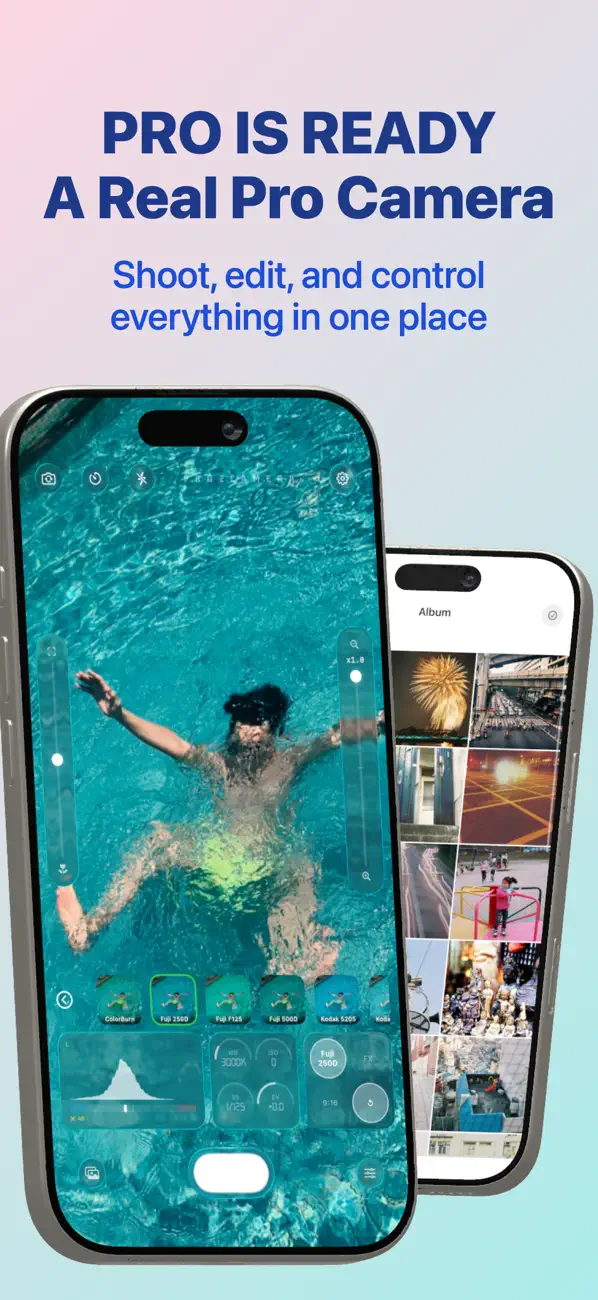
Pro2Camera est une application photo pro pour iPhone, conçue autour de la prise de vue en temps réel, des filtres en direct et de l'édition précise.
COMMANDES DE L'APPAREIL
Photographiez depuis la vue plein écran avec retardateur, zoom, grilles, flash, lampe, HDR, déclencheur silencieux, correction d'objectif et choix de la destination d'enregistrement. Basculez entre les modes Auto et Manuel avec un contrôle direct de l'ISO, de la vitesse d'obturation, de la balance des blancs, de l'exposition, de la mise au point et du verrouillage AE/AF.
FILTRES ET EFFETS
Appliquez 72 filtres et 24 effets en temps réel pendant la prise de vue. Choisissez des rendus cinématographiques, d'ambiance, vintage, froids, noir et blanc et rétro, puis combinez-les avec des effets d'objectif, de flou, de halo, VFX, VHS et de visage dans l'aperçu et la capture finale.
RAW, 48 MPX ET PRÉRÉGLAGES
Capturez dans les modes de qualité Fast, High, Balanced, RAW ou 48 Mpx. Choisissez l'espace colorimétrique sRGB ou Display P3, puis enregistrez votre configuration préférée en préréglages : filtre, effet, format, balance des blancs, ISO, vitesse d'obturation, exposition et mode Auto/Manuel.
HORODATAGE ET FILIGRANE
Ajoutez des tampons de date, d'heure ou de lieu lors de la prise de vue et choisissez parmi plusieurs styles et tailles. Les filigranes sont pris en charge à la capture et à l'export, et les réglages sont conservés lors de l'enregistrement ou du partage.
OUTILS D'ÉDITION PRO
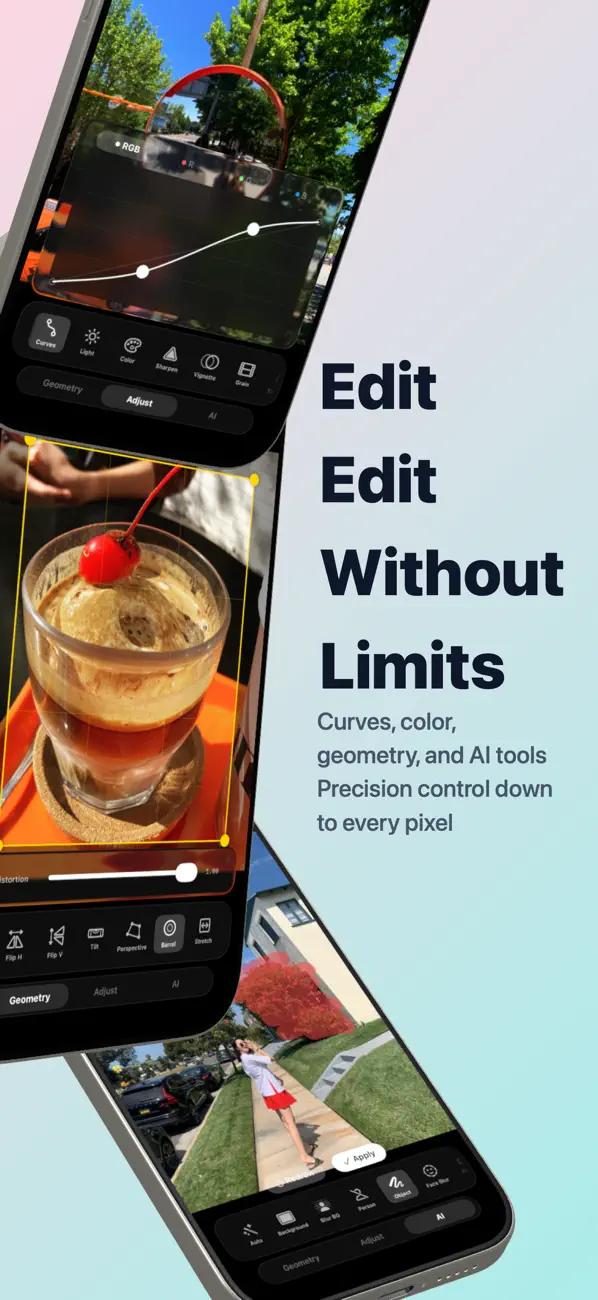
Éditez depuis l'aperçu ou l'album intégré avec aperçu en direct, zoom par pincement, déplacement, écrasement et enregistrement en copie. Réglez le recadrage, la rotation, la transformation, la perspective, la distorsion en barillet, l'étirement, la luminosité, le contraste, les hautes lumières, les ombres, la saturation, l'éclat, la température, la teinte, la netteté, le vignettage, le grain, le tilt-shift et les courbes RVB.
ÉDITION PAR IA
Utilisez l'amélioration auto, le flou d'arrière-plan, le remplacement de couleur d'arrière-plan, la détection de personne, la suppression de personne et la suppression d'objet. Remplacez l'arrière-plan par du transparent, du noir, du blanc, des teintes prédéfinies ou une couleur personnalisée.
HISTOGRAMME ET DÉTAILS PHOTO
Consultez l'histogramme en direct pour la luminance, le RVB et chaque canal de couleur pendant la prise de vue ou l'édition. Examinez les métadonnées de la photo : ISO, vitesse d'obturation, ouverture, focale, dimensions, filtre, effet et coordonnées GPS.
ALBUM INTÉGRÉ
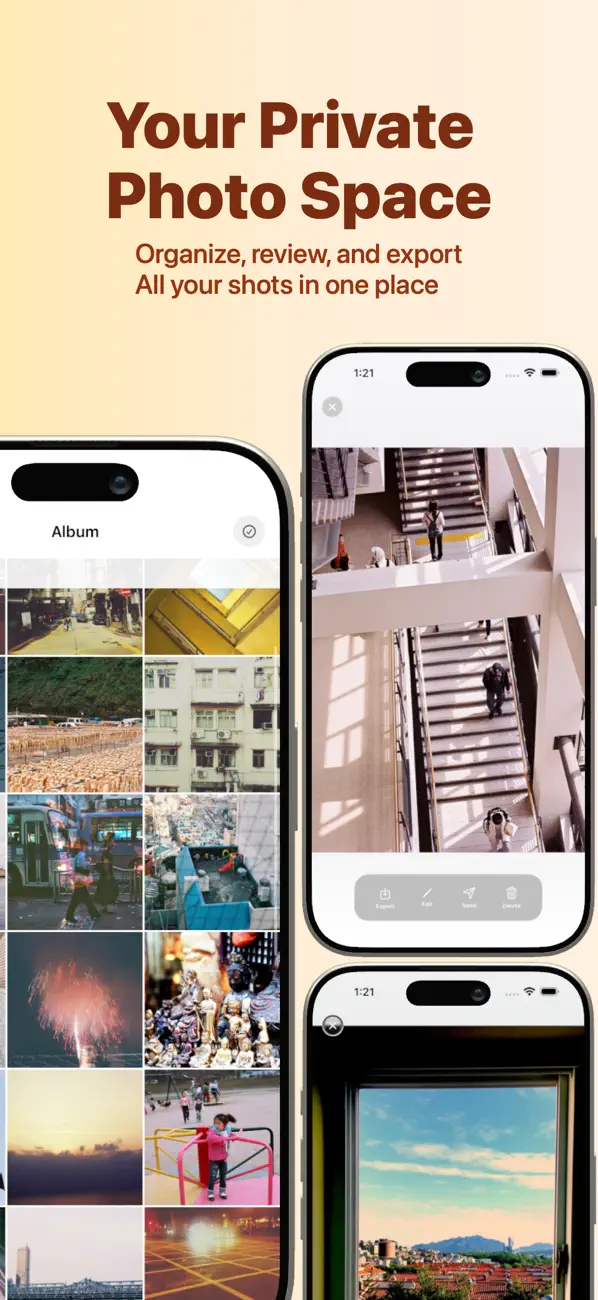
Conservez vos photos dans l'album intégré avec regroupement par date, colonnes de grille réglables, mode de sélection, export par lots vers Photos et suppression par lots.
— Détails de l'abonnement —
• Premium (abonnement annuel à renouvellement automatique)
• Durée : 1 an, renouvelé automatiquement chaque année
• Prix : voir les tarifs dans l'app pour votre région
• Le paiement est débité de votre identifiant Apple à la confirmation de l'achat
• L'abonnement se renouvelle automatiquement, sauf désactivation du renouvellement automatique au moins 24 heures avant la fin de la période en cours
• Les abonnements peuvent être gérés et le renouvellement automatique désactivé dans les réglages de votre compte sur l'App Store
Conditions d'utilisation (CLUF) : https://www.pentarab.com/pro2camera/terms
Politique de confidentialité : https://www.pentarab.com/pro2camera/privacy
Quoi de neuf dans la dernière version ?
Corrections mineures de bugs.