Pxture: Edit Photos with Text, Captions, Frames and Masks
iPhone / Photo et vidéo
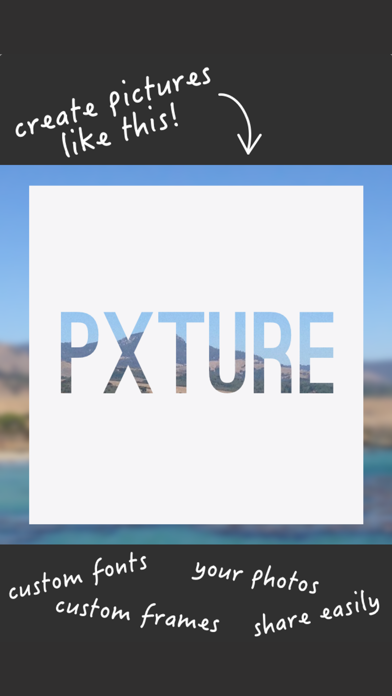
Pxture lets you create beautiful photo edits by allowing you to mask your photos with text. It creates an eye-catching effect that will surely impress your friends and followers. Make a statement and do it in style with hundreds of font and mask combinations.
Whenever you’re feeling a burst of creativity, Pxture lets you express yourself like never before. The stunning effects you can do in the app used to only be available to professionals. But with Pxture, you can have it all in the palm of your hands!
FEATURES:
- Epic selection of hand-picked fonts (constantly updated)
- Countless masks with many colors and styles. You have to check out the Watercolors collection!
- Built-in camera for selfies or normal photos
- Upload favorite photos from your camera roll
- Save your creation to camera roll
- Share your creation on Instagram, Twitter, Facebook, iMessage, Email, Text/SMS, WhatsApp, etc.
- More fun and exciting updates to come
- Works with emojis!
HOW TO:
1. Select photo from library or take one with the camera
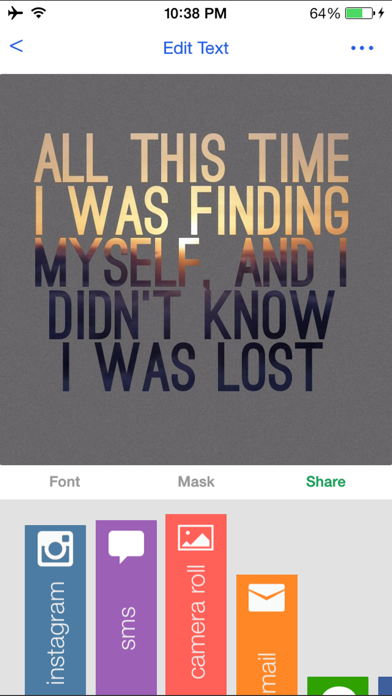
2. Tap “Edit Text” and type your caption
3. Pinch to resize and drag to position text
4. Use a two-finger twisting gesture to tilt text
5. Tap “< Fonts” to select a beautiful font
6. Tap the “Mask” tab to select a mask
7. Adjust the slider for transparency or tap the “flip” button for a traditional look
8. Tap “Share” and choose the method to share!
—————————————
If you’re having fun with the app, please take a quick second and give it a 5-star review. If you have any problems or questions, please email support@pxture.it
We appreciate the feedback, thanks!
To get featured on our app page, just tag your creations with #pxture on Instagram and Twitter
Get in touch with the developer on Twitter: @J_Ceniza
0eef4d3549
Quoi de neuf dans la dernière version ?
This app has been updated by Apple to display the Apple Watch app icon.
- FIXED BUG WHERE APP CRASHED IF YOU ATTEMPTED TO PURCHASE FONTS OR MASKS
- Misc bug fixes