• KultureGeek
  • Comparateur de prix
       
iPhoneAddict
 iAddictv5Notre Application iPhone/iPad
  • Accueil Apps
  • Actualité Apple
  • Keynote Apple
  • Firmwares & iTunes
  • Contactez-nous
Accueil » Liste des Apps » Apps Universelles » Photo et vidéo » RealAR
L'application n'est plus disponible sur l'App Store français
20.1.02 iOS €Gratuit System Science Co.,Ltd. 0 0 RealAR, which is an AR application, allows you to experience Augmented Reality (AR). With this application, you are able to view special video contents. When you scan AR Maker (Magazine, Free-paper, Advertising, Poster, etc.) with the camera, this...
RealAR

RealAR

iOS Universel / Photo et vidéo

Gratuit
Obtenir sur l'App Store

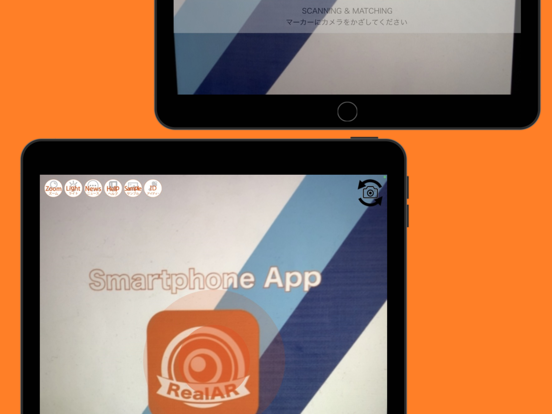
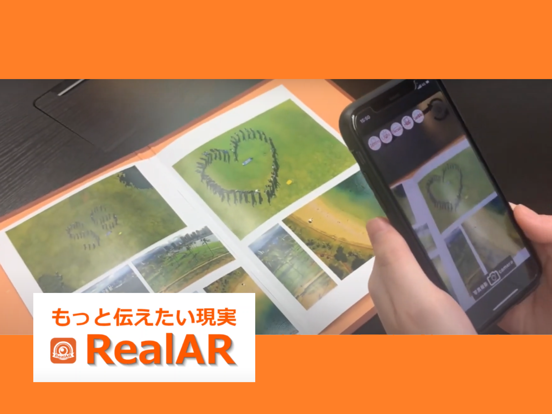
RealAR, which is an AR application, allows you to experience Augmented Reality (AR).
With this application, you are able to view special video contents.
When you scan AR Maker (Magazine, Free-paper, Advertising, Poster, etc.) with the camera, this software recognizes it and the video contents will appear not the display.
Using PIC function, you can take a screenshot anytime you want.

MAKER LIST:
http://taishinmaru.co.jp/realar/portfolio/

USAGE:
1. Activate RealAR and press the Target button.
2. Point your camera at the AR Maker image target.
3. The special content will immediately appear on the AR Maker.
4. You can access the fullscreen video by double tapping on the screen.
5. Click PIC button, you can take a screenshot anytime you wan.

FAQ:
https://sites.google.com/a/linku.co.jp/realar/faq

En voir plus...

Quoi de neuf dans la dernière version ?

Made minor corrections.

  • Screenshot #1 pour RealAR
  • Screenshot #2 pour RealAR
  • Screenshot #3 pour RealAR
  • Screenshot #4 pour RealAR
  • Screenshot #5 pour RealAR
  • Screenshot #6 pour RealAR

Note

(0 note)

Détails sur l'application

Version
20.1.02
Taille
28.2 Mo
Version minimum d'iOS
16.1
Dernière mise à jour
12/03/2024
Publié par
System Science Co.,Ltd.

Newsletter App Store

Recevez chaque jour les meilleures promos

Actualité Apple

Image Les Studio Display (XDR) ne fonctionnent pas avec les Mac Intel
Les Studio Display (XDR) ne fonctionnent pas avec les Mac Intel
Image Le Studio Display XDR ne propose pas le 120 Hz avec certains Mac
Le Studio Display XDR ne propose pas le 120 Hz avec certains Mac
Image macOS 26.4 bêta 3 est disponible
macOS 26.4 bêta 3 est disponible
Image MacBook Neo : une fuite d’Apple dévoile quelques caractéristiques
MacBook Neo : une fuite d’Apple dévoile quelques caractéristiques
Partenaires : Actualité iPhone - Culture Geek
©2009-2026 i2CMedia | A propos |