• KultureGeek
  • Comparateur de prix
       
iPhoneAddict
 iAddictv5Notre Application iPhone/iPad
  • Accueil Apps
  • Actualité Apple
  • Keynote Apple
  • Firmwares & iTunes
  • Contactez-nous
Accueil » Liste des Apps » Apps Universelles » Photo et vidéo » Adjust Perspective
1.0.3 iOS €0,99€ Masanori Katsuta 0 0 This is a camera app that corrects distortion and perspective of photos. Whole photo, Documents, posters, arts such as paintings and calligraphy, exhibits, screens, blackboards, whiteboards, signs, screens, timetables, etc. You may want to leave a...
Adjust Perspective

Adjust Perspective

iOS Universel / Photo et vidéo

0,99€ au lieu de 1,19€
Acheter sur l'App Store

This is a camera app that corrects distortion and perspective of photos.

Whole photo, Documents, posters, arts such as paintings and calligraphy, exhibits, screens, blackboards, whiteboards, signs, screens, timetables, etc.
You may want to leave a photo as a memo by taking photos with your smartphone camera or tablet camera.
The problem is that the image of the picture is distorted by the influence of the camera lens.

Even if the subject is at a right angle, it will not be a right angle photo.
If the subject is rectangular, it will be a quadrangle with perspective.

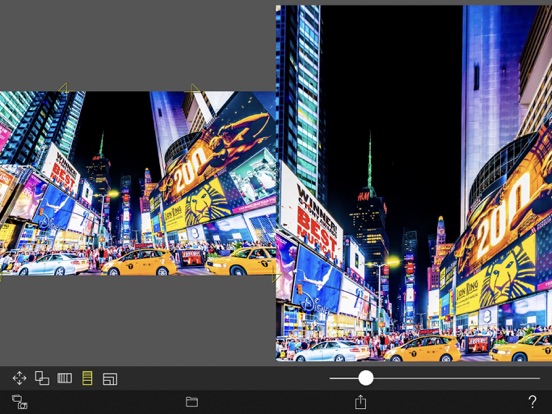
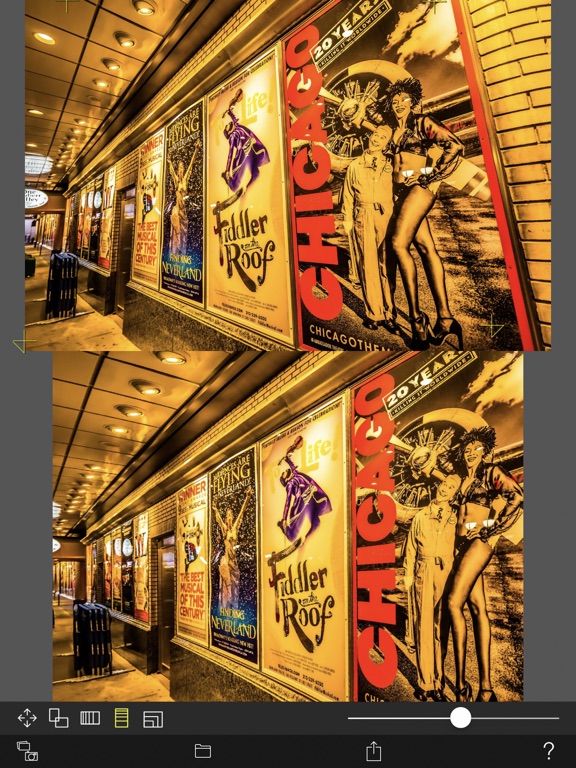
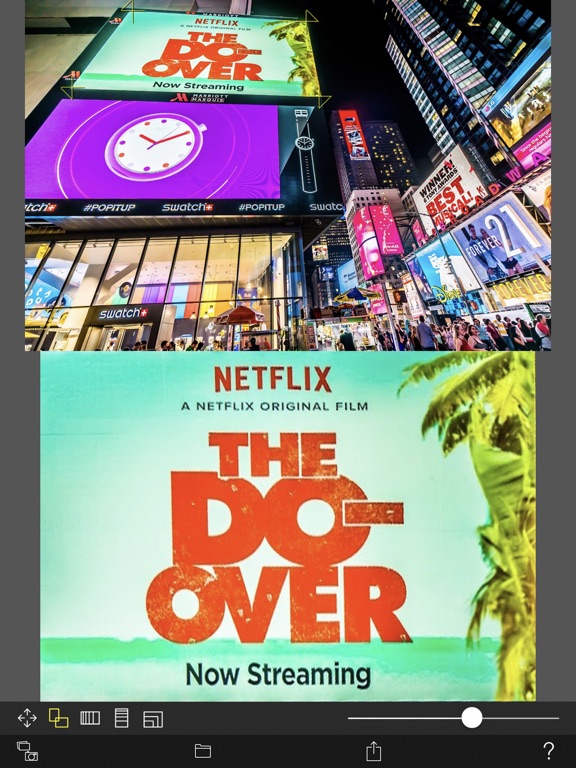
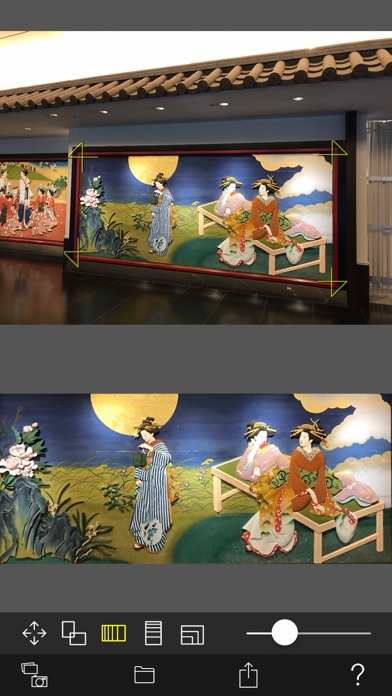
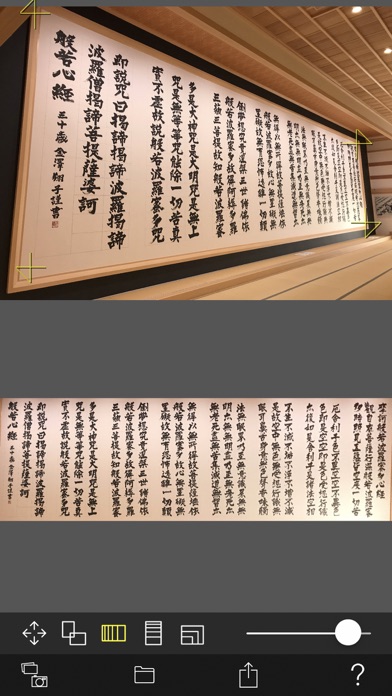
You can convert such perspective distorted quadrangle to the original subject rectangle.

Cut out a free-form quadrangle from the photo and convert it to a rectangle.
The cropping quadrangle does not have to be a right angle, and it is OK to use a trapezoid, a rhombus, a parallelogram, or a freeform quadrangle.

If you can not shoot the subject directly in front of you, the photos will have perspective.
To be precise, even if taken straight ahead, some distortion is inevitable.

However, with this app, even photos taken from an oblique direction can be converted to rectangular images viewed from the front.

You can edit the position of the corner mark for clipping while checking the clipping image on the preview screen in real time.

Material picture
- Photographing (camera)
- Selection of photo (camera roll)

Save cropped image
- Save image (Camera roll)
- Image sharing (Twitter, Facebook, LINE, Dropbox etc.)

Cropped image settings
- 4 corner marks for clipping (movement by drag operation)
- The amount of movement of the corner mark
- aspect ratio
- Horizontal perspective correction
- Vertical perspective correction
- Resolution of saved image

En voir plus...

Quoi de neuf dans la dernière version ?

- The drawing process has been sped up.
- Compatible with safe areas.
- Fixed mark movement processing.
  • Screenshot #1 pour Adjust Perspective
  • Screenshot #2 pour Adjust Perspective
  • Screenshot #3 pour Adjust Perspective
  • Screenshot #4 pour Adjust Perspective
  • Screenshot #5 pour Adjust Perspective
  • Screenshot #6 pour Adjust Perspective

D'autres applications du développeur

See-Through Camera
See-Through Camera
/ iPhone
Snowing Camera
Snowing Camera
/ iOS Universel
Lightsaber Camera
Lightsaber Camera
/ iPhone
Comic Faces Camera
Comic Faces Camera
/ iOS Universel
Distance Anywhere
Distance Anywhere
/ iOS Universel
Snow Effect Video
Snow Effect Video
/ iOS Universel
Voir toutes les apps

Note

(0 note)

Détails sur l'application

Version
1.0.3
Taille
0.6 Mo
Version minimum d'iOS
12.0
Dernière mise à jour
01/11/2022
Publié par
Masanori Katsuta

Newsletter App Store

Recevez chaque jour les meilleures promos

Actualité Apple

Image Apple fait des exceptions pour son conseil d’administration
Apple fait des exceptions pour son conseil d’administration
Image AirPods : un brevet d’Apple pour détecter plus rapidement les gestes
AirPods : un brevet d’Apple pour détecter plus rapidement les gestes
Image Tim Cook, patron d’Apple, a touché 74,3 millions de dollars en 2025
Tim Cook, patron d’Apple, a touché 74,3 millions de dollars en 2025
Image iOS 26.3 (b) : Apple propose une autre mise à jour de sécurité en arrière-plan
iOS 26.3 (b) : Apple propose une autre mise à jour de sécurité en arrière-plan
Partenaires : Actualité iPhone - Culture Geek
©2009-2026 i2CMedia | A propos |