• KultureGeek
  • Comparateur de prix
       
iPhoneAddict
 iAddictv5Notre Application iPhone/iPad
  • Accueil Apps
  • Actualité Apple
  • Keynote Apple
  • Firmwares & iTunes
  • Contactez-nous
Accueil » Liste des Apps » Apps Universelles » Photo et vidéo » Smart Cut - Background Eraser
L'application n'est plus disponible sur l'App Store français
1.2.3 iOS €2,99€ kyoung hee park 0 0 [Smart Cut] is the most powerful photo cut out tool on the market. Unlike other apps which require you to draw exact outline, [Smart Cut] enables you to cut out any object from photo at single step. You can cut out object just by drawing very rough...
Smart Cut - Background Eraser

Smart Cut - Background Eraser

iOS Universel / Photo et vidéo

2,99€
Acheter sur l'App Store

[Smart Cut] is the most powerful photo cut out tool on the market.

Unlike other apps which require you to draw exact outline, [Smart Cut] enables you to cut out any object from photo at single step.

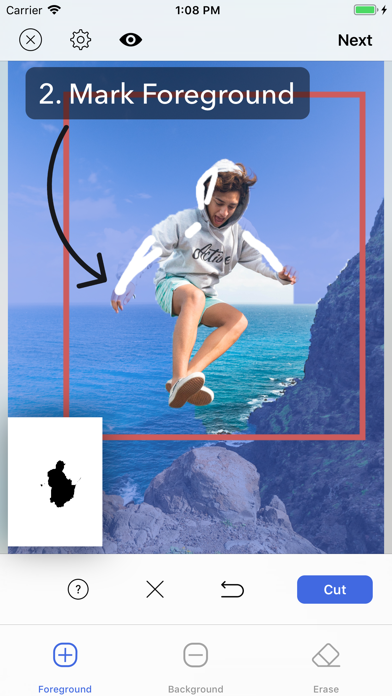
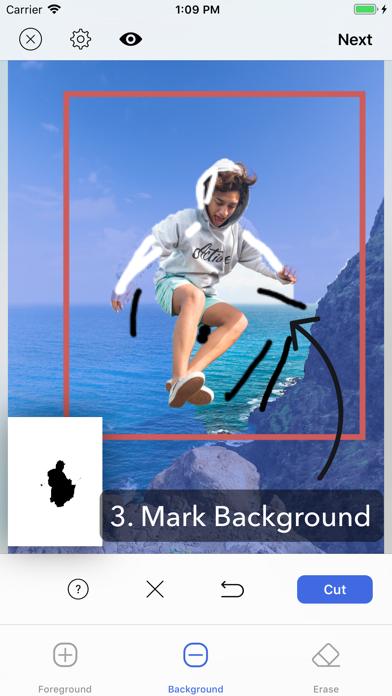
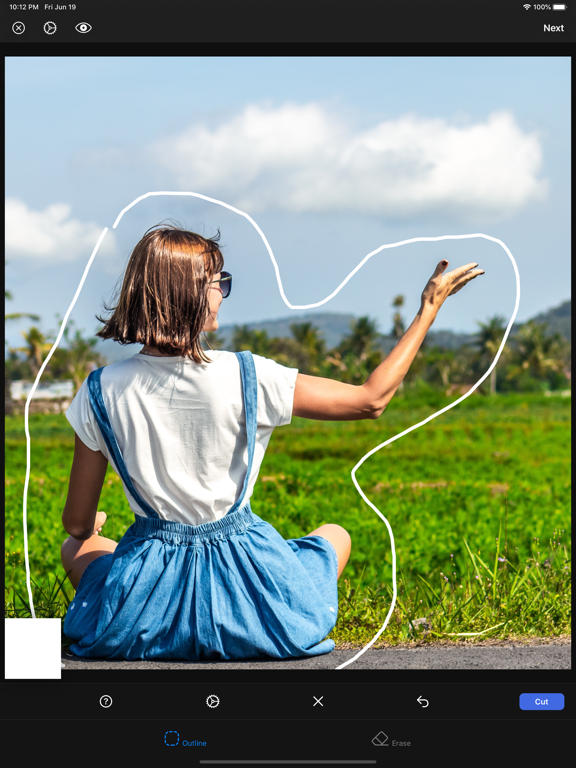
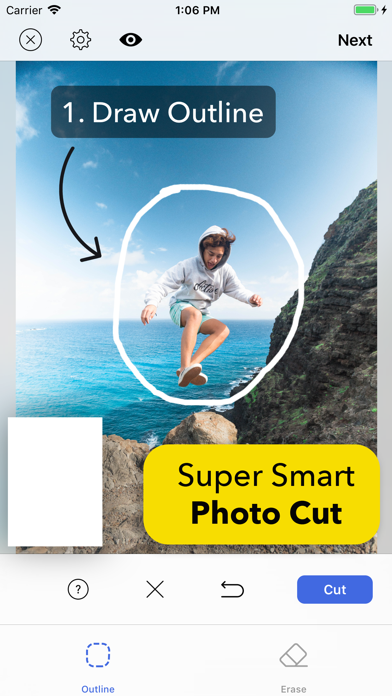
You can cut out object just by drawing very rough outline around it. In case the app fails to extract the exact part you want, you can refine your selection just by marking foreground and background area by drawing line on them. It's that easy.

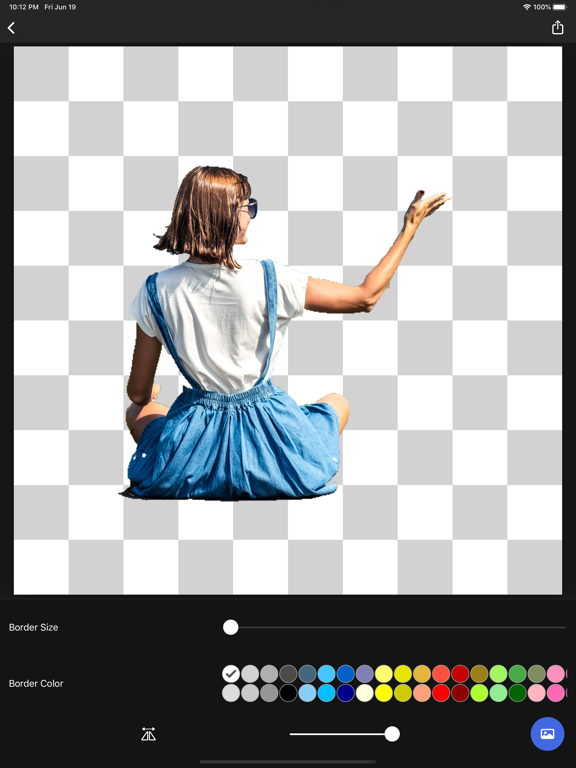
Once you have cut out object with this super smart cut out editor, you can create sticker image with transparent background or create image which has hole in the cut area.

You can also create superimposed photo, object in hole photo, background blur(aka portrait photo) photo and color splas photo.

The possibilities are endless. Show your creativity with this amazing app.


* Super smart photo cut out
- One step photo cut by just drawing very rough outline around the object.
- Refine selection just by drawing line on foreground and background area.

* Create Sticker
- Create sticker which has transparent background.
- Adjust border size of the sticker.
- Adjust border color of the sticker.

* Create Holed Image
- Create image with hole.

* Photo Superimposition
- Superimpose the object obtained by cutting with background photo.
- You can also create "photo in hole" superimpose photo.
- Turn any plain photo into beautiful artwork with superimposition.

* Background Blur
- Apply background blur except the area of cut out object.
- Turn any plain photo into manual portrait mode photo.
- Supports reversed background blur.

* Color Splash
- Change background area to grayscale except the area of cut out object.
- Supports reversed color splash.

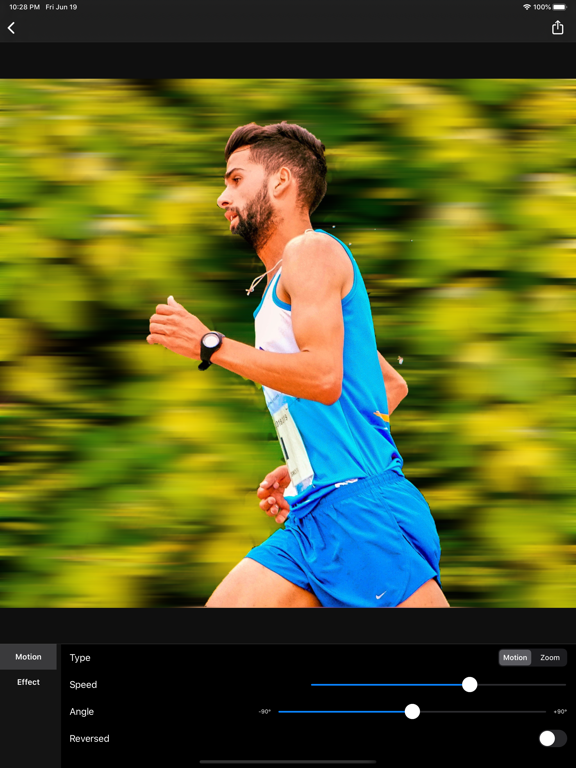
* Motion Blur
- Add panning photography effect.
- Support motion blur and zoom blur.

En voir plus...

Quoi de neuf dans la dernière version ?

- Minor bugs fixed.
  • Screenshot #1 pour Smart Cut - Background Eraser
  • Screenshot #2 pour Smart Cut - Background Eraser
  • Screenshot #3 pour Smart Cut - Background Eraser
  • Screenshot #4 pour Smart Cut - Background Eraser
  • Screenshot #5 pour Smart Cut - Background Eraser
  • Screenshot #6 pour Smart Cut - Background Eraser

Note

(0 note)

Détails sur l'application

Version
1.2.3
Taille
97 Mo
Version minimum d'iOS
15.0
Dernière mise à jour
09/01/2024
Publié par
kyoung hee park

Newsletter App Store

Recevez chaque jour les meilleures promos

Actualité Apple

Image Le MacBook low-cost aurait ces 8 compromis pour baisser le prix
Le MacBook low-cost aurait ces 8 compromis pour baisser le prix
Image Samsung annonce les Galaxy S26, S26+ et S26 Ultra… et augmente les prix
Samsung annonce les Galaxy S26, S26+ et S26 Ultra… et augmente les prix
Image L’App Store génère un plus gros chiffre d’affaires pour les jeux que le Google Play Store et Steam réunis
L’App Store génère un plus gros chiffre d’affaires pour les jeux que le Google Play Store et Steam réunis
Image MacBook low-cost : Apple se bat pour limiter les coûts des composants
MacBook low-cost : Apple se bat pour limiter les coûts des composants
Partenaires : Actualité iPhone - Culture Geek
©2009-2026 i2CMedia | A propos |