iPhoneAddict Apps
  • Actualités
  • Accueil Apps
  • iPhone
  • iPad
  • Universelles
  • Mac
  • Apple TV
KG KultureGeek
App
iPhone / iPad Télécharger iAddict v5 Mac Télécharger iAddict Mac
  • Actualités
  • Accueil Apps
  • iPhone
  • iPad
  • Universelles
  • Mac
  • Apple TV
  • Archives keynotes
  • Firmwares & iTunes
  • Contactez-nous
  • Comparateur de prix
  • KultureGeek
Accueil » Liste des Apps » Apps Universelles » Photo et vidéo » The Image Format Converter
1.2.0 iOS €2,99€ Dongwook Cho 0 0 This is a true all in one image format converter which supports cross conversion of heic, jpg, png, bmp, tiff and pdf file format. It supports the batch conversion. You have no limit on the number of images to convert. You can also resize the images...
The Image Format Converter

The Image Format Converter

iOS Universel / Photo et vidéo

2,99€ au lieu de 3,49€
Acheter sur l'App Store
Facebook X E-mail

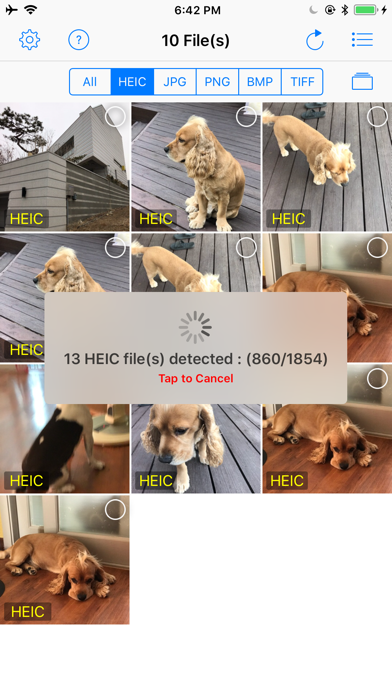
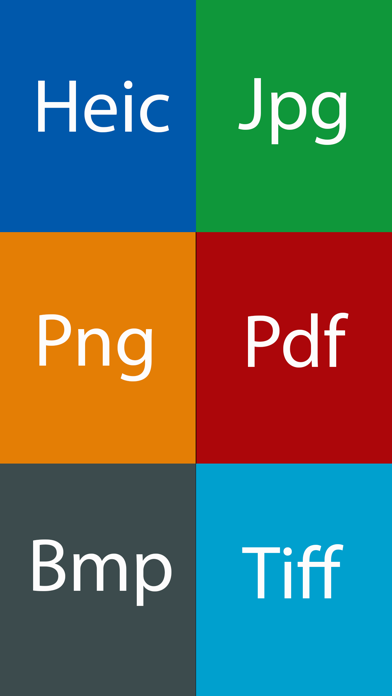
This is a true all in one image format converter which supports cross conversion of heic, jpg, png, bmp, tiff and pdf file format.

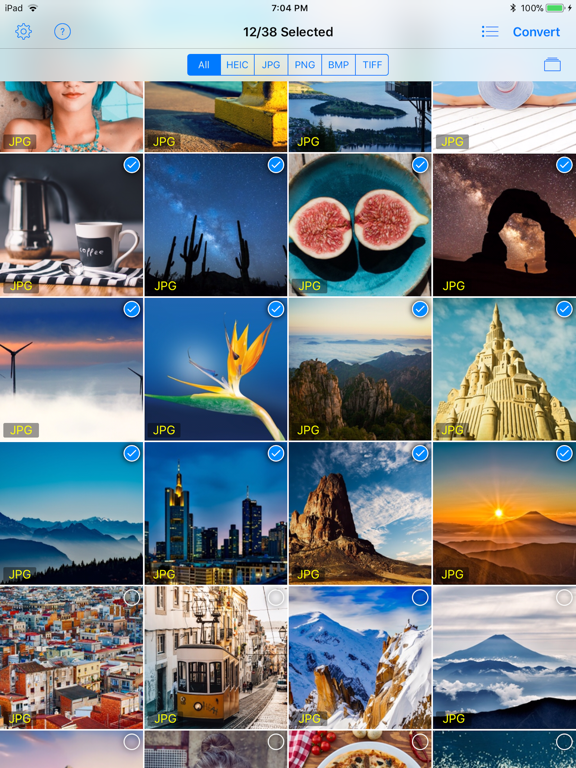
It supports the batch conversion. You have no limit on the number of images to convert. You can also resize the images as you want.

You also don't need to worry about the loss of meta data. It supports the complete preservation of meta data including exif.


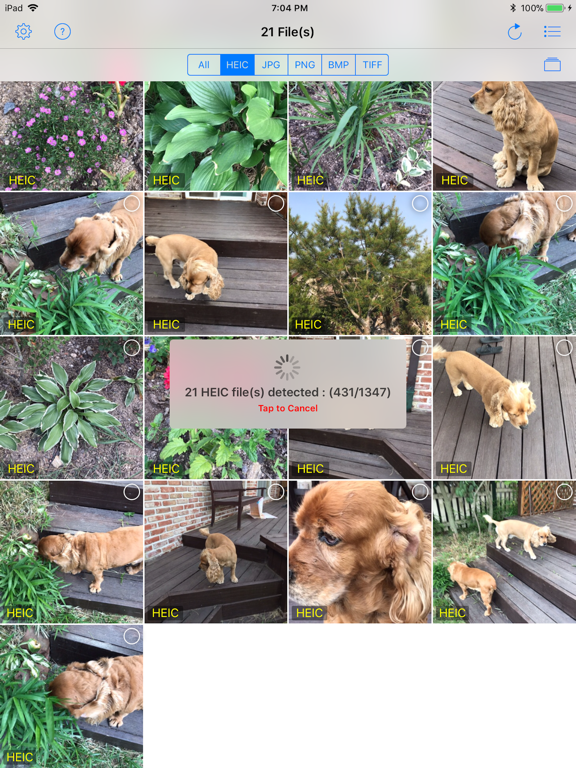
• Convert heic to jpg, png, bmp, tiff and pdf.
• Convert jpg file to heic, png, bmp, tiff and pdf.
• Convert png to heic, jpg, png, bmp, tiff and pdf.
• Convert bmp to heic, jpg, png, tiff and pdf.
• Convert tiff to heic, jpg, png, bmp and pdf.
• Convert individual pdf pages to jpg. You can import pdf file from [Files] app, iTunes file sharing, email and url.
• Supports batch conversion. You have no limit on the number of photos to convert.
• Resize at any size you want.
• Determines whether to keep metadata (including exif) after conversion.
• Save converted images to Camera roll at once.
• Share converted images at once.
• Copy converted images to PC using iTunes fiie sharing at once.
• Optionally delete the original files.

En voir plus...

Quoi de neuf dans la dernière version ?

- Supports converting to heic image.
- Supports iOS 26.
  • Screenshot #1 pour The Image Format Converter
  • Screenshot #2 pour The Image Format Converter
  • Screenshot #3 pour The Image Format Converter
  • Screenshot #4 pour The Image Format Converter
  • Screenshot #5 pour The Image Format Converter
  • Screenshot #6 pour The Image Format Converter

D'autres applications du développeur

FrameMagic - Collage MakerFrameMagic - Collage MakeriOS UniverselReal BokehReal BokehiOS UniverselCurved TextCurved TextiOS UniverselHeic 2 JpgHeic 2 JpgiOS UniverselAfterFocus - Background BlurAfterFocus - Background BluriOS UniverselCircle Crop - Beautiful ShapesCircle Crop - Beautiful ShapesiPhoneVoir toutes les apps

Note

(0 note)

Détails sur l'application

Version
1.2.0
Taille
1.2 Mo
Version minimum d'iOS
13.0
Dernière mise à jour
11/09/2025
Publié par
Dongwook Cho

Newsletter App Store

Recevez chaque jour les meilleures promos

Actualité Apple

Image AppleCare One Family : Apple lance une assurance familiale pour tous les appareils du foyer… aux États-Unis
AppleCare One Family : Apple lance une assurance familiale pour tous les appareils du foyer… aux États-Unis
Image iPhone Duo : l’Apple Watch pourra remplacer Touch ID pour déverrouiller le pliable
iPhone Duo : l’Apple Watch pourra remplacer Touch ID pour déverrouiller le pliable
Image Prix des iPhone en hausse chez Apple : les revendeurs proposent encore les anciens tarifs (mais pas pour longtemps)
Prix des iPhone en hausse chez Apple : les revendeurs proposent encore les anciens tarifs (mais pas pour longtemps)
Image Apple prolonge l’accès gratuit aux fonctions satellite pour les iPhone 14, 15 et 16
Apple prolonge l’accès gratuit aux fonctions satellite pour les iPhone 14, 15 et 16
iPhoneAddict Apps

Le catalogue iPhoneAddict pour suivre les nouveautés, mises à jour et baisses de prix de l’App Store.

Apps

Toutes les apps iOS iPhone iPad Universelles Mac Apple TV

iPhoneAddict

Actualité Apple Archives keynotes Contact À propos KultureGeek

Suivez-nous

©2009-2026 i2CMedia. Tous droits réservés.