Zaxmote
iOS Universel / Photo et vidéo
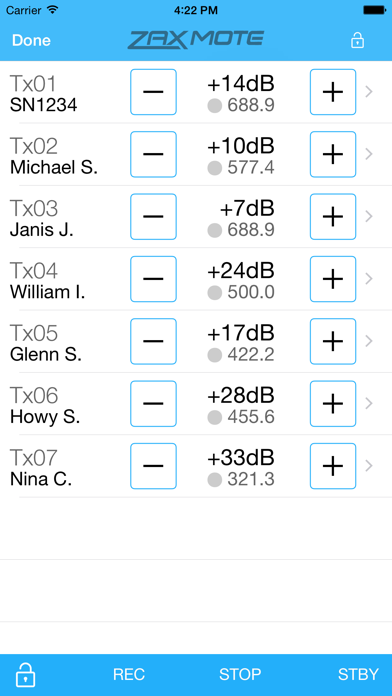
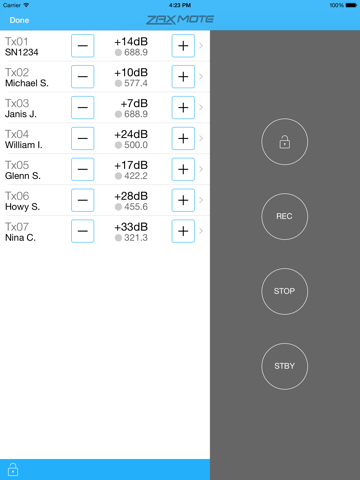
Use the Zaxmote app to wirelessly control Zaxcom Tx sound transmitters linked via a Zaxcom QIFB Bluetooth dongle attached to a Zaxcom QRX receiver. Quickly control transmitter gain, start/stop, and standby settings.
Zaxmote runs on iOS 7 or 8 devices that are equipped with Bluetooth LE (Low Energy): Phone 4S+, iPad, iPod touch 4+. The app works in both landscape and portrait orientations.
Don't have a Zaxcom QIFB Bluetooth dongle yet? You can still use Zaxmote on two iOS devices to take a test drive. Use the Zaxmote's "debugging" mode, and have one iOS device emulate the Zaxcom QIFB. Then run Zaxmote on another iOS device, and connect to the emulated QIFB. From either iOS device, you can then control transmitter gain, rec, stop, and standby settings— and see the results on the other iOS device.
----------------------------
Test Instructions
----------------------------
Install the Zaxmote app on two iOS devices, in close proximity to one another.
Make sure both devices have Bluetooth enabled-- by placing a finger just below the screen, swiping upward, and ensuring that the Bluetooth icon is white on the "Control Center" screen that appears. Press the "Home" button to dismiss the Control Center screen.
On Device 1:
Run the Zaxmote app by tapping its icon.
Tap the app’s "Connect" button.
On Device 2:
Run the Zaxmote app by tapping its icon.
Enable debugging mode with the "Debugging" switch control.
Tap the app’s "Emulate Bluetooth Dongle" button.
Tap the "Test Data" button to populate the list of Tx units.
Tap a Tx row’s plus/minus buttons to increase/decrease Tx gain.
Tap a Tx row’s gray dot button to toggle its REC/STOP state.
To edit a Tx unit’s data:
Tap the "Edit" button.
Tap on a Tx row.
Enter text into the optional Name, Gain, Frequency fields.
Tap the round-x button in each field to clear its text.
Cleared fields will simulate a QRX that does not send name, gain, frequency, or REC/STOP values to the app.
Back on Device 1:
As the gain, REC, STOP, and POWER buttons are tapped, messages are sent to Device 2, and its updated data is displayed.
Quoi de neuf dans la dernière version ?
This update from Apple will improve the functionality of this app. No new features are included.