Acrosync - private cloud drive powered by rsync
iOS Universel / Productivité
Acrosync is the only iOS app that implements the rsync protocol, a fast, efficient, and reliable folder synchronization protocol supported by most Mac/Linux computers, NAS, or remote servers without server side installation.
As an rsync client, Acrosync lets you easily sync selected folders between your computers and your iOS devices. You just need one tap to start full folder sync, which is be smart enough to skip identical files and transfer only new or modified files. For modified files, it can even perform a differential sync algorithm and only transfer modified parts, in order to further save bandwidth and improve sync speed. File transfer can be encrypted to secure against unsafe networks, and verified using checksums to avoid corruptions. With advanced sync options, you can specify arbitrary port to connect, the connection protocol (ssh or rsync) to use, and so on. Selective sync is also supported by specifying include/exclude patterns, so you can sync only a certain set of files, and/or exclude files you don't want to sync.
All files are stored locally so you will always have offline access to all your documents, photos, videos, etc, on your devices all the time, even when there is no network connection. A slick and intuitive interface designed from mobile devices allows you to browse files easily and quickly. Almost all multimedia files and documents can be opened, including music, photo, movie, txt, html, pdf, word, excel, powerpoint, keynote, pages, numbers, and many others.
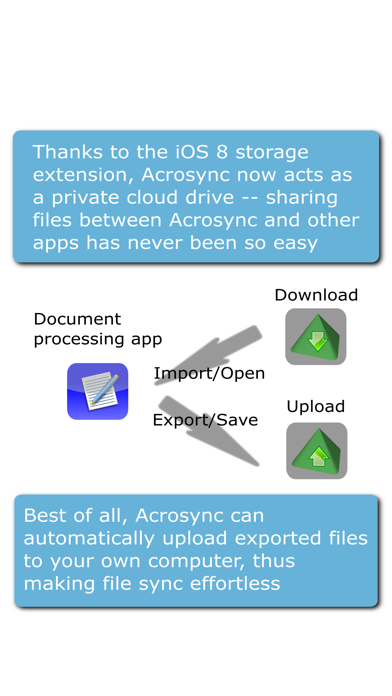
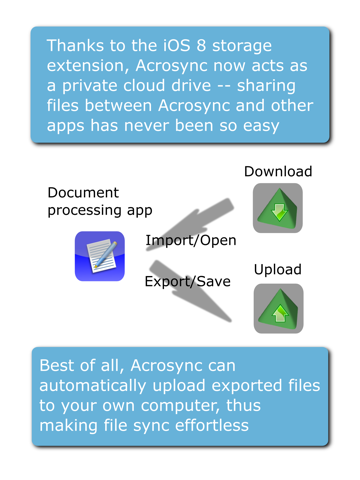
With new features introduced in the iOS 8 storage extension, Acrosync now acts as a private cloud drive that serve files for other apps -- filed stored in Acrosync can be easily shared by other apps using the universal document picker interface, without the need to switch to Acrosync. Changes made by other apps can be saved to Acrosync using the same interface, and synced back to computers automatically. As a result, Acrosync now behaves similarly to popular cloud drives such as iCloud, Dropbox, Box.net. However, with Acrosync you will always have the offline access and you can basically turn any computer into a private cloud server, without installing proprietary server software.
Computer requirements:
• Mac computers must have Remote Login enabled (System Preferences -> Sharing -> Remote Login).
• For Windows computers, openssh and rsync must be installed, both of which are freely available as independent packages, or as part of cygwin.
Acrosync is compatible with rsync hosting providers such as HiDrive and Strongspace, as well as major NASes like QNAP and Synology.
The rsync library used by Acrosync was built from scratch and recently released as an open-source project.
Quoi de neuf dans la dernière version ?
This update from Apple will improve the functionality of this app. No new features are included.
• Fixed a bug that may causes two errors: "unexpected flag" or "the ssh channel has been blocked for more than 120 seconds"
• Fixed video full screen playing