AI Refine Keyboard
iOS Universel / Productivité
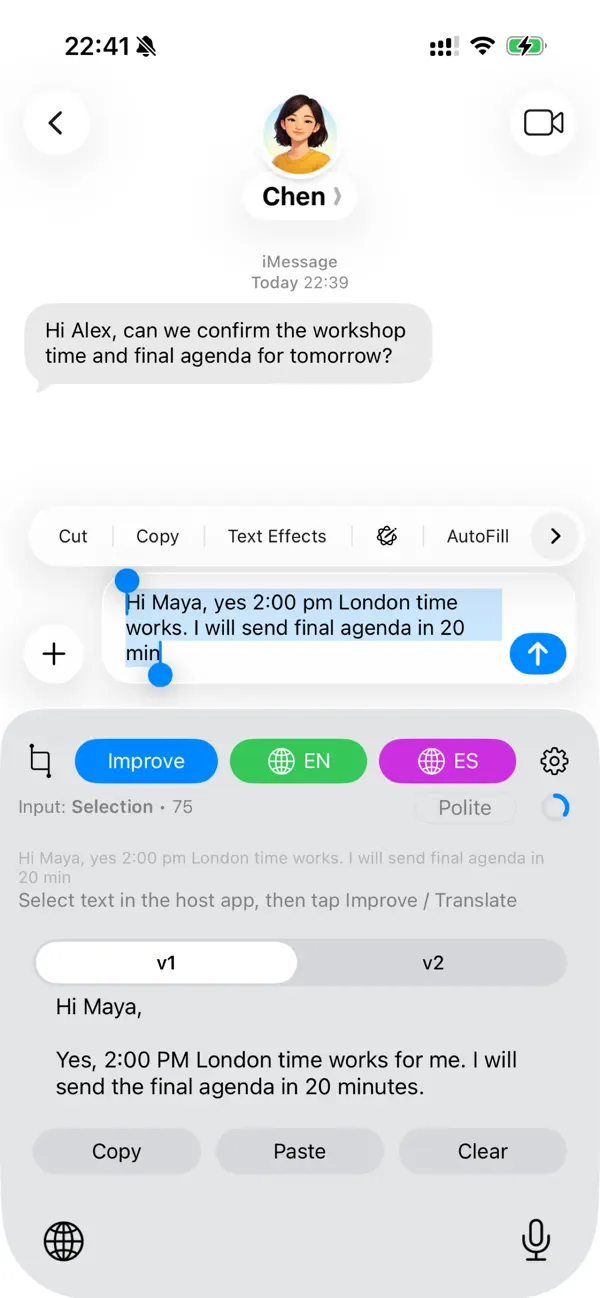
AI Refine Keyboard is an action keyboard for iPhone built for voice-first writing. Less Typing – Better Writing! Use Speech to dictate, turn your voice into text, then improve or translate it in the same flow without leaving the app where you are already writing. Switch to it in Messages, Mail, Notes, browsers, and other apps to speak naturally, polish wording, and insert the result with Replace or copy it with Copy.
VOICE INPUT (SPEECH)
Choose Speech on the keyboard to dictate. iOS may briefly open the main app so the microphone can record; you can return to your chat and use Stop or Cancel from the keyboard. After transcription, run Improve or Translate on the result like any other text. Recording time and tokens apply (see the main app and on-keyboard token indicator).
IMPROVE YOUR TEXT
Select what you wrote or use the text from Speech and tap Improve. Choose a tone (polite, friendly, or neutral) and get two refined versions (v1 and v2) so you can pick the one that fits. Tap Replace to swap the selection, or Copy to use the result elsewhere.
TRANSLATE FAST
Tap Translate for your primary target language. Enable a second target language to unlock Translate 2, ideal when you often switch between two languages (for example English and Spanish) without digging through settings each time. Source language is detected automatically.
WORKS ACROSS APPS
Use AI Refine Keyboard anywhere the system keyboard appears. Dictate replies, refine drafts before you send them, translate messages, and keep two translation targets one tap away.
PRIVATE BY DESIGN
Requests run only when you tap Improve, Translate, or complete a Speech transcription flow. Only the text you explicitly work with is sent for processing. We don't log keystrokes or read your conversations in the background.
SUBSCRIPTION & TOKENS
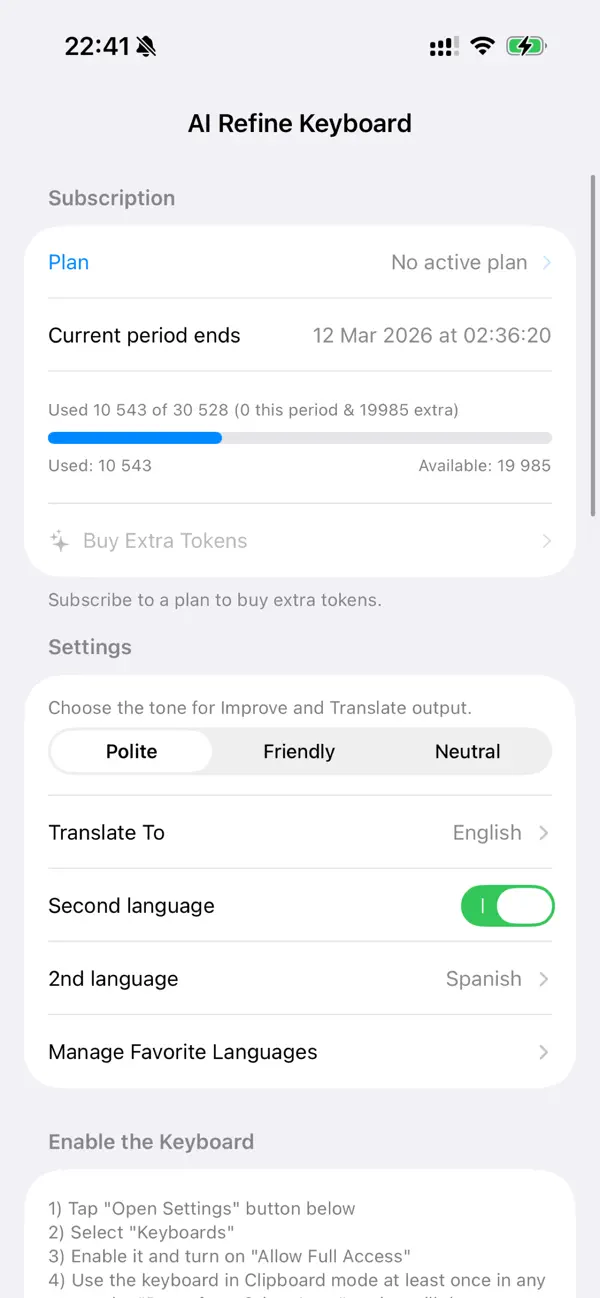
AI Refine Keyboard offers plans with a monthly token allowance for Improve, Translate, and Speech (dictation and transcription) actions. You can upgrade your plan or purchase extra tokens when you need more. Manage everything in the main app.
We’re exploring ways to let purchases work more smoothly for users who prefer not to sign in.
Terms of Use (EULA): https://www.apple.com/legal/internet-services/itunes/dev/stdeula/
Quoi de neuf dans la dernière version ?
• Support more languages.
• Bug fixes and improvements.