All‑in‑One Year Calendar SE
iPhone / Productivité
All-in-One Year Calendar SE for iPhone is an easy-to-use yet powerful personalizable year planner, complete with markups/highlighting, events, reminders, holidays, birthdays and anniversaries, daily notes/diary, advanced week numbers, customizable month layout and appearance, sharing, and iCloud syncing. It will save you time and help you stay organized, works perfectly for day-to-day, short-term and long-term planning. See your deadlines in a glance, mark important dates, schedule vacations, record shift work, track activities or resolutions, and much more.
Example 1:
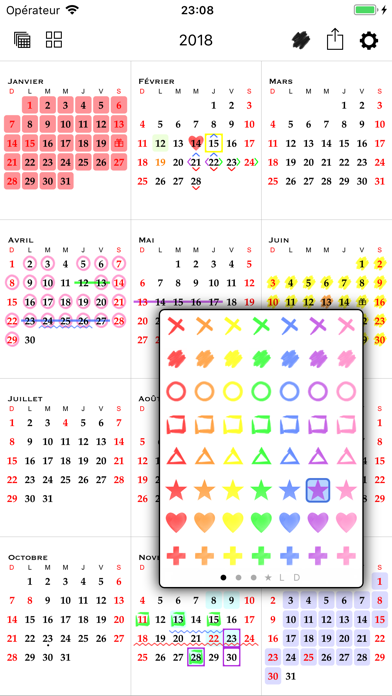
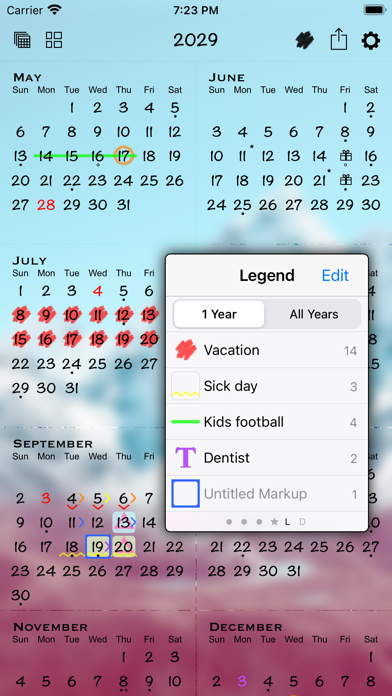
To plan vacation days, first indicate public holidays and other days off in red text color. Mark kids’ school holidays in blue. Then find days suitable for vacations and label them with stylish hand-drawn markups. View the number of days taken and scheduled for the year from the markup legend. Markups can be easily removed or changed for plan adjustments. You can also hide unrelated markups and export the annotated calendar.
Example 2:
For part-time or contract work, track the days worked with markups. Record the number of working hours and/or project names in the daily notes. View, email, and print a list of notes.
IMPORTANT NOTE
A monthly or annual subscription is required to use the app. A fully-functional 1-month free trial is available for all new users. Payment will be charged to your iTunes account at the end of the free trial period. You can manage or cancel your subscription in your iTunes account settings.
NAVIGATION AND DAY VIEW
• 3 zoom levels: full year, half year, 2 months
• Year navigation by gesture, button, scroller, or direct entry
• Day view that lists events, holidays, birthdays and anniversaries, markups, daily notes, and a "how many days away" count
MARKUPS
• Use the floating markup toolbox to add markups (scribbles or colors)
• Apply 1 icon, background, and text color markup per day, AND up to another 8 bonus markup styles on each day - enough for the entire family!
• Fast multi-day markup entry
• Organize markups and see their counts in the legend
• Hide individual markups before sharing
EVENTS
• Sync with your existing calendars
• Add up to 5 alarms per event
• Two-way event sync with local calendars and iOS supported external calendars such as iCloud, Google Calendar, Yahoo, Exchange server, Outlook or Calendar on a Mac or PC, and CalDAV
• One-way sync from subscribed calendars
REMINDERS
• Two-way sync with the Reminders app
• Add up to 5 alarms per reminder, including notifying before or after the task is due
• View reminders on calendar by due date or completion date, or as a list
HOLIDAYS
• Select desired countries and holidays from 41 nations
BIRTHDAYS
• Display and add birthdays, anniversaries, and custom-labeled dates, synced with the Contacts app
DAILY NOTES
• Add free-form daily notes with a single tap
LAYOUT
• Start the year from any month for your fiscal or academic calendar
• Configure week starting day and weekend days
• Fully customizable week numbers that can start from any day of the year
APPEARANCE
• Over 35 handpicked font choices
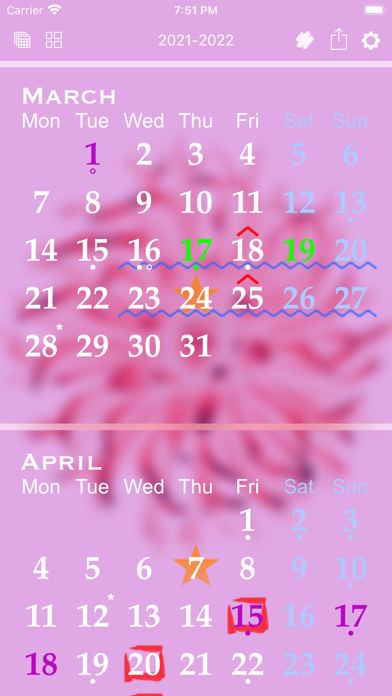
• Choose a simple background color, or apply a beautiful wallpaper using built-in images or pictures from your photo library, with preset and configurable effects
• Select colors for the default, weekend, and holiday text
• Optional grid lines
• Set calendar language and format using your regional settings
EXPORT AND SHARING
• Export your calendar, markup legend, and/or notes
• Save, email, print via AirPrint, create PDF, tweet, post to Facebook, and more
APPLICATION BADGE
• Optionally show a badge on the app icon corresponding to the current day of the month, or the week number (ISO week number or custom).
OTHER
• Create additional year calendars that can be configured independently for extra tracking or multiple users
• Sync calendar(s) across all your devices via iCloud
• Integrated Spotlight search
• Dark Mode support
Terms of use: https://voidtech.net/apps/terms_of_use
Quoi de neuf dans la dernière version ?
• Add option to fade out dates from the past
• iOS 26 performance improvements
• Updated holidays
• Improve support for accessible font sizes