• KultureGeek
  • Comparateur de prix
       
iPhoneAddict
 iAddictv5Notre Application iPhone/iPad
  • Accueil Apps
  • Actualité Apple
  • Keynote Apple
  • Firmwares & iTunes
  • Contactez-nous
Accueil » Liste des Apps » Apps Universelles » Productivité » Arduino IR Kit
L'application n'est plus disponible sur l'App Store français
2.0 iOS €5,99€ Rabi Alhetawi 0 0 Features: - Replace all your remote controls with your phone. - Create your own universal IR remote control with Arduino+Bluetooth shield or Module. - Send and receive infrared signals with any protocols. - Store your IR database on your phone. -...
Arduino IR Kit

Arduino IR Kit

iOS Universel / Productivité

5,99€
Acheter sur l'App Store

Features:
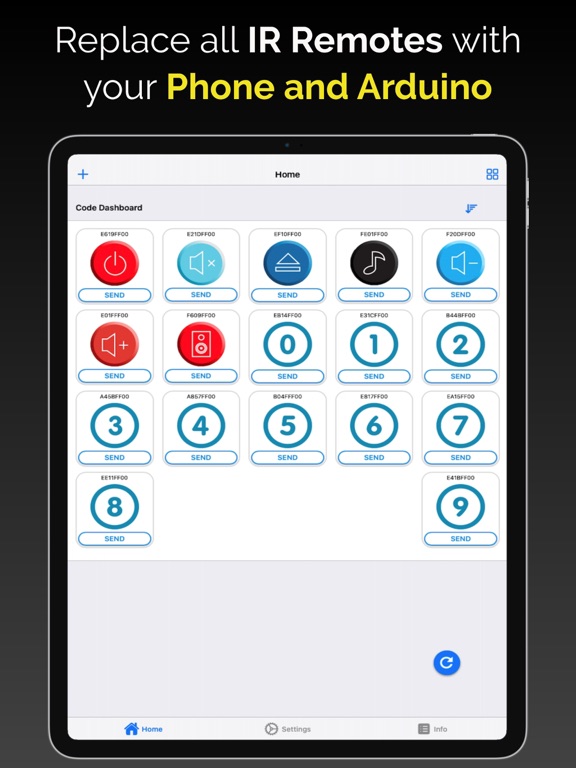
- Replace all your remote controls with your phone.
- Create your own universal IR remote control with Arduino+Bluetooth shield or Module.
- Send and receive infrared signals with any protocols.
- Store your IR database on your phone.
- Auto-connect to Arduino.
- Sort and rename each IR button.
- Change icon of each IR button.
- Open source Arduino Code.

What devices can you control using this app?
- You can control any IR device in this world .....Yes, That's True!

Requirements:
- Arduino Board (UNO, MEGA, Leonardo, Nano, Pro).
- Infrared LED.
- Infrared Receiver.
- Bluetooth BLE Module or Shield.
- Arduino Sketch(URL provided inside the app).

Instructions:
- This is a DIY solution.
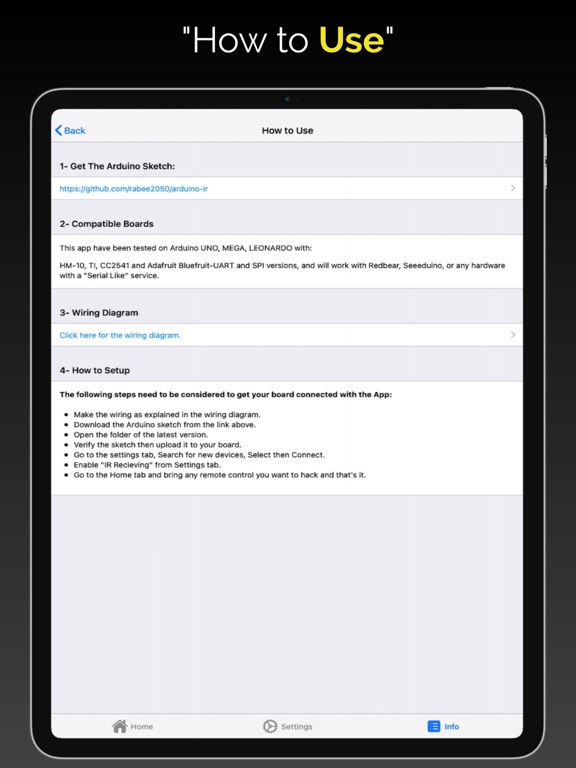
- Upload Arduino code to your Arduino board.
- Wire the Bluetooth module as per the diagram provided in the app.
- Connect your IR LED to pin 3 for Uno, pin 13 Leonardo or pin 9 for Mega.
- Connect your IR Receiver to pin 11 for Uno, Leonardo, Mega, etc.
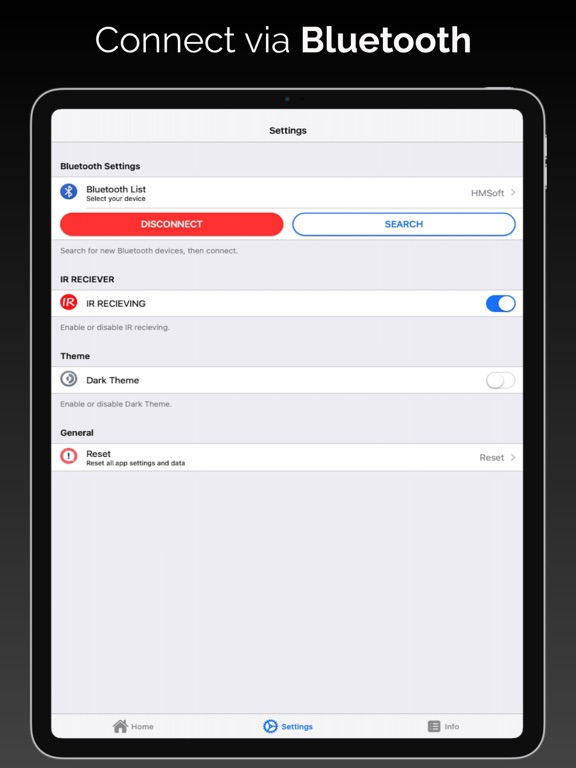
- Open the app, then connect to your Arduino using Bluetooth.
- Enable IR Receiver from the app setting tab.
- Bring any remote that you want to add.
- Start sending command to Arduino and see the magic!

Tested on iOS with:
- Bluetooth Module or shield (HM-10, TI, CC2541, Bluefruit LE UART or SPI, Feather 32u4 Bluefruit).
- Arduino (Uno, Leo, Mega, Pro, Nano, Micro,Feather Bluefruit)
- IR Transmitter (Any Kind will work).
- IR Receiver ( VS1838b or any compatible IR Reciever).

En voir plus...

Quoi de neuf dans la dernière version ?

- Bug fixes.
- Support the latest Arduino IR library.
- New Interface.

  • Screenshot #1 pour Arduino IR Kit
  • Screenshot #2 pour Arduino IR Kit
  • Screenshot #3 pour Arduino IR Kit
  • Screenshot #4 pour Arduino IR Kit
  • Screenshot #5 pour Arduino IR Kit
  • Screenshot #6 pour Arduino IR Kit

Note

(0 note)

Détails sur l'application

Version
2.0
Taille
35.5 Mo
Version minimum d'iOS
11.0
Dernière mise à jour
10/03/2022
Publié par
Rabi Alhetawi

Newsletter App Store

Recevez chaque jour les meilleures promos

Actualité Apple

Image tvOS 27 : l’Apple TV propose Apple Music en Hi-Res Audio
tvOS 27 : l’Apple TV propose Apple Music en Hi-Res Audio
Image L’Apple Watch perd l’app Talkie-walkie avec la bêta de watchOS 27
L’Apple Watch perd l’app Talkie-walkie avec la bêta de watchOS 27
Image Apple arrête la vente de l’étui de transport du Vision Pro dans plusieurs pays
Apple arrête la vente de l’étui de transport du Vision Pro dans plusieurs pays
Image macOS 27 Golden Gate est la dernière version avec Rosetta 2 pour faire tourner les apps Intel
macOS 27 Golden Gate est la dernière version avec Rosetta 2 pour faire tourner les apps Intel
Partenaires : Actualité iPhone - Culture Geek
©2009-2026 i2CMedia | A propos |