AtlasOS
iOS Universel / Productivité
Unified AI Workspace
Our application provides a unified AI workspace that brings knowledge, communication, meetings, recordings, and daily execution into one intelligent, real-time environment.
AI Chat (RAG, real-time search & actions)
The AI chat allows users to ask questions and work directly with their own knowledge base in real time. When a Google Drive integration is enabled, the assistant can instantly search, retrieve, and reason over the user’s documents and files as they are updated. Users can also upload files directly into the chat and ask questions on their content immediately.
In parallel, the assistant can perform real-time web search when external information is required, combining internal knowledge with up-to-date public sources.
Beyond information retrieval, the chat acts as an execution layer. When Gmail and Google Calendar integrations are active, users can send emails, schedule meetings or calls, create calendar events, and draft or update documents directly from the chat. All actions are performed in real time and reflected instantly in the connected tools, allowing users to move from intent to action without leaving the conversation.
Daily Prep (proactive start-of-day briefing)
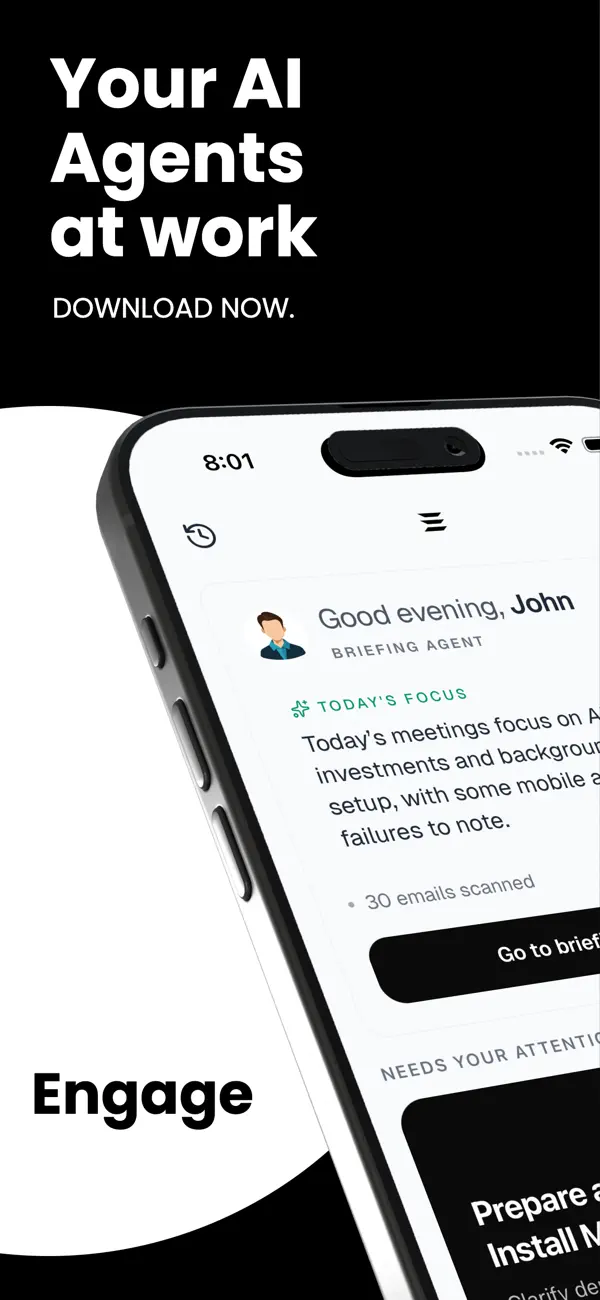
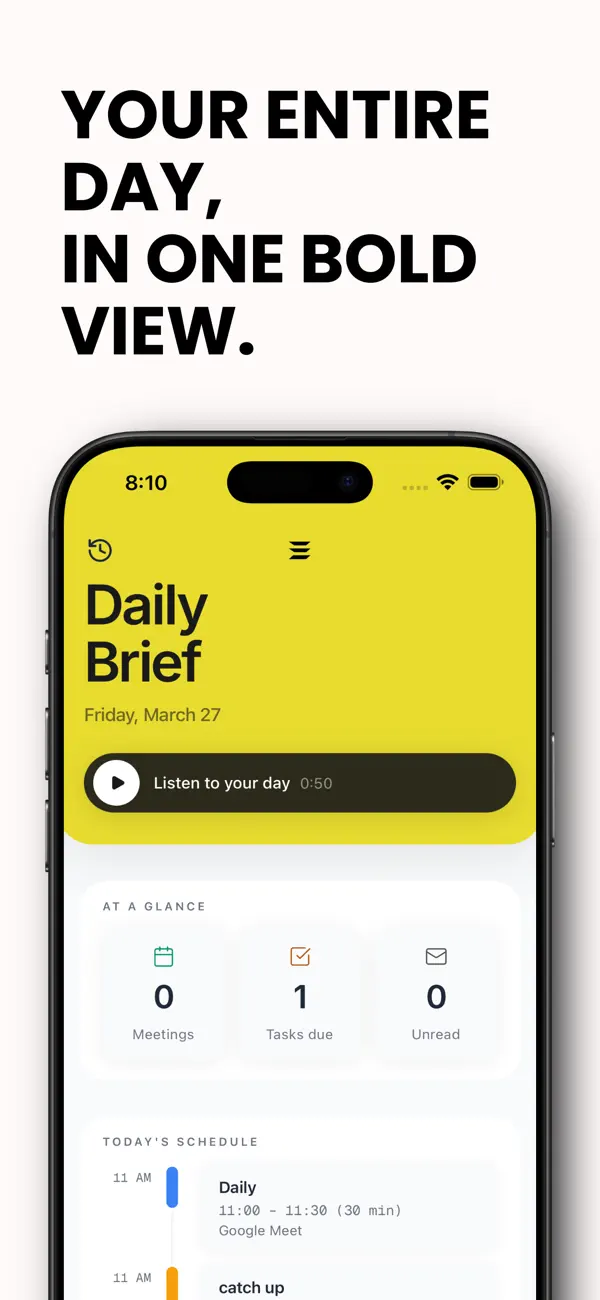
Daily Prep is a proactive feature that prepares users for their day before they start working. The system analyzes the user’s recent and incoming emails and generates a personalized briefing with the most important information, key updates, and clear action items.
The goal is to help users quickly understand what requires attention, what decisions are pending, and what work should be prioritized at the start of the day—without manually reviewing their inbox or switching between tools.
Meetings (real-time calendar view)
The Meetings tab provides a real-time view of the user’s schedule when a Google Calendar integration is enabled. Users can see upcoming and past meetings as they change, ensuring their agenda is always up to date and centrally accessible inside the application.
Email (real-time inbox and replies)
The Email tab connects to the user’s mailbox in real time when a Gmail integration is enabled. Users can view incoming emails as they arrive, open conversations, and reply directly from within the application. All actions are synchronized instantly with the user’s mailbox.
Recordings & Transcripts (meetings, notes, and conversations)
Users can create audio recordings directly within the application. Each recording is automatically transcribed and becomes part of the user’s searchable knowledge base.
Transcripts can be used seamlessly inside the AI chat to:
Generate summaries and key takeaways
Extract action items and decisions
Ask follow-up questions on specific moments
Trigger actions such as sending recap emails, scheduling follow-up meetings, or creating documents based on the conversation
This turns conversations and meetings into structured, actionable knowledge that can be reused and acted upon at any time.
One Intelligent Layer Across Everything
Together, these features create a unified, real-time AI workspace where knowledge retrieval, recordings, proactive daily preparation, meetings, email, and execution are connected through a single intelligent layer.
Users stay aligned, act faster, and significantly reduce context switching—moving from information to action in one continuous flow.
Terms of Use: https://app.engagework.com/terms-of-service
Quoi de neuf dans la dernière version ?
•Background agent replies now show as notifications in Daily Prep, letting you jump straight into completed chats
•You can resume background chats seamlessly; running chats are tracked reliably
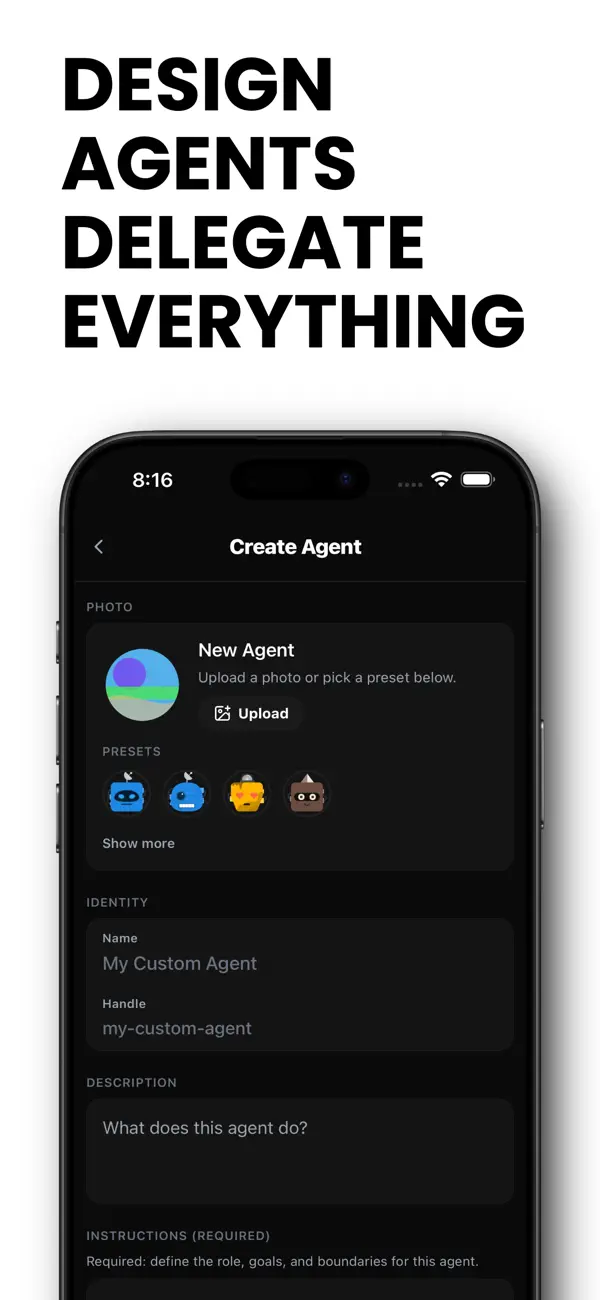
•Create and edit custom agents directly in the app, with a cleaner editor and required fields clearly marked
•Chat input is simpler — planning mode removed, and menus now use fast native context menus
•Switching models and built‑in agents is unified into one control
•Navigation is smoother with native tabs, full‑screen chat transitions, and cleaner headers
•Recent chats and history are simplified, with improved identification of chat sources
•Profile tab redesigned with a cleaner layout and smoother scrolling
•Agent UI feels more polished with updated bubbles, improved thinking indicators, and smoother animations