Psychrometer °F
iPhone / Productivité
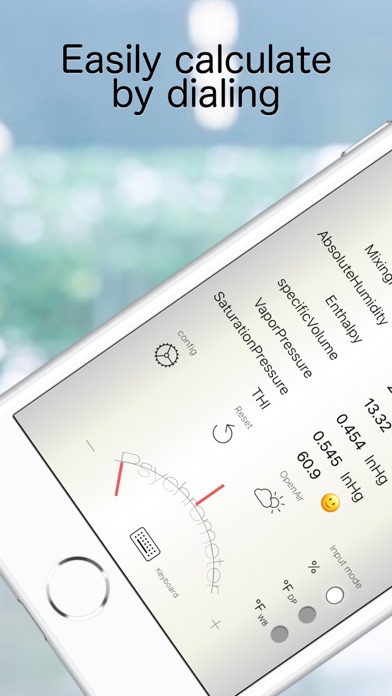
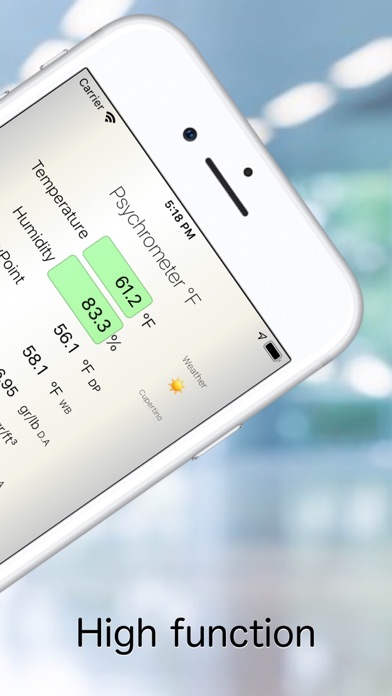
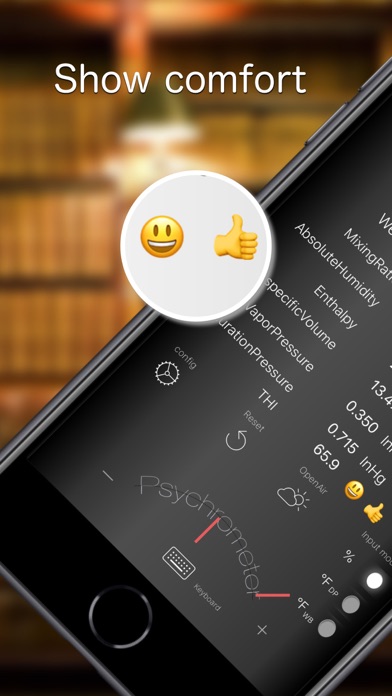
This app calculates thermal comfort. It evaluates heat, cold, dryness, and moisture, and indicates whether conditions are within a comfortable range. You can easily adjust values with a dial, and temperature is color-coded for clarity.
By entering either temperature and humidity, dew-point temperature, or wet-bulb temperature, the following air properties can be calculated accurately:
Dry-Bulb Temperature (°F)
Wet-Bulb Temperature (°F)
Dew-Point Temperature / Frost Point (°F)
Relative Humidity (%RH)
Mixing (Humidity) Ratio (gr/lb)
Absolute Humidity (gr/ft³)
Enthalpy (Btu/lb)
Specific Volume (ft³/lb)
Atmospheric Pressure (inHg)
Vapor Pressure (inHg)
Saturation Vapor Pressure (inHg)
Temperature–Humidity Index (Discomfort Index)
(“Good” indication in the temperature range of 68 to 82 °F and humidity of 30 to 60%.)
Easy dial input.
You can automatically enter the outdoor temperature and humidity from weather information (please allow use of location information).
If you use a psychrometer, please choose from three types. (When not using one, keep Assmann as the default.)
Assmann: aspirator psychrometer; forced-ventilation type.
Natural: August psychrometer; simple, wall-mounted, without forced ventilation.
Sling: sling psychrometer; swung by hand.
(If you press the Reset button or the Outdoor button, it returns to the ventilation type. Except for the ventilation type, only wet-bulb input is available.)
The following can be read without a psychrometric chart:
By fixing the input mode to dew-point input (°F DP) and increasing/decreasing the upper dial, you can read heating/cooling changes.
By fixing the input mode to wet-bulb input (°F WB) and increasing/decreasing the upper dial, you can read humidification/dehumidification changes.
For steam humidification, fix the input mode to humidity input (%) and increase/decrease the lower dial to read.
The Sonntag formula is used for saturation vapor pressure; Sprung and Ferrel are used for vapor-pressure calculations. Relative humidity is calculated according to WMO.
This app does not measure values at your current location; it retrieves weather information.
The input range is wide for usability, but entering extreme values increases error and may cause calculation errors. Also note that rounding and other internal calculations may change the least significant digits, so numbers may vary slightly when switching modes.
We make every effort to ensure the accuracy of the results, but we do not guarantee it. We are not responsible for any damages, losses, or disadvantages that occur during use.
Quoi de neuf dans la dernière version ?
Added +/- buttons to the keyboard.
Display atmospheric pressure on the main screen. (Configure in Settings. Standard atmospheric pressure is sufficient for normal use.)
Enthalpy calculation now conforms to ASHRAE definition.
UI improvements.