Cal.Do - Calendar and To-Do
iPhone / Productivité
Cal.Do for Calendar Events and To-Do items.
* New to iOS 13
Every single theme supports Dark Mode.
[To-Do Management with time period]
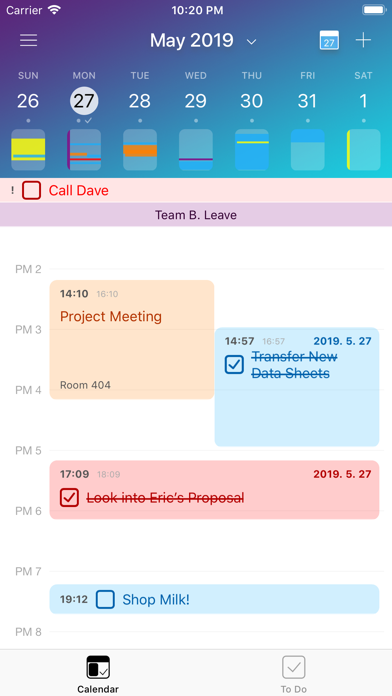
* You can create To-Do Item with "Time Period" like any other calendar event items.
To-Do Item with time period is shown with Calendar Events so you can easily manage your daily schedule and task at once.
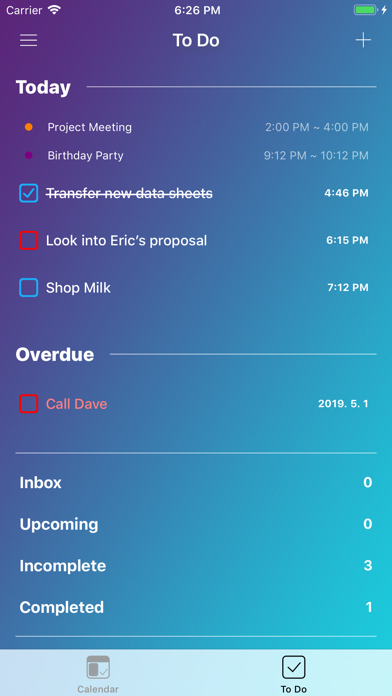
To-Do Item without time period is stored in Inbox, so you can review and handle it later in Inbox.
Or still you can take care of it as general item in each To-Do List it belongs to.
[Privacy First]
Cal.Do does not collect any information of yours. We have no interest on it and we think user's privacy is the most important. Also, it is the one big reason Cal.Do is only available on iOS.
[Use your own calendars and To Do lists]
Cal.Do is 100% compatible with accounts you added to 'Passwords & Accounts' in Settings.
So you can use default Calendar and Reminder app with Cal.Do.
iCloud, Exchange, Google, Yahoo, Aol, Outlook, whatever you added to your iPhone Settings, if it works with default apps, it can be used with Cal.Do.
If you do not use any of above. Don't worry you already 100% set up. Cal.Do use your iPhone's built-in internal storage for default.
* Cal.Do does not cost you for extra fee for calender server or to synchronize between devices.
[Themes]
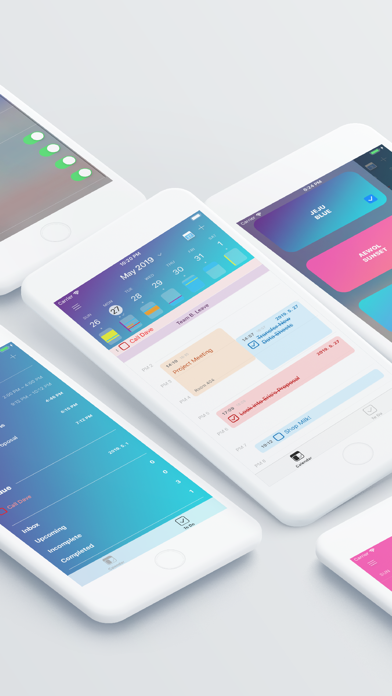
Cal.Do starts with 7 beautiful different themes. And they're all free to use for subscribers.
We keep adding new themes. And first 7 included themes are based on beautiful environment in Jeju island where Cal.Do is born.
(As of 7 June, there are 9 themes are available.)
We made Cal.Do because we were tired to figure out to find free time to do things in complicated daily schedules.
Once you decide to do some stuff on your list, just set it when to start and when to finish on Cal.Do.
Then you see your real daily life eventually.
[Subscription]
- Full Access for both monthly and annual options are available.
Price may vary by location. Subscriptions will be charged to your Apple ID account at the confirmation of purchase. Subscription automatically renews unless it is canceled at least 24 hours before the end of the current period. Your account will be charged for renewal within 24 hours prior to the end of the current period. You can manage and cancel your subscriptions by going to your account settings on the App Store after purchase. Any unused portion of a free trial period, if offered, will be forfeited when the user purchases a subscription to that publication, where applicable
[Privacy Policy]
Caizer.com built the Cal.Do app as a Commercial app. This app is provided by Caizer.com and is intended for use as is.
WE DO NOT COLLECT ANY OF YOUR INFORMATION.
The app also does not use any third party services that may collect information used to identify you. Even if you enabled notification, it is only used to alarm you the events or to-do items. Every notification is made inside the app and never send your device information to out of the app.
Contact Us
If you have any questions or suggestions about our Privacy Policy, do not hesitate to contact us at support@caizer.com.
Terms of Use: https://www.apple.com/legal/internet-services/itunes/dev/stdeula/
Quoi de neuf dans la dernière version ?
- Cal.Do loves iOS 13
- Every single theme supports Dark-Mode now.
- Fixed for unexpected crash while using location access.