iPhoneAddict Apps
  • Actualités
  • Accueil Apps
  • iPhone
  • iPad
  • Universelles
  • Mac
  • Apple TV
KG KultureGeek
App
iPhone / iPad Télécharger iAddict v5 Mac Télécharger iAddict Mac
  • Actualités
  • Accueil Apps
  • iPhone
  • iPad
  • Universelles
  • Mac
  • Apple TV
  • Archives keynotes
  • Firmwares & iTunes
  • Contactez-nous
  • Comparateur de prix
  • KultureGeek
Accueil » Liste des Apps » Apps Universelles » Productivité » Camculator
1.0 iOS €Gratuit Jochem Bakker 0 0 Camculator uses the video camera of your iPhone/iPad to solve simple math problems for you. Camculator can solve multiple math problems simultaneously in real time. By using advanced Optical Character Recognition, Camculator is able to recognize even...
Camculator

Camculator

iOS Universel / Productivité

Gratuit
Obtenir sur l'App Store
Facebook X E-mail

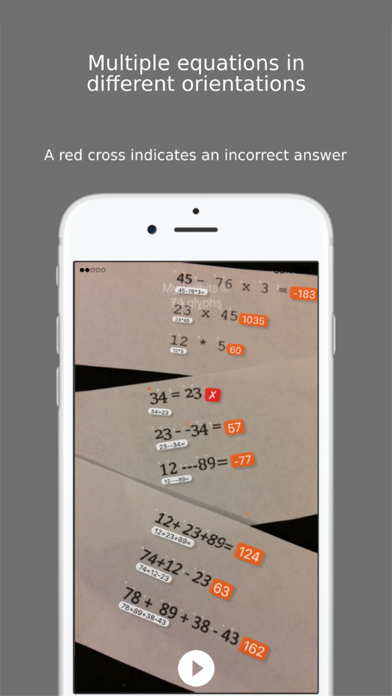
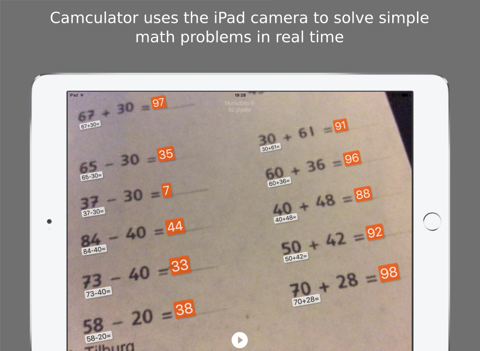
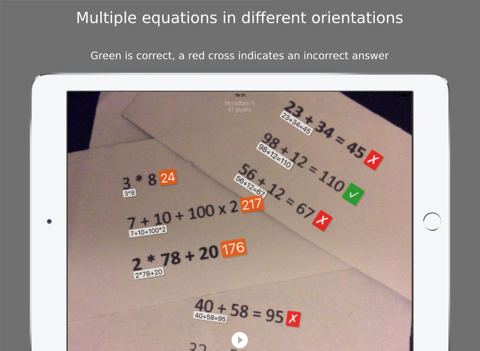
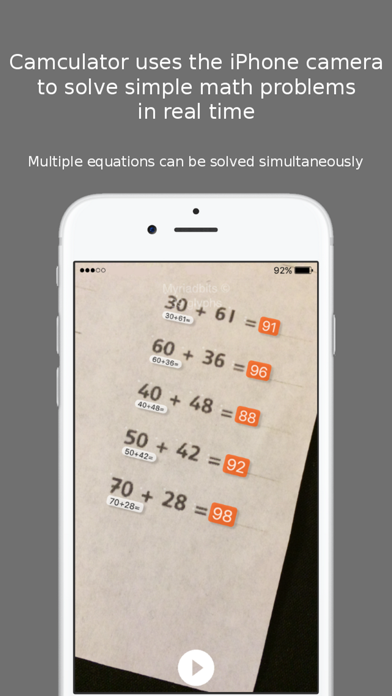
Camculator uses the video camera of your iPhone/iPad to solve simple math problems for you. Camculator can solve multiple math problems simultaneously in real time. By using advanced Optical Character Recognition, Camculator is able to recognize even some handwritten problems (*). It is also possible to solve math problems directly from a monitor or other display.

Start the Camculator app and point your iPhone/iPad to an equation that you need solved or verified. When the problem is too small, just move the camera closer to the equation until it is recognized and solved. Use the pause button to pause the current picture when needed.

Currently Camculator only supports the following mathematical operators: x, *, +, -, :, (, ) More operators will be added in future versions.

Note that Camculator will not recognize ALL fonts and problems. It will do it’s best to read and solve your problems, but success is not guaranteed! A small white circle will be displayed at characters that can be parsed. A red circle will be displayed for all unknown characters.

Enjoy!

(*)
Not all handwritings can be recognized, depends on your style. Some tips to make your handwriting better readable by Camculator:
•Use a black pen
•Close all loops that should be closed (for instance the zero)
•Make sure all character lines are not broken
•All digits should be about the same size

En voir plus...

Quoi de neuf dans la dernière version ?

This update from Apple will improve the functionality of this app. No new features are included.
  • Screenshot #1 pour Camculator
  • Screenshot #2 pour Camculator
  • Screenshot #3 pour Camculator
  • Screenshot #4 pour Camculator
  • Screenshot #5 pour Camculator
  • Screenshot #6 pour Camculator

Note

(0 note)

Détails sur l'application

Version
1.0
Taille
1.8 Mo
Version minimum d'iOS
9.0
Dernière mise à jour
12/02/2016
Publié par
Jochem Bakker

Newsletter App Store

Recevez chaque jour les meilleures promos

Actualité Apple

Image Apple fait des dépôts de marques pour le jeu Sneaky Sasquatch
Apple fait des dépôts de marques pour le jeu Sneaky Sasquatch
Image macOS 27 sera préinstallé sur les nouveaux Mac mini et Mac Studio
macOS 27 sera préinstallé sur les nouveaux Mac mini et Mac Studio
Image Apple Arcade : Sneaky Sasquatch débarque dans Subway Surfers+ avec un crossover inédit
Apple Arcade : Sneaky Sasquatch débarque dans Subway Surfers+ avec un crossover inédit
Image Apple annonce un centre de formation au Vietnam
Apple annonce un centre de formation au Vietnam
iPhoneAddict Apps

Le catalogue iPhoneAddict pour suivre les nouveautés, mises à jour et baisses de prix de l’App Store.

Apps

Toutes les apps iOS iPhone iPad Universelles Mac Apple TV

iPhoneAddict

Actualité Apple Archives keynotes Contact À propos KultureGeek

Suivez-nous

©2009-2026 i2CMedia. Tous droits réservés.