CatchIT Spaces SM
iOS Universel / Productivité
What: Highly customizable * Multi-user * Multi widgets: Video player (multi-subtitles), Music player, Photo viewer, Text (UTF-8) viewer (auto scrolling), Html viewer (customizable font size, auto scrolling), Web browser (customizable font size, auto scrolling), and File Explorer.
*** Ideal for language learners.
* N.B. Buttons are in single-line menu (SM) mode. Double-tap the head of the menu to toggle visibility of the hierarchy.
Why: To enable your creativity and productivity.
***Hint to the language learners: When reading a book(in text/html/web browser widget) with its audio(in music widget), you can use the “Forward” functionality of the music widget to adapt the speed of the audio.
When watching/listening video with(or without) subtitles, you can use the “Forward” functionality of the video widget to adapt the speed of the video & audio.
***Hint: When reading (in text/html/web browser widget), you can use the "Forward" functionality of the text/html/web browser widget to adapt the pages auto changing speed.
How: Create your own Spaces by using different widgets. Place widgets in tabs and arrange them however you desire: resize, move, minimize, restore, and maximize. Put a widget in sleep mode to preserve its state, or simply delete it. Work with user profiles (configurations). Control modules from the taskbar. Save a user’s configuration by putting user in sleep mode. Restore and switch users. Copy a user’s configuration to another user. Configure widget buttons’ fill, contour, and opacity.
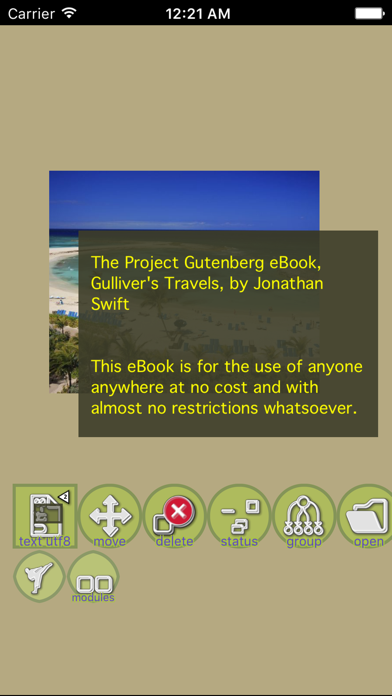
Some app traits: Watch videos with one or more subtitles at the same time; Move and resize subtitles; Configure their parts, colors, opacity, and size; * Change audio tracks; * Listen audio, read Text Utf-8, Html and browse the web at the same time; * Auto-scroll text, html, and web pages; * Configure auto-scrolling speed; * Configure modules’ opacity – place them one over another, and read with a photos/video background; * Set photos in slideshow mode; * Use file explorer to browse and manipulate files and directories;
App features:
- Modules: video player, music player, text UTF-8 viewer, html viewer, web browser, and file explorer;
- Configuration can be saved in up to 19 users;
- Modules are located in tabs;
- Taskbar shows modules in active tab;
- Modules can be resized, minimized, maximized, and moved;
- Buttons can be configured in size, color, and transparency;
- Each user has six color themes;
- Many subtitles per video can be shown at the same time. Each one can be resized and fully configured;
- Html Viewer & Web Browser with customizable font size ;
- Buttons can have descriptive text in one of the languages: Arabic, Bulgarian, Chinese, English, French, German, Hindi, Hindi-English, Italian, Japanese, Portuguese, Romanian, Russian or Spanish.
To quick start, prepare your files:
- Files (video, music, photos, text-utf8, and html) must be located in application storage (managed by iTunes);
- Subtitles for video module must be “.SRT” type and in UTF-8 format (encoding);
- Text files must be in UTF-8 format (encoding) and with “.TXT” extension;
- HTML files must have an extension “.HTML” or “.HTM”
In application:
- Choose a user;
- Choose a language for description text on all the buttons. Later this description text can be hidden;
- Choose a new module (video, music, photos, text-utf8, html, web-browser);
- Tap and glide to position the module, and leave the finger – the module is ready;
- Tap “Open” button to open the explorer control and then choose the file(s) to play (for video, music, photos, text-utf8, html modules);
- To manipulate (move, resize) a module when the yellow manipulation layer is shown: you may resize the module by dragging its corners or peripheral bars, and move the module by sliding its inner part.
*** Free & No Ads ***
Quoi de neuf dans la dernière version ?
Bug fixes and performance improvements.