iPhoneAddict Apps
  • Actualités
  • Accueil Apps
  • iPhone
  • iPad
  • Universelles
  • Mac
  • Apple TV
KG KultureGeek
App
iPhone / iPad Télécharger iAddict v5 Mac Télécharger iAddict Mac
  • Actualités
  • Accueil Apps
  • iPhone
  • iPad
  • Universelles
  • Mac
  • Apple TV
  • Archives keynotes
  • Firmwares & iTunes
  • Contactez-nous
  • Comparateur de prix
  • KultureGeek
Accueil » Liste des Apps » Apps Universelles » Productivité » CellGate Mobile Connect
4.0.60 iOS €Gratuit Gouldin Technologies LLC 0 0 Notice: You NEED an account with CellGate before you can use this application. This Application is designed and intended for the sole use by CellGate Access Control and Monitoring Subscribers. The CellGate Access Control and Monitoring system lets...
CellGate Mobile Connect

CellGate Mobile Connect

iOS Universel / Productivité

Gratuit
Obtenir sur l'App Store
Facebook X E-mail

Notice: You NEED an account with CellGate before you can use this application. This Application is designed and intended for the sole use by CellGate Access Control and Monitoring Subscribers.

The CellGate Access Control and Monitoring system lets you control who enters your property and when—from any location, at any time. By simply logging in to your online CellGate account, you can create and customize an unlimited number of access codes and maintain a detailed historical record of all gate activity, including photos.

Our solar- and AC-powered system packages contain everything you need for remotely controlling automatic and manual gates, and the system's camera options help ensure you receive photos of all gate activity directly to your mobile phone. Built specifically for use with cellular networks and the internet, the CellGate system allows you to monitor and control access to your property 24 hours a day, directly from your mobile phone or any internet connection.

No matter where in the world you happen to be, when a visitor arrives you will receive text, email or voice alerts to your cell phone. Then simply send an open command to any gate anywhere in the U.S.

Working with manual or automatic gates and powered by solar or AC, the CellGate system can operate in a variety of environments such as Farms and Ranches, Oil and Gas Sites, Residences, Deer Leases and Self-Storage Facilities.

Exotic/Wild Game Traps are also controlled and monitored by CellGate with the added option to disable motion triggered image messages after the trap has been closed.

En voir plus...

Quoi de neuf dans la dernière version ?

Bug fixes and improvements.

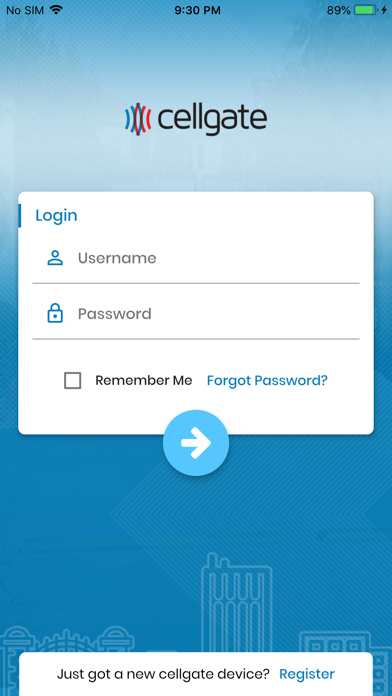
  • Screenshot #1 pour CellGate Mobile Connect
  • Screenshot #2 pour CellGate Mobile Connect
  • Screenshot #3 pour CellGate Mobile Connect
  • Screenshot #4 pour CellGate Mobile Connect
  • Screenshot #5 pour CellGate Mobile Connect
  • Screenshot #6 pour CellGate Mobile Connect

D'autres applications du développeur

CG Installer ControlCG Installer ControliOS Universel

Note

(0 note)

Détails sur l'application

Version
4.0.60
Taille
133.3 Mo
Version minimum d'iOS
13.0
Dernière mise à jour
23/07/2026
Publié par
Gouldin Technologies LLC

Newsletter App Store

Recevez chaque jour les meilleures promos

Actualité Apple

Image Les États-Unis ne veulent pas qu’Apple achète de la RAM chinoise
Les États-Unis ne veulent pas qu’Apple achète de la RAM chinoise
Image Apple retire sa pub polémique avec un enfant et un iPhone en Italie
Apple retire sa pub polémique avec un enfant et un iPhone en Italie
Image L’iPhone Ultra pliable va-t-il résoudre les défauts du Galaxy Z Fold 8 ?
L’iPhone Ultra pliable va-t-il résoudre les défauts du Galaxy Z Fold 8 ?
Image Mac : des hackers exploitent la faille du partage d’écran avec un mineur de cryptomonnaie
Mac : des hackers exploitent la faille du partage d’écran avec un mineur de cryptomonnaie
iPhoneAddict Apps

Le catalogue iPhoneAddict pour suivre les nouveautés, mises à jour et baisses de prix de l’App Store.

Apps

Toutes les apps iOS iPhone iPad Universelles Mac Apple TV

iPhoneAddict

Actualité Apple Archives keynotes Contact À propos KultureGeek

Suivez-nous

©2009-2026 i2CMedia. Tous droits réservés.