ClarityZones
iPhone / Productivité
Overcrowded mind and life? Get clarity on what’s important and regain control
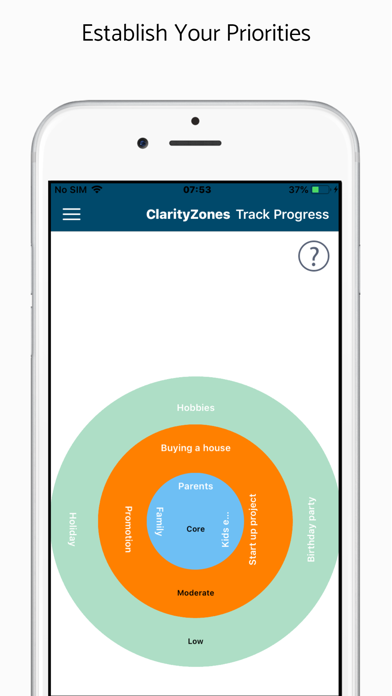
Establish your priorities
Assess what’s taking up your headspace and rate how important these are to you. This gives you clarity on how to prioritise your time, energy and thoughts.
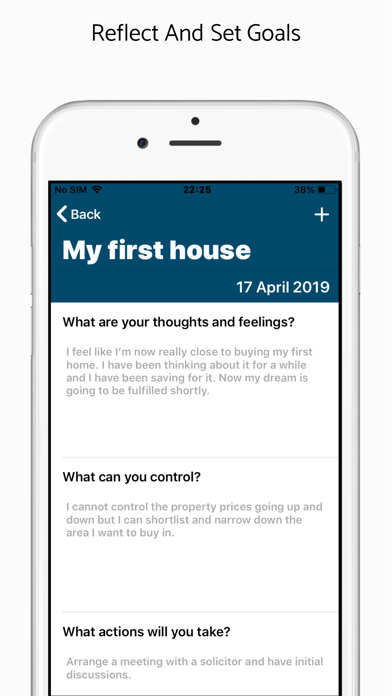
Reflect and set goals
Free up your mind by expressing your thoughts, feelings and reflections. Then set yourself goals or actionable tasks to keep you on track.
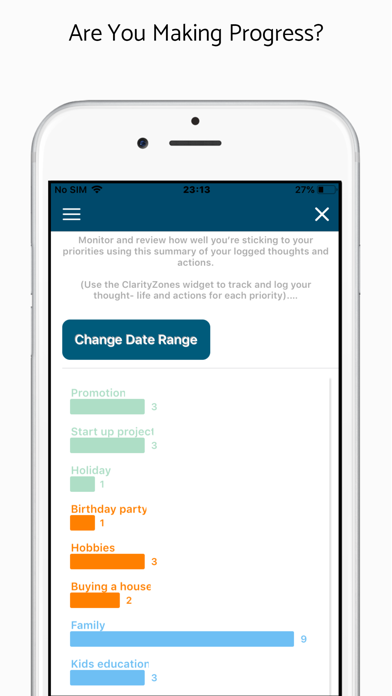
Are you making progress?
Log your thought-life and actions to monitor how well you are sticking to your priorities. Seeing where you’re spending your time and energy helps you track, review and stay focused on what’s important to you.
Analyse your feelings
Are you displaying emotions of joy or anger? Are you feeling confident or unsure? Get a snapshot of your emotions to gain insight into how your feelings have changed over time.
Features:
Identify your important priorities and list them under three zones or categories as per importance.
Simple and user-friendly interface to remind you and give you visual clarity on where each priority lies-
Core zone: This is the heart of what matters to you and is reserved for your most valued priorities. Here is where you want to dedicate the biggest share of your time.
Moderate zone: You consider these things important, but they are not to be confused with your core priorities.
Minor zone: Whilst these things deserve some attention, be honest and recognise that they should not demand too much from you.
Log your current thoughts, feelings and next steps for each priority as often as you like.
Set yourself goals and actionable next steps with reminders that sync with your phone’s calendar.
See your timeline of thoughts and feelings and monitor how you’re progressing.
Thought and Actions widget- When you’ve had a thought or took an action in relation to a priority, log it with just a tap on the widget.
Track Progress- Your taps on the widget above gives you useful statistics here. Seeing where you’re spending your time and energy helps you track, review and stay focused on what’s important to you.
Analyse My Feelings- ClarityZones uses the description from your thoughts and feelings to show whether you are displaying emotions of joy or anger? Are you feeling confident or unsure? Get a snapshot of your emotions to gain insight into how your feelings have changed over time.
Contact us: info@clarityzones.com
Write to us: ClarityZones, 41 Eastern Quay, 25 Rayleigh Road, London E16 1AX, UK
You can also follow us on:
Facebook: https://www.facebook.com/ClarityZones
Twitter: https://twitter.com/ClarityZones
Instagram: https://www.instagram.com/clarityzones/
Quoi de neuf dans la dernière version ?
Updated UI and UX making it easier for users to access key features