Clipboard PDF
iPad / Productivité
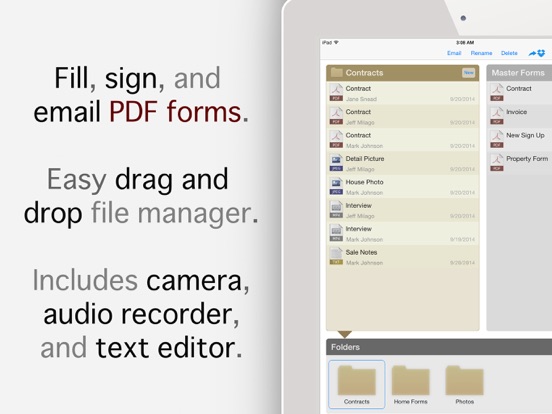
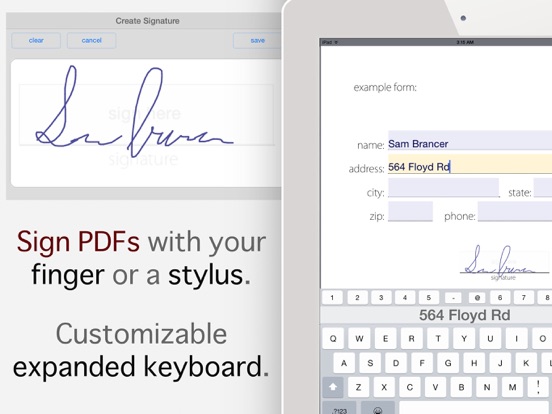
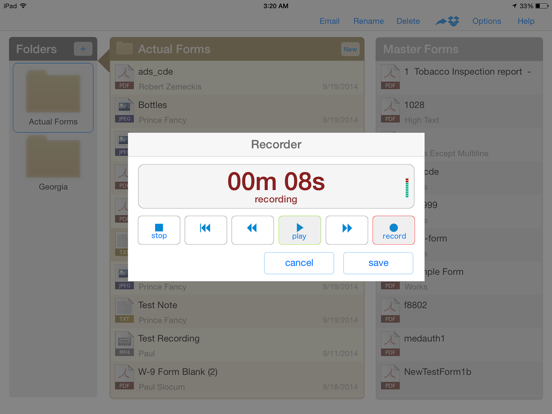
Fill and sign PDF forms and documents, record dictation, take photos and notes, and easily send your documents in batches to your office or home computer. The streamlined interface automatically names completed forms and makes it simple to have your customers fill multiple copies of the same form. Entering addresses and other data that has mixed letters, numbers, and special characters is easy with the expanded, customizable keyboard.
This version of the app allows 3 emails and 5 minutes audio recording time, upgrade with in-app purchase to the full version for unlimited emails and recording.
• Ready for iOS 11
• Fill, sign, and email PDF forms and documents
• Easily fill multiple copies of the same form
• Drag and drop file manager with folders
• Includes camera, audio recorder, and text editor
• Send files via email or Dropbox
• Intuitive, streamlined user interface
• Customizable expanded keyboard for fast data entry
• Sign with your finger or a stylus
• Automatic naming of completed forms
• Recorder features automatic microphone level adjustment
• Runs in landscape or portrait mode
• Full retina support
• Tested with hundreds of PDF forms
This app is compatible with Adobe Reader, Chrome, and Foxit Reader on PC/Mac, and PDF Expert and Readdle Docs on iPad/iPhone.
Clipboard PDF Pro supports PDF text fields, multi-line text fields, checkboxes, and radio buttons. Signatures can be inserted anywhere in any PDF. List boxes work, but must be filled manually. The app does not yet support encrypted PDFs, math operations, or submit buttons.
If your business is interested in customizations or additional features for this app, contact us for a quote.
For questions, comments, or bug reports email clipboardpdfpro@gmail.com
Quoi de neuf dans la dernière version ?
This app has been updated by Apple to display the Apple Watch app icon.
Fixed crash bug in notepad text editor