Custom Keypad
iOS Universel / Productivité
For connection instructions, and more information, please visit our website : http://keypad.iosproapps.com
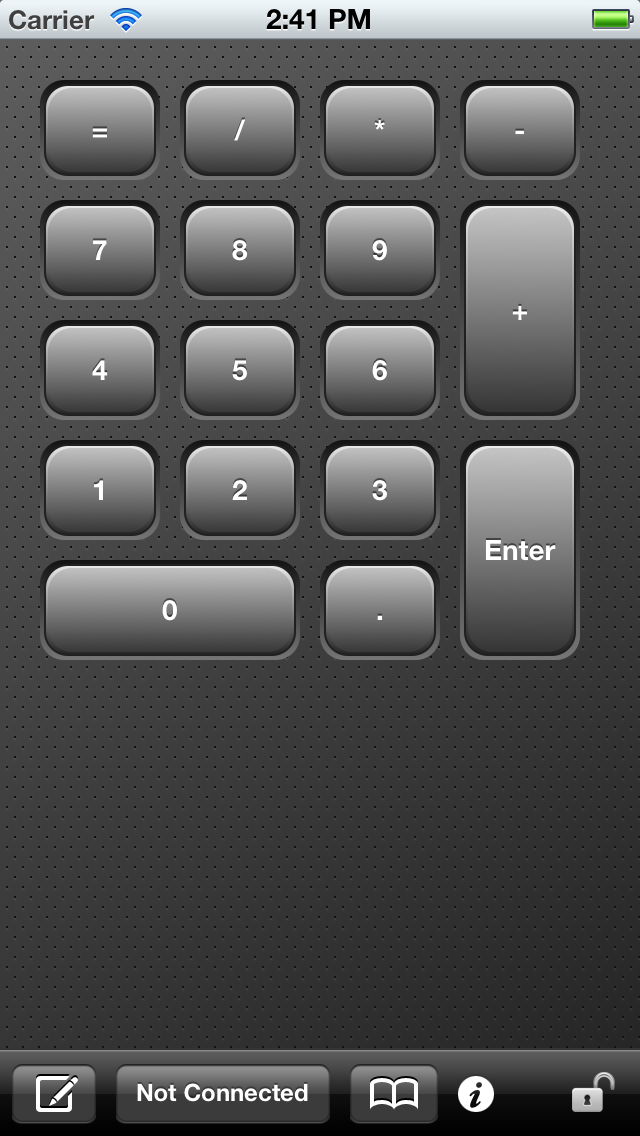
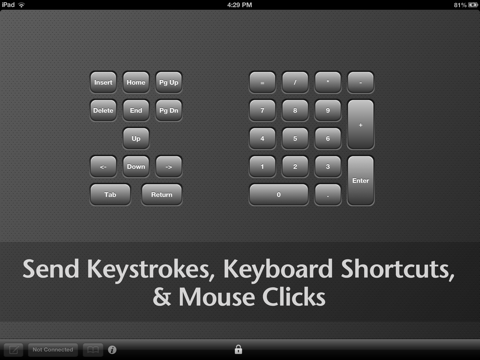
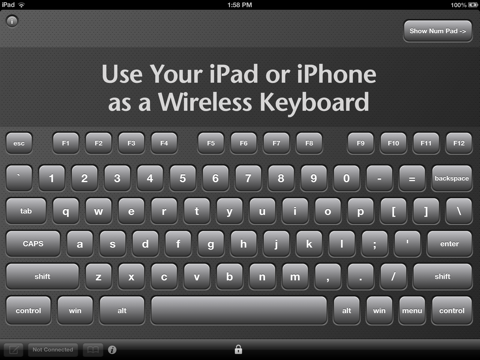
This app allows you to create custom keypads or keyboards that you can use to control your computer over the network from your iOS device. You start by creating a keypad layout, which includes buttons and other controls that you can easily arrange and customize. Then for each control, you define which actions to send to your computer when the control is touched. Actions can be keystrokes, such as keyboard shortcut commands, or mouse clicks such as the left, right or middle mouse buttons. Once you are connected to your computer, simply touch the controls on your keypad to control your computer from your iOS device!
A SIMPLE EXAMPLE
For example, the keyboard shortcuts for copy, cut, and paste, are common to most programs. So using this app, you can create a simple keypad layout with three buttons, assigning each button to one of these keyboard shortcuts. Then with your new keypad, you can send copy, cut, or paste commands to your computer, just as if you were typing directly on your computer!
FOR WORK OR PLAY
People typically use this app to increase productivity by creating layouts that control software on their computer. Many people use this with software such as Photoshop, Word, Excel, PowerPoint, CAD, Sibelius, web browsers, games, and more. Basically any software that has keyboard shortcuts can be controlled with this app!
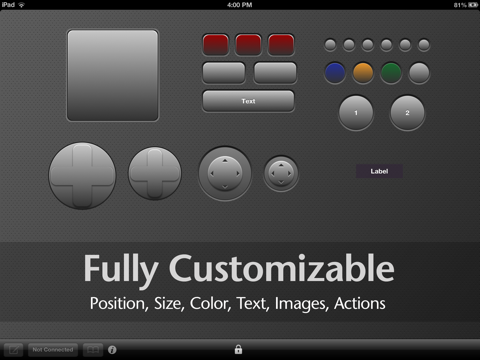
FULLY CUSTOMIZABLE
- Unlimited number of layouts.
- Single or multi-page layouts.
- Unlimited number of controls.
- Easily move or rearrange controls anywhere.
- Customize the size, color, image, and label of the buttons.
- Supports multiple gestures for each control (single tap, double tap, etc).
- Send any combination of keys, keyboard shortcuts, or mouse clicks.
- Send an unlimited number of keystrokes or mouse clicks.
CONTROLS
You can add the following controls to a keypad layout. For each control, you can define which actions to send to your computer when the user touches the control. You can send a different action for each type of touch.
Rectangular Button
A rectangular shaped button that you can define actions for the following touches: single tap, double tap, triple tap.
Circular Button
A circular shaped button that you can define actions for the following touches: single tap, double tap, triple tap.
Trackpad (Not recommended for Windows computers due to VNC lag)
A rectangular control that moves the mouse, and accepts gestures and taps.
Gesture Pad
A rectangular control that accepts multi-finger gestures as well as taps. You can define actions for the following touches: single tap, double tap, triple tap, as well as the following gestures: swipes, pinches, and rotations.
Directional Pad
A 4 or 8-axis control with directional buttons. Each directional button can be defined individually for the following touches: single tap, double tap, triple tap.
Joystick
A 4 or 8-axis joystick control that will allow you to define different actions when the joystick is moved.
Text Label
Additional text labels can be added anywhere on the layout.
TECH SPECS
Keystrokes
Please visit our web site for a list of keystrokes which are supported.
Mouse Clicks
The following mouse clicks can be sent: left mouse, middle mouse, and right mouse. The scroll up and scroll down scroll wheel mouse commands can also be sent, if your system supports it.
CONNECTION INSTRUCTIONS
Note if you are using the built-in Mac VNC, then you need to 1) log out of your Mac, 2) connect with the app, and 3) log back into your Mac.
SYSTEM REQUIREMENTS
iOS Requirements
Requires iOS 5.1.1 or higher
iPhone, iPad, or iPod touch
Computer Requirements
Works on any platform. Your computer must have VNC server software installed and running in order for this device to communicate with it. VNC server software can be downloaded for free from the Internet. Mac users can use the built-in VNC server.
Quoi de neuf dans la dernière version ?
This app has been updated by Apple to display the Apple Watch app icon.
Compatibility updates.