EmpiricCommander
iOS Universel / Productivité
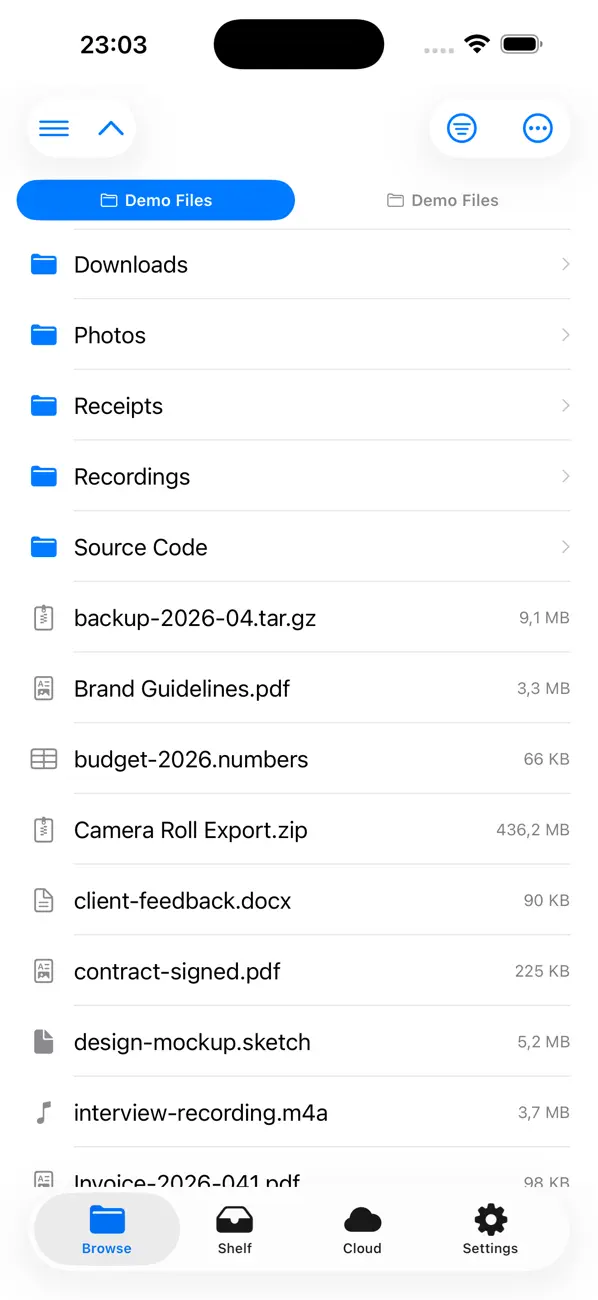
EmpiricCommander is a dual-pane file manager for iPhone and iPad, in the tradition of the classic file commanders. Two folders side by side, and everything you do happens between them.
TWO PANES
Browse two locations at once and move files between them in one action. On iPad both panes sit side by side, up to ten tabs each. On iPhone you work one pane at a time, and both at once in landscape. Drag and drop works between panes and with other apps.
CONNECT TO YOUR STORAGE
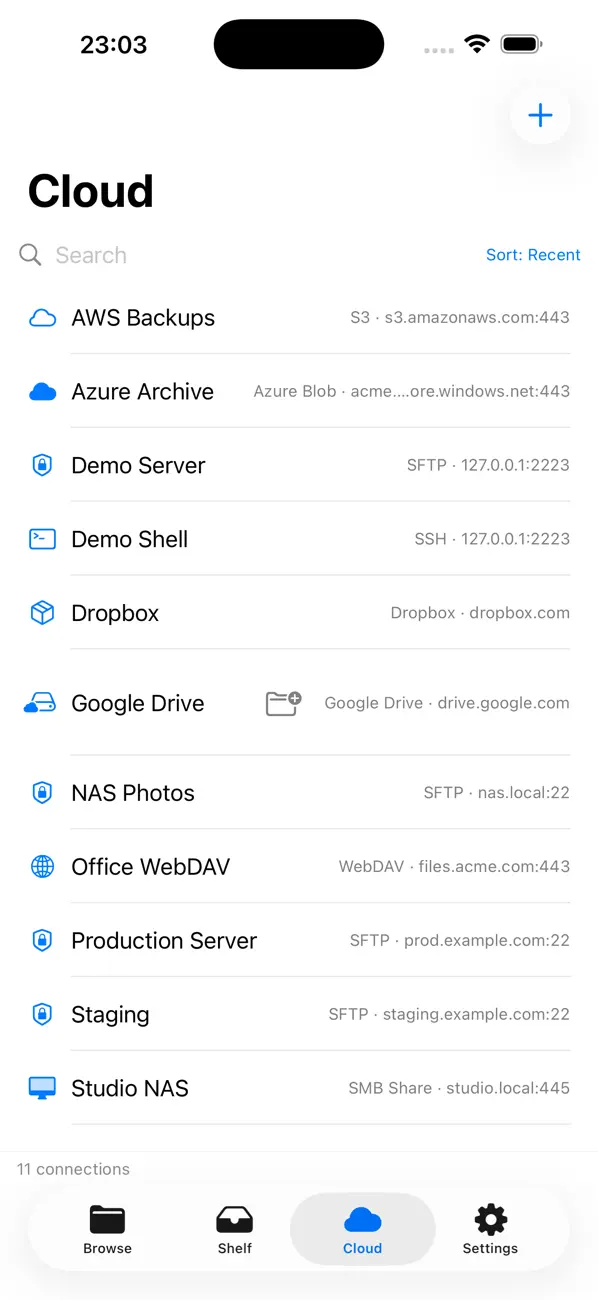
SFTP, FTP, WebDAV, SMB network shares, S3 and S3-compatible storage, Azure Blob Storage and iCloud Drive. Copy straight from one server to another without the files landing on your device on the way. Connections sync across your devices through iCloud, and credentials stay in the system Keychain.
SSH TERMINAL
Open a real shell on your server, from iPhone or iPad, with a key row for esc, ctrl, tab and the arrows so you are not fighting the software keyboard. Sign in with a password or an SSH key, including RSA and ECDSA. Host keys are verified and their fingerprints shown before you connect.
GIT
Clone a repository over HTTPS, read a syntax-highlighted diff, stage what you want and commit, all on device.
COMPARE, SYNC, VERIFY
Compare two folders and see exactly what differs. Verify contents byte for byte with SHA-256 instead of trusting size and date. Sync one way or both ways, including between two servers.
FIND WHAT IS FILLING YOUR STORAGE
Disk usage with a treemap, and a duplicate finder that compares contents, not names.
ARCHIVES
Open ZIP, TAR, GZ, 7z and RAR like folders and pull out a single file. Create archives, including password-protected ZIP.
PREVIEW AND EDIT
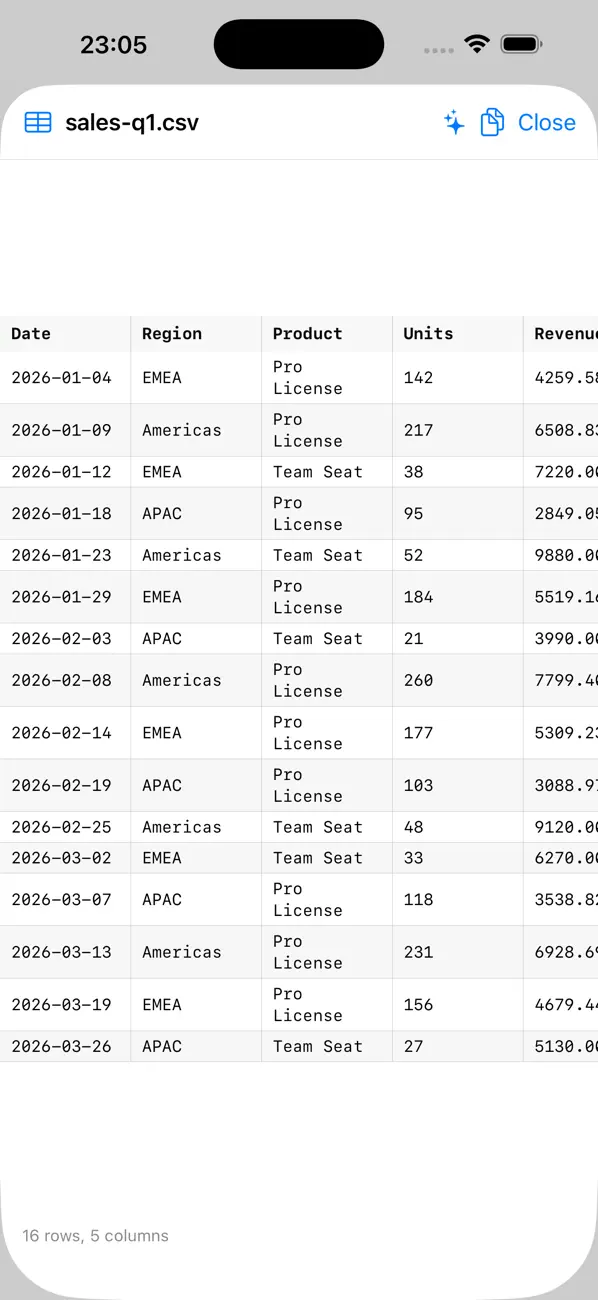
Syntax-highlighted source, formatted JSON, CSV and Markdown tables, PDFs, images, dotfiles. Edit text files in place without leaving the app.
ON-DEVICE INTELLIGENCE
Rename a batch of files by describing the change in plain language. Summarize a document or a PDF. Ask for the files over 100 MB you have not opened in a year. It runs on your device and nothing is uploaded. Requires a device that supports Apple Intelligence, and every one of these has a manual equivalent.
BUILT FOR THE IPAD KEYBOARD
Arrow keys to navigate, Tab to switch panes, Space to select, Return to open, Esc to clear. The classic function keys are there too: F2 rename, F5 copy, F6 move.
IN THE FILES APP
Reach your local storage and your servers from Files, and from any app that can open a document.
PRIVACY
No tracking, no analytics, no third-party SDKs. Your connections run straight from your device to your server. Empiric Apps servers never see your files.
PRICING
Try everything free for 7 days. No card required. After the trial, a single In-App Purchase unlocks the app for good on up to three devices: one Mac, one iPad and one iPhone. It is a purchase, not a subscription, and every update in this generation of the app is included.
Quoi de neuf dans la dernière version ?
EmpiricCommander 2.0 is the biggest update since launch.
SSH TERMINAL
Open a real shell on your server from iPhone or iPad, with a key row for esc, ctrl, tab and the arrows. Sign in with a password or an SSH key, including RSA and ECDSA keys.
GIT ON DEVICE
Clone a repository over HTTPS, read the diff, stage your changes and commit, without leaving the app.
COMPARE AND SYNC
Compare two folders, verify the contents byte for byte with SHA-256, and copy across only what differs. Sync now runs between two servers, not just against local storage.
DISK USAGE AND DUPLICATES
See what is filling your storage and find identical copies.
ON-DEVICE INTELLIGENCE
Rename a batch of files by describing the change in plain language, and summarize a document or a PDF. Everything runs on your device.
FILES APP
Reach your storage and your servers from the Files app.
ALSO NEW
SMB network shares, encrypted ZIP, grid and column layouts, a built-in text editor, a Get Info panel, per-type file icons, transfers that keep going while the screen is locked, and connections synced across your devices through iCloud.
FIXED
Transfer progress now reflects what has actually reached the server. Folder and file counts read correctly for a single item. Locations on iPad no longer describe themselves as an iPhone.