Full Screen Viewer
iOS Universel / Productivité
Full Screen Viewer is an app for viewing PDF files and images on smartphones and tablets.
For those who are actively working, the selection of tools to use is essential for improving work efficiency.
This app was developed based on the views of such people, with consideration for ease of use in the actual workplace by focusing on the necessary functions rather than aiming for multiple functions.
[Features]
· Full screen display
· Smooth operation
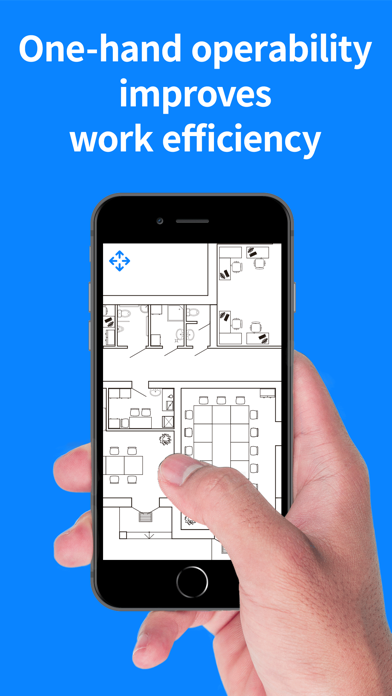
· Can be operated with one hand
· Display PDF files and multiple types of image files (JPEG, PNG, GIF, BMP, TIFF)
· Files can be magnified up to 100x
· You can zoom in to the maximum size or zoom out to the minimum size with a single drag without having to drag again and again.
· You can easily switch the screen orientation between portrait and landscape by simply changing the orientation of the device to portrait or landscape.
· For PDF files with multiple pages, you can move between the pages.
[Use Cases]
· Display blueprints (plans)
Main target users: Engineers
This app allows files to be magnified up to a very high magnification level, so it is ideal for viewing PDF blueprints (plans) with detailed drawings.
Also, since it can be operated with one hand, you can perform other tasks at the same time with the other hand, such as writing with pen.
· Display various documents
Main target users: Sales staff, consultants
It supports PDF files with multiple pages, so you can move between the pages.
It is suitable for displaying catalogs, pamphlets, and various documents.
You can move between pages and change magnification levels with smooth operations with the full screen display to view for yourself or to show customers while giving an explanation.
· Super magnification of photos
Main target users: Photographers
Since photos can be magnified up to 100x, you can magnify photos with complex machines, crowds, and various objects to see the details.
[List of Functions]
· Display PDF files and images (JPEG, PNG, GIF, BMP, TIFF)
· Selection of operation method
You can choose from 3 types of operation methods.
Operation 1
Tilt the device to move
Drag the screen to zoom in/out
Operation 2
Drag the screen to move
Drag the screen to zoom in/out
Operation 3
Drag the screen to move
Pinch in/out to zoom in/out
· Change the maximum magnification level
· PDF page switching
· Read files in various locations
Photos in the photo library
PDF files and images in the device (iPhone/iPad)
PDF files and images in Dropbox
Download and display files by entering a URL
(The URL can be entered directly or with a QR code)
· File management
Confirm view history
View history is saved without limit (deleted manually)
Read and delete files viewed in the past
· Share files with friends and collaborators
· Switch the screen orientation (portrait/landscape display)
· Lock/unlock the screen orientation
*A subscription is required to be able to use all the functions.
Quoi de neuf dans la dernière version ?
Improved UI processing.
Fixed minor bugs.