Stepwise: AI Tutorial Planner
iPhone / Productivité
Stop scrubbing through YouTube videos mid-project. Stepwise turns any tutorial into an interactive, hands-free blueprint — so you can build, cook, fix, and create without ever touching your phone.
PASTE A LINK. GET A BLUEPRINT.
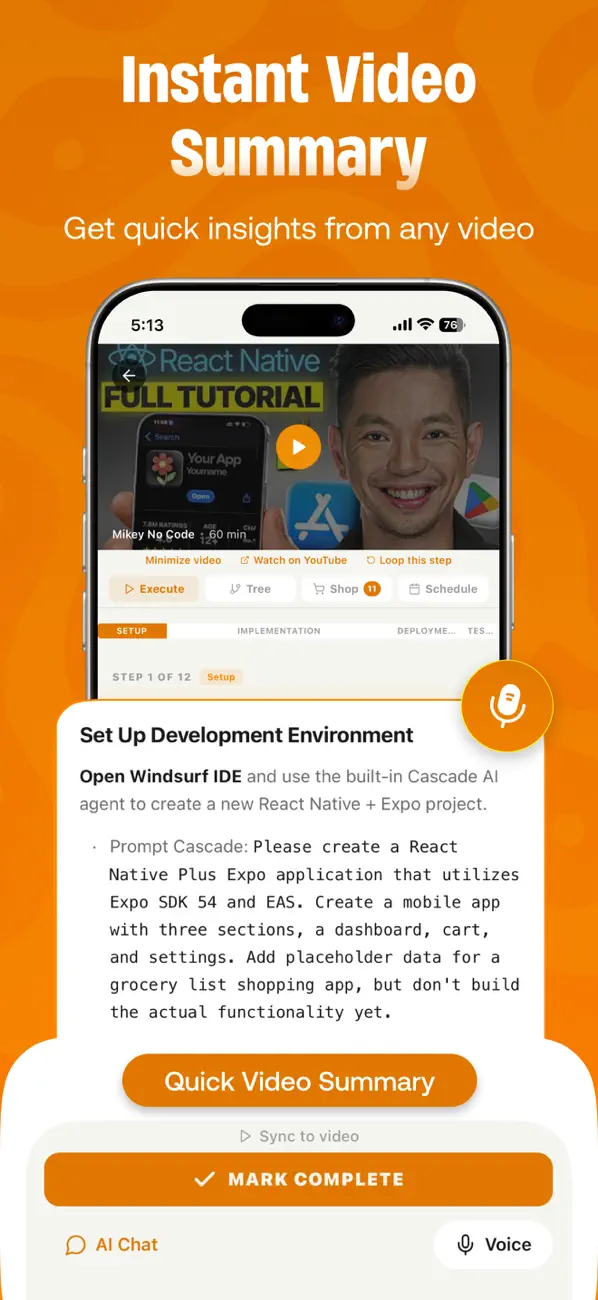
Drop any YouTube video or how-to article. In 30 seconds, Stepwise's AI extracts every step, tool, material, and time estimate into a structured project you can actually follow.
◆ STEP-BY-STEP PLANS
Every video becomes a clear, numbered sequence of steps with descriptions, tips, and time estimates. No more rewinding. No more guessing what comes next.
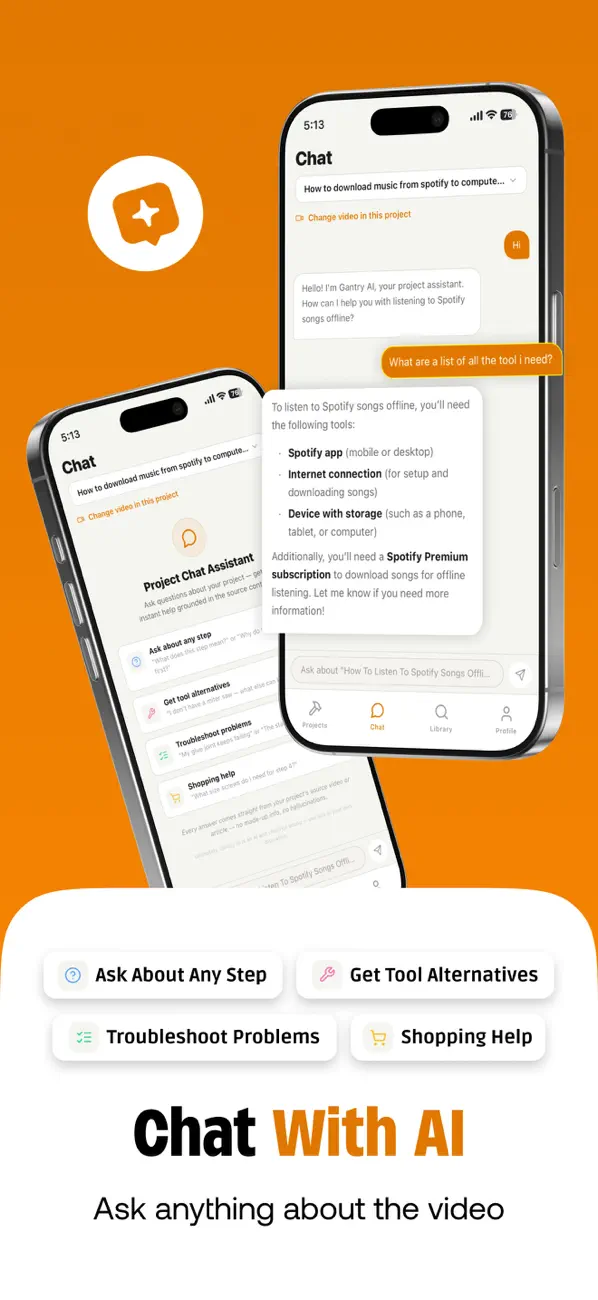
◆ AI CHAT ASSISTANT
Stuck on a step? Ask the built-in AI anything about your project. It knows every detail from your video — tools needed, measurements, alternative approaches, and troubleshooting tips. Answers are grounded in your actual content, not generic advice.
◆ HANDS-FREE VOICE COMMANDS
Say "next," "back," "complete," or "what's next" while your hands are busy. Voice control lets you navigate steps, set timers, and mark progress without touching your screen. Perfect for messy hands, tight spaces, or staying in the zone.
◆ AUTO-GENERATED SHOPPING LISTS
Every tool and material mentioned in the video is automatically extracted into a categorized checklist. Know exactly what you need before you start — no surprise trips to the store mid-project.
◆ DISCOVER TUTORIALS
Browse a growing library of community-added projects across every category — woodworking, cooking, electronics, home repair, crafts, and more. Filter by difficulty, duration, and topic.
◆ MULTIPLE PROJECT VIEWS
See your projects your way. Switch between step cards, a dependency graph, a timeline view, or a Kanban board. Organize projects into workspaces and track progress across everything you're building.
◆ LOOP VIDEO SEGMENTS
Need to see a tricky step again? Loop any section of the source video seamlessly while you work. The video stays synced to your current step.
◆ TIPS & TROUBLESHOOTING
Get context-aware tips for each step — common mistakes to avoid, pro techniques, and safety notes extracted directly from the tutorial content.
HOW IT WORKS
1. Paste a YouTube link or article URL
2. AI analyzes the content and builds your blueprint
3. Follow along step-by-step with voice commands
4. Check off steps, track materials, and ask the AI when you're stuck
PRICING
• Free: 3 projects per week, voice commands, shopping lists, 5 AI messages/day
• Token Pack ($4.99): 10 project tokens, unlimited chat
• Pro ($9.99/mo): Unlimited everything, clean PDF exports
Built for anyone who learns by doing — from weekend DIYers to seasoned makers. Paste a link and start building.
PRIVACY FIRST
Your data is stored locally on your device. We never sell your information to third parties. Period.
Terms of Use (EULA): https://www.apple.com/legal/internet-services/itunes/dev/stdeula/
Quoi de neuf dans la dernière version ?
Bug Fixes