Pointage du temps - Geofy
iPhone / Productivité
Geofy enregistre automatiquement le temps que tu passes dans tes lieux importants — sans aucune saisie manuelle.
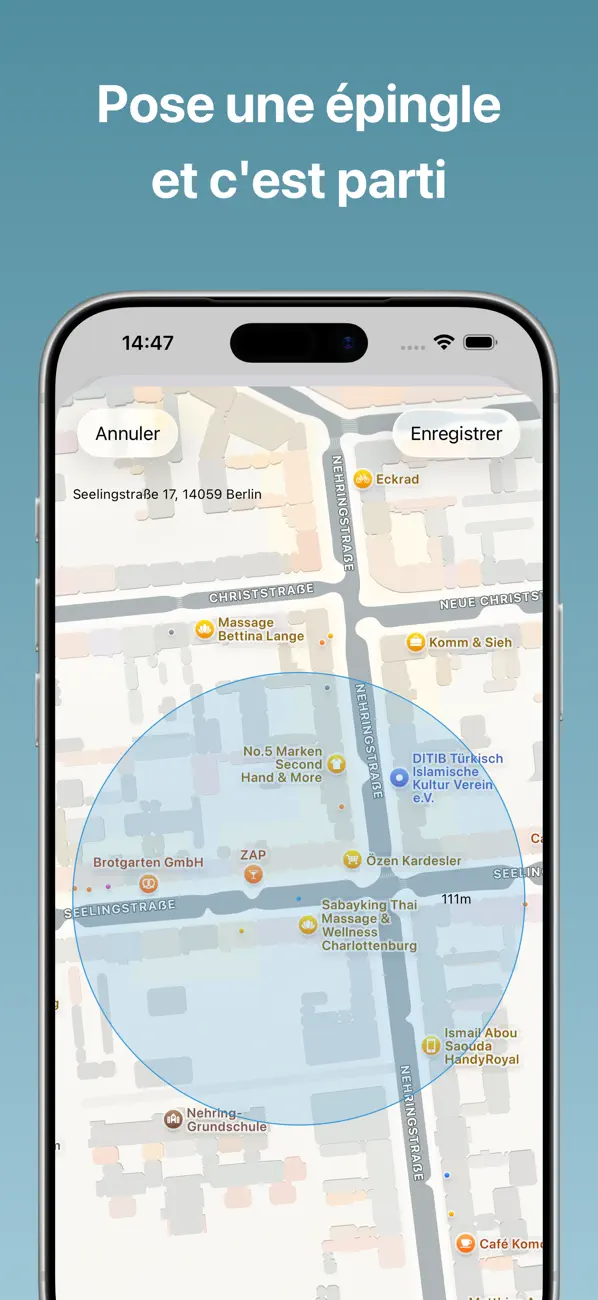
Définis des régions sur une carte et Geofy enregistre chaque visite dès ton arrivée et ton départ. Idéal pour suivre tes heures de travail, ton temps de trajet, tes séances de sport ou tout autre endroit qui compte pour toi.
Suivi automatique du temps
Configure des régions geofence ou des iBeacons, et Geofy enregistre tes sessions automatiquement en arrière-plan. Mets en pause, reprends ou arrête tes sessions manuellement quand tu le souhaites.
Statistiques détaillées
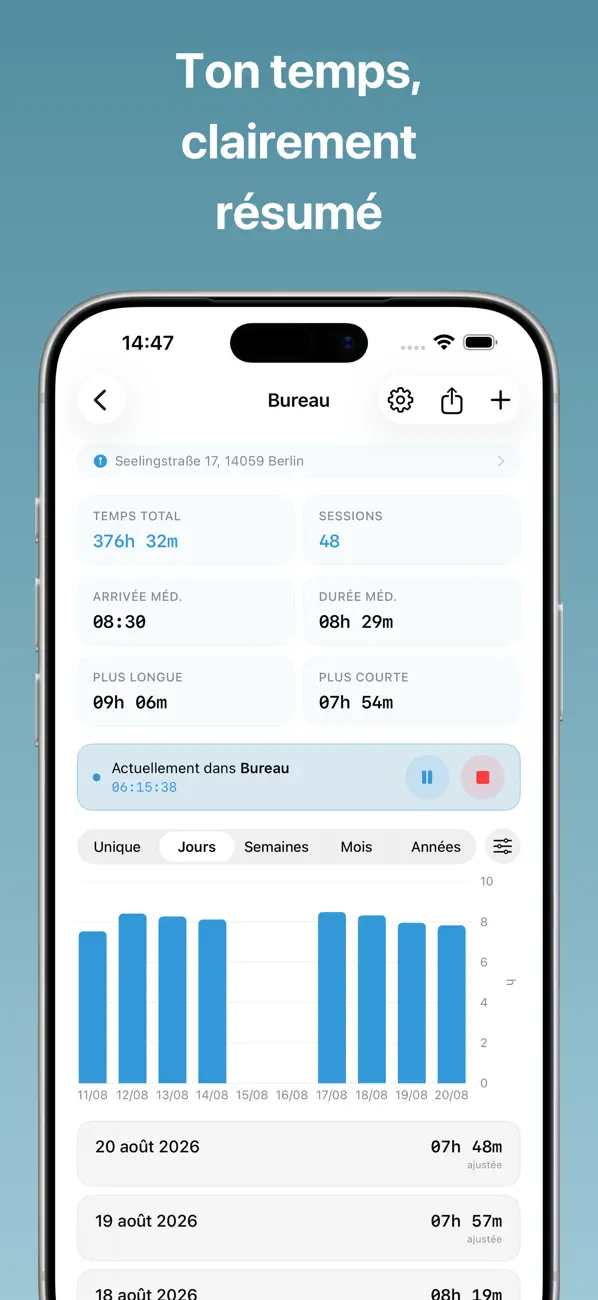
Visualise ton temps réparti par jour, semaine, mois ou année. Consulte tes heures d'arrivée moyennes, la durée de tes sessions, tes visites les plus longues et les plus courtes, et repère les tendances grâce au graphique sparkline intégré.
Configuration flexible
Ajuste le temps enregistré avec des bonus par session ou des déductions de pause quotidiennes. Arrondis les heures d'entrée et de sortie à 15, 30 ou 60 minutes. Définis une durée minimale pour filtrer les arrêts trop courts.
Notifications et webhooks
Reçois une notification à l'entrée et à la sortie. Configure des rappels — quotidiens, hebdomadaires ou mensuels. Connecte Geofy à tes propres services via des webhooks HTTP avec authentification par token ou basic.
Frise chronologique
Visualise ta présence dans toutes tes régions sur une frise chronologique défilante. Des barres colorées montrent exactement quand et combien de temps tu es resté à chaque endroit — parfait pour repérer des tendances en un coup d'œil.
Widget sur l'écran d'accueil
Ajoute un widget à ton écran d'accueil pour voir le temps enregistré aujourd'hui en un coup d'œil. Consulte tes sessions actives avec un minuteur en direct, tes sessions en pause et tes régions les plus récentes — sans ouvrir l'app.
Export et vue d'ensemble
Exporte tes données au format CSV à tout niveau d'agrégation. Visualise toutes tes régions d'un coup d'œil sur la carte.
La confidentialité avant tout
Toutes tes données restent sur ton appareil. Aucun compte requis, aucun cloud, aucun suivi.
Geofy Pro (abonnement optionnel)
Le suivi du temps de base avec jusqu'à 3 régions est gratuit. Les fonctionnalités suivantes nécessitent un abonnement Geofy Pro :
• Frise chronologique
• Statistiques avancées
• Export CSV
• Webhooks
• Ajustements du temps
• Jusqu'à 20 régions
Les abonnements sont facturés mensuellement ou annuellement et se renouvellent automatiquement, sauf résiliation au moins 24 heures avant la fin de la période en cours.
Conditions d'utilisation : https://www.getgeofy.com/terms
Politique de confidentialité : https://www.getgeofy.com/privacy
Quoi de neuf dans la dernière version ?
Nouvelle fonctionnalité :
• Tu peux maintenant choisir par région quel temps l'activité en direct et la Dynamic Island affichent : la session en cours, ton temps du jour, de la semaine, du mois ou de l'année.
Améliorations :
• Meilleure gestion des notifications : correction de notifications erronées concernant ton temps passé dans une région, qui pouvaient apparaître longtemps après ton départ. Les rappels de temps gèrent aussi désormais correctement les limites de jour, de semaine, de mois et d'année, y compris pour les sessions qui passent minuit. Tes temps enregistrés n'ont jamais été affectés.
Un grand merci à Cedric pour l'idée de la fonctionnalité ! Si toi aussi tu as une idée ou s'il te manque une fonctionnalité, écris-moi et je verrai ce qui est possible.