Hole Pattern Programming Pro
iOS Universel / Productivité
Hole Pattern Programming Pro is a powerful, professional, and easy-to-use app designed for engineers, machinists, VMC programmers ,VMC operators, CAD designers, fabrication professionals, and students who require accurate, error-free hole layout calculations and VMC programming support.
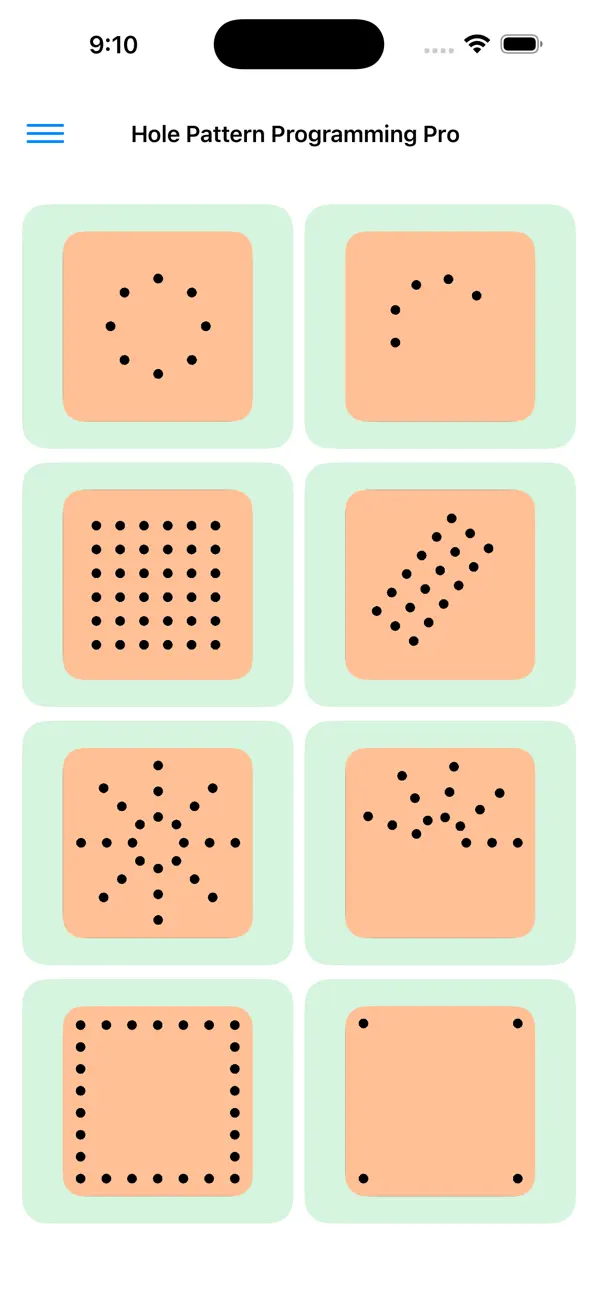
The app supports virtually every type of hole arrangement — from simple linear rows to advanced multi-PCD mesh structures. Whether you are working on flanges, plates, jigs, fixtures, decorative panels, or precision mechanical parts, this tool simplifies even the most complex drilling and tapping calculations.
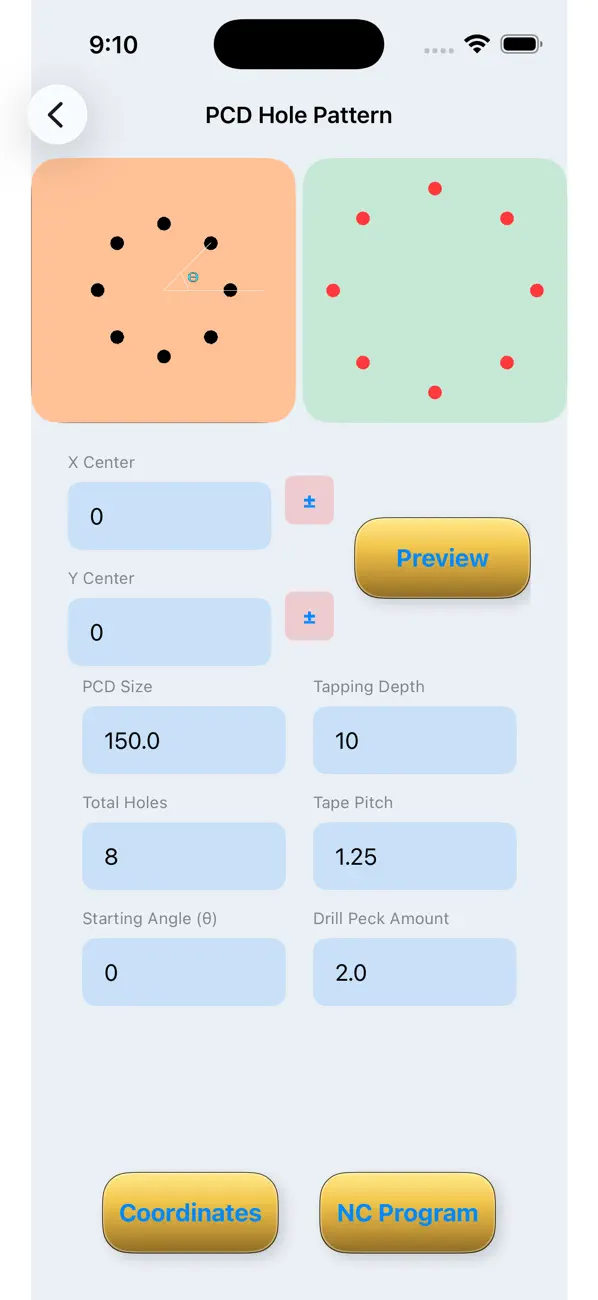
Simply enter a few key dimensions and the app instantly generates:
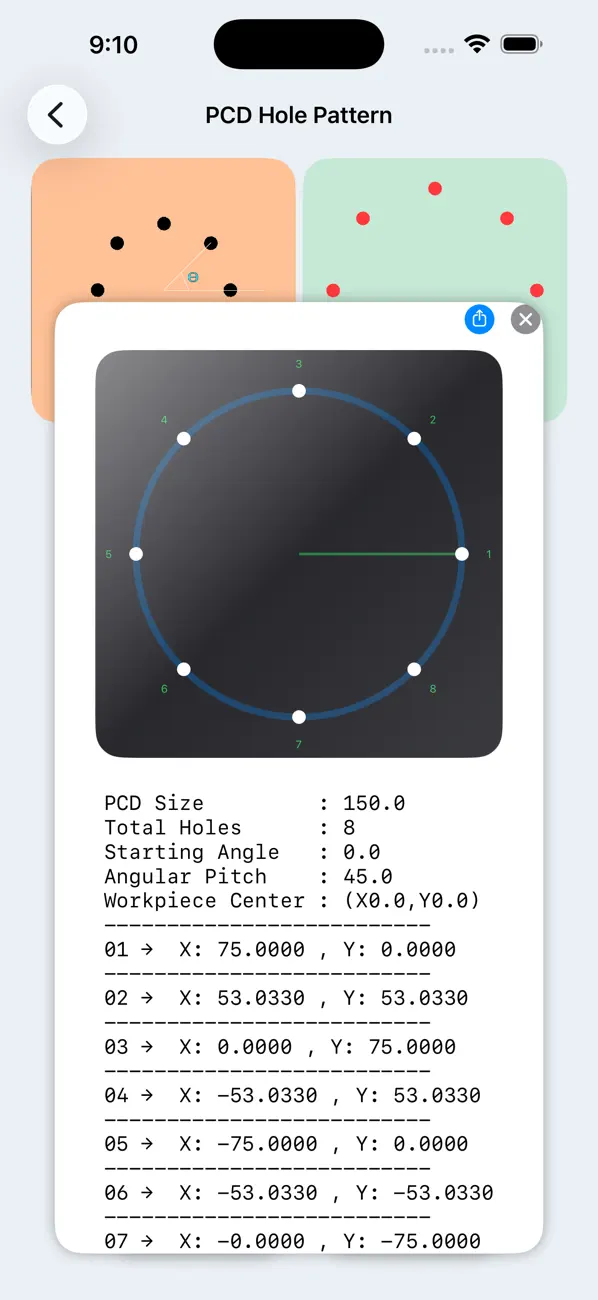
• Exact X–Y coordinates
• Visual preview of the hole layout
• Hole sequence numbering
• Optional VMC drilling and tapping programs
Even if your hole center is not at X0, Y0, you can change the origin and the app will automatically recalculate all coordinates accurately.
Supported Hole Patterns
• Single and Multiple PCD (Pitch Circle Diameter)
• Full circle or limited angular span PCD
• Linear patterns (horizontal, vertical, or angled)
• Circular bolt circle layouts
• Rectangular grids
• Border-only hole layouts
• Angular linear patterns
• Mesh / lattice structures using multiple PCDs
Key Features
PCD Hole Patterns
Create full or partial angular span hole arrangements on single or multiple PCDs.
Linear Hole Patterns
Generate straight or angled rows of holes at any custom angle.
Rectangular Patterns
Fill complete rectangular areas or generate holes only along borders.
Mesh / Lattice Structures
Create complex multi-PCD patterns for structural and decorative designs.
Custom Center Adjustment
Change origin (X0, Y0) and automatically recalculate all coordinates.
Coordinates & Visual Preview
Get precise X-Y coordinates with a visual layout of every hole.
Hole Sequence Numbering
Automatic numbering from 1 to total holes for easy reference.
VMC Programming Support
Generate ready-to-use drilling, center drilling, and tapping programs.
Editable Drill & Tap Parameters
Customize drill depth, tap depth, pitch, and sequence.
Flexible Output Options
Copy coordinates, copy full VMC program, or share using the Share button.
Automatic Error Handling
If required inputs are missing, the app shows clear messages instead of crashing.
Metric & Imperial Units
Work seamlessly in millimeters (mm) or inches.
User-Friendly Interface
Designed for fast use in workshop, field, or office environments.
Practical Use Cases
Flange & Bolt Circle Layouts – Design precise PCD holes with full or partial spans.
Linear Hole Rows – Create straight or angled hole rows on plates and sheets.
Rectangular Plates – Fill areas or generate border-only patterns.
Mesh / Lattice Designs – Complex structural or decorative layouts.
Custom Center Workflows – Adjust coordinates to match machine zero or fixture setup.
Workshop & CAD Planning – Use coordinates for manual drilling or CAD input.
VMC / CNC Programming – Instantly generate editable drilling and tapping programs.
Why Choose Hole Pattern Programming Pro?
Supports all major hole layout types – linear, circular, rectangular, border-only, angular, multi-PCD, and mesh.
Ensures error-free and reliable calculations.
Saves time compared to manual methods or spreadsheets.
Provides coordinates + visual preview for complete clarity.
Generates CNC-ready VMC programs.
Fully Customize and easy to share.
Stable and safe – guides users instead of crashing.
Use Hole Pattern Programming Pro today and simplify your machining and hole layout workflow.
From single PCD to complex multi-pattern designs, from coordinates to CNC programs — everything you need is now in one powerful professional tool.