HourTracker
iOS Universel / Productivité
HourTracker is a focused time-tracking app for people who work for one employer or many. Log your hours in seconds, keep every employer separate, and turn your work into clean reports — or full invoices — without the clutter.
WORK TIME, YOUR WAY (free)
• Track multiple employers and switch between them with a tap
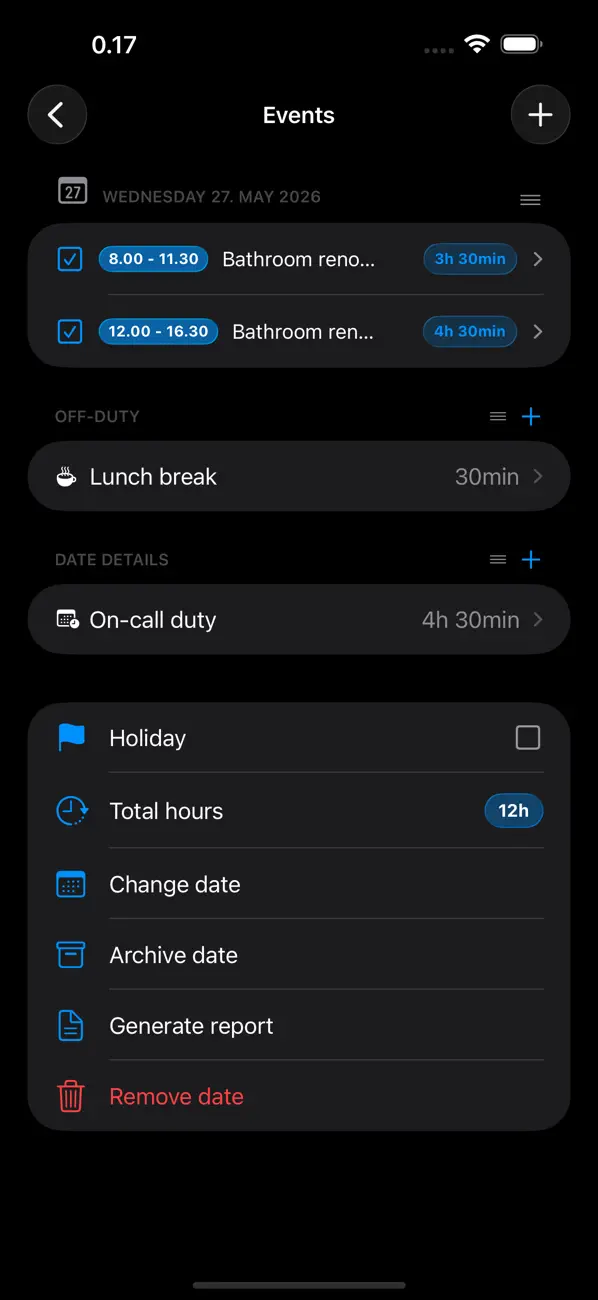
• Days hold timed events (start–end), duration entries, breaks, day notes and holidays
• Custom event categories (e.g. Work, Travel, Training), each with its own rate
• Choose your rounding: 1, 5, 10, 15, 30 or 45-minute steps
• Insert your current city into an event with one tap (with custom shorthands, e.g. Helsinki → Hki)
SEE YOUR PROGRESS (free)
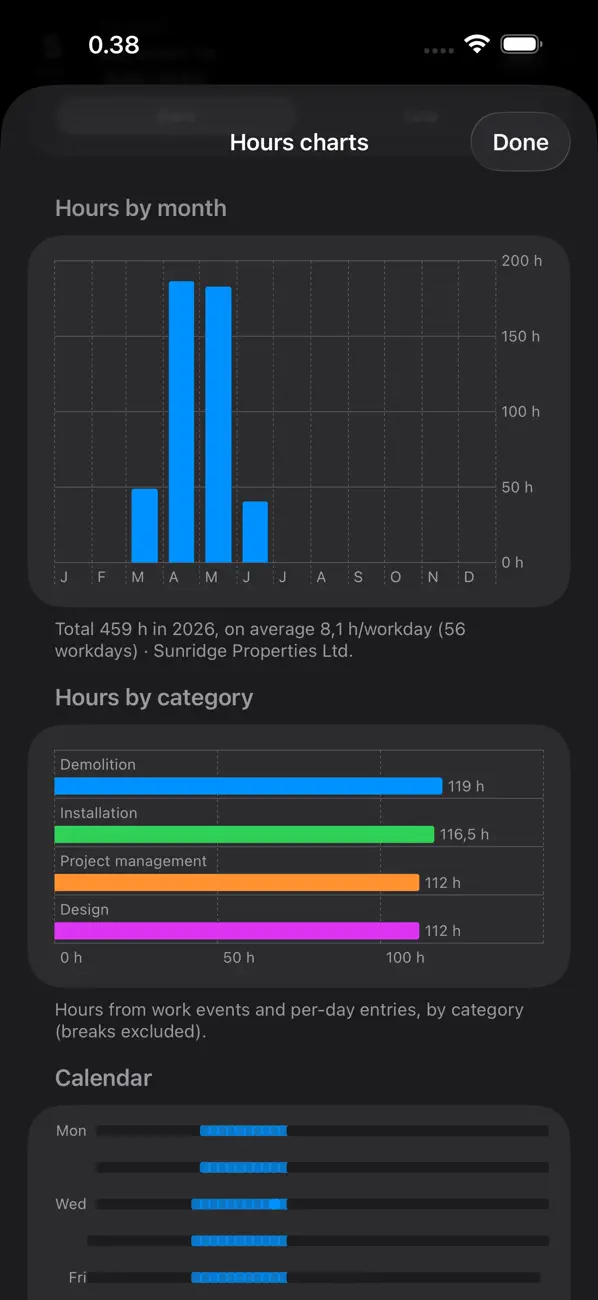
• A whole year of activity at a glance (heatmap)
• Hours goals with weekly, biweekly or monthly progress
• Charts and statistics for your hours and earnings
• "Year in Review" annual recap, exportable as a PDF
REPORTS THAT LOOK THE PART
• Polished HTML or PDF reports, with pagination and photo attachments
• Add your own summaries for overtime and other special hours
• Send straight from the app
INVOICING & BUSINESS (optional in-app purchase)
For contractors and the self-employed:
• Create, archive and track invoices, drafts, credit notes and payment reminders
• Finnish payment slips with SEPA QR and barcode, plus Finvoice 3.0 e-invoicing
• Recurring invoices and expenses, expense tracking and a finance overview
• Payslips with annual summary and holiday bonus
• Client and supplier registers, client statements and a price/product library
EVERYWHERE YOU WORK
• iPhone, iPad (optimized) and Mac
• Home-screen widgets, plus an Apple Watch app to start and stop timers from your wrist
• iCloud keeps your data up to date across all your devices
• Encrypted backup & restore, plus import from the previous HourTracker
PRIVATE BY DESIGN
Your data stays in your own iCloud. An optional Face ID / passcode lock keeps the app private.
SPEAKS YOUR LANGUAGE
Full English and Finnish interface. Need reports or invoices in another language? The built-in translation editor lets you translate documents into virtually any language that uses standard characters.
HourTracker keeps the simple things simple — and gives professionals everything they need when the job grows.
Terms of Use (EULA): https://www.apple.com/legal/internet-services/itunes/dev/stdeula/
Quoi de neuf dans la dernière version ?
• Two new report themes: Ocean (a fresh teal look) and Graphite (dark, with warm accents).
• Weekends and holidays now stand out in your reports with a subtle highlight.
• New option to add a date and signature line at the end of a report — handy when a report needs signing off.
• Fixed: work reports could show 0 hours — for a single day, or for the grand total — in some cases. Reports now calculate correctly, and your existing reports recalculate automatically with no re-entry.
• The report's hour breakdown now always adds up: off-duty time that isn't tied to a category is shown as its own line, so the total is never smaller than a category.
• Invoice numbering stays gap-free: a number is now reserved only when an invoice is actually sent or saved as a draft. Previewing a report, editing, or cancelling a share no longer uses up a number.
• If a work timer has been running far longer than any real shift, the app now checks whether you forgot to stop it.
• Mac: the category shortcut bar no longer stretches across the whole window over the sheet.
• When your entries are still syncing from iCloud, the app lets you wait before building a report (or build it anyway), so it isn't made from half-synced data.
• Plus other small fixes and refinements.